


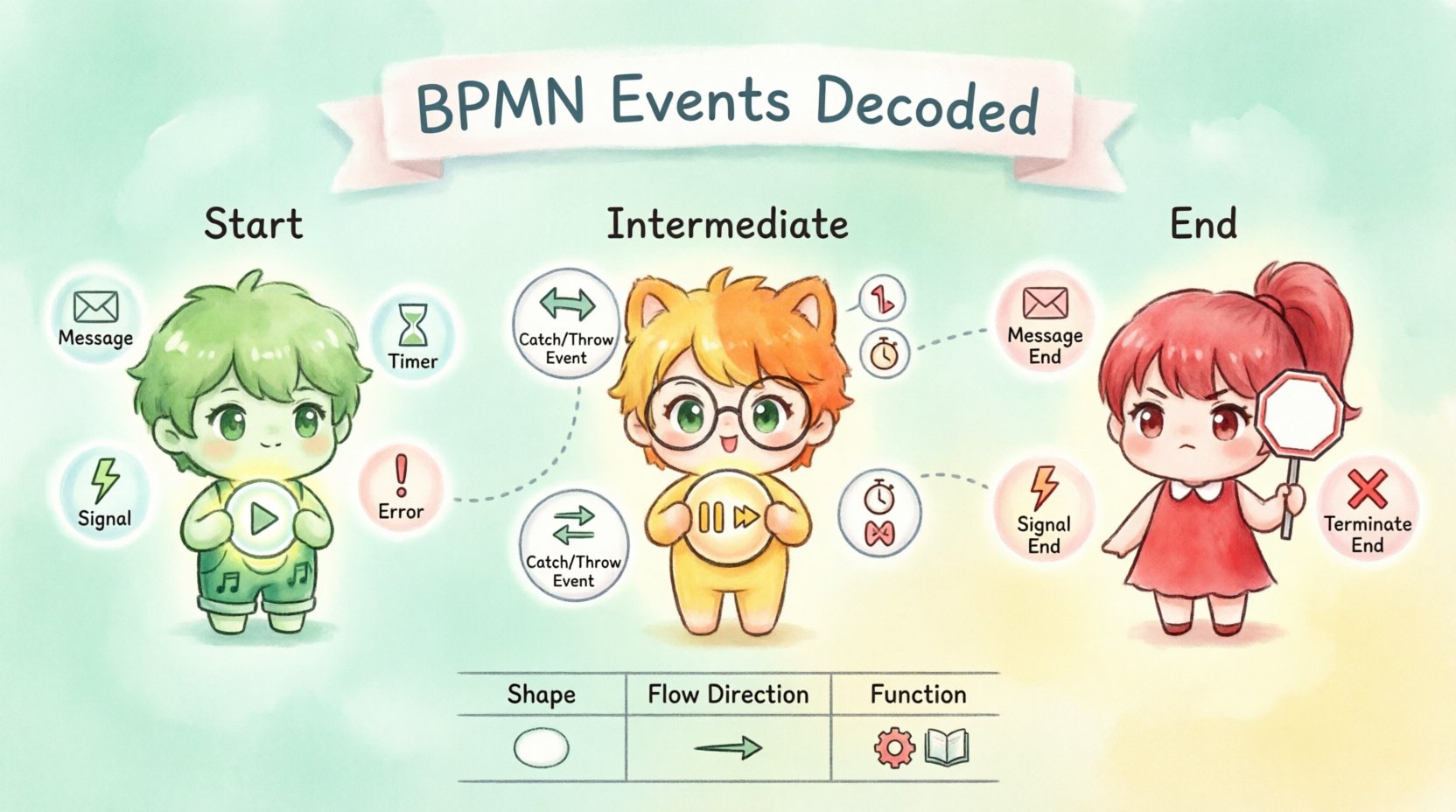
Business Process Model and Notation (BPMN) serves as the universal language for describing workflows. Within this visual standard, events act as the triggers and outcomes that drive the entire process forward. Without a clear understanding of how these events function, a process model can become ambiguous or technically unexecutable. This guide dissects the three primary categories: Start, Intermediate, and End events.
Events are depicted as circles in BPMN notation. Their internal symbols determine their specific behavior. They mark the beginning, the occurrence, or the termination of a process activity. Getting these right ensures that the logic flows logically from one task to another.
🟢 Start Events: The Trigger Point
A Start Event initiates a process. It is the entry point where the workflow begins execution. Visually, a Start Event is a circle with a thin border. There are specific types of Start Events that dictate how the process is triggered.
1. None Start Event
- Symbol: Empty circle inside a larger circle.
- Behavior: This is the default. It waits for a manual intervention or an external system call to start the process.
- Use Case: Ideal for processes that begin on demand, such as a “Request Approval” workflow initiated by a user.
2. Message Start Event
- Symbol: Envelope icon inside the circle.
- Behavior: The process starts when a specific message is received. This implies an asynchronous trigger.
- Use Case: Receiving an email confirmation or an API callback that kicks off a fulfillment cycle.
3. Timer Start Event
- Symbol: Clock face icon inside the circle.
- Behavior: The process starts at a specific time or based on a recurring schedule.
- Use Case: Daily reports generation, monthly payroll runs, or system backups.
4. Signal Start Event
- Symbol: Yellow lightning bolt inside the circle.
- Behavior: The process starts when a signal is broadcasted. This signal can be caught by multiple processes simultaneously.
- Use Case: A global system alert that triggers maintenance workflows across different departments.
5. Error Start Event
- Symbol: Exclamation mark inside a circle (usually red).
- Behavior: Rarely used as a start event in standard flows, but technically possible if a process is designed to recover from a specific error state immediately upon startup.
It is critical to note that a process must have exactly one Start Event. Having multiple start events can lead to confusion regarding which condition initiates the workflow.
🟡 Intermediate Events: The Occurrence
Intermediate Events occur during the execution of a process. They sit between the Start and End events. These events can either catch an event (waiting for something) or throw an event (sending something out). Visually, they are circles with a thick border.
1. Intermediate Catching Events
These events pause the process flow until a specific condition is met. Once the condition is satisfied, the flow continues.
- Message Catch: Waits for a specific message to arrive. The process stalls until the data is received.
- Timer Catch: Delays the process for a specific duration (e.g., wait 3 days) or until a specific date.
- Error Catch: Waits for a specific error to be thrown by an upstream task. This is often used in error handling sub-processes.
- Signal Catch: Waits for a signal to be broadcasted. Unlike messages, signals are broadcasted, not sent to a specific recipient.
- Link Catch: Connects to a Link Throw event within the same process. Useful for long loops or complex flows.
- Escalation Catch: Waits for an escalation to be thrown. This is specific to handling process escalations.
2. Intermediate Throwing Events
These events immediately trigger an action as the flow passes through them. They do not pause the flow.
- Message Throw: Sends a message to another participant or system immediately.
- Signal Throw: Broadcasts a signal to all processes listening for that specific signal.
- Escalation Throw: Triggers an escalation within the process logic.
- Link Throw: Sends control flow to a Link Catch event elsewhere in the diagram.
3. Intermediate Boundary Events
A special type of Intermediate Event attached to the boundary of a Task or Sub-Process. It offers a way to handle interruptions without stopping the main flow immediately.
- Cancel Boundary: Cancels the activity if the event occurs.
- Timer Boundary: Triggers an alternative path if the task takes too long (timeout).
- Message Boundary: Allows the task to continue while also listening for a message.
- Error Boundary: Catches an error thrown during the execution of the attached task.
Understanding the distinction between Catching and Throwing is vital. Catching waits; Throwing acts. Confusing the two can result in processes that hang indefinitely or execute prematurely.
🔴 End Events: The Termination
End Events signify the successful or unsuccessful completion of a process. They mark the final point of execution. Like Start Events, they are circles, but they often feature a thick border to indicate finality.
1. None End Event
- Symbol: Empty circle.
- Behavior: The process simply stops. No data is sent out, and no external notification is made.
- Use Case: A standard workflow that completes without needing further external acknowledgment.
2. Message End Event
- Symbol: Envelope icon.
- Behavior: Sends a message as the final step of the process.
- Use Case: Sending a “Order Completed” confirmation email to the customer.
3. Signal End Event
- Symbol: Yellow lightning bolt.
- Behavior: Broadcasts a signal to terminate other related processes or notify the system.
- Use Case: Notifying a global status update that a specific transaction is finished.
4. Error End Event
- Symbol: Exclamation mark.
- Behavior: Indicates the process ended due to an error condition.
- Use Case: Logging a failed transaction that cannot be recovered.
5. Terminate End Event
- Symbol: Bold circle with a cross (X) or thick border.
- Behavior: Immediately stops the entire process instance, canceling all active parallel paths.
- Use Case: Cancellation of an order where all subsequent steps must be aborted immediately.
📊 Event Comparison Table
To visualize the differences, refer to the comparison below.
| Feature | Start Event | Intermediate Event | End Event |
|---|---|---|---|
| Shape | Circle (Thin Border) | Circle (Thick Border) | Circle (Thick Border) |
| Connection Flow | One outgoing flow only | One incoming, one outgoing | One incoming flow only |
| Process Count | Exactly one per process | Zero or more per process | Zero or more per process |
| Timing | Initiates the flow | Occurs during the flow | Terminates the flow |
| Primary Function | Trigger | Wait, Send, or Handle | Complete or Abort |
⚠️ Best Practices and Common Pitfalls
When modeling complex processes, adhering to standards prevents ambiguity. Here are key guidelines to maintain clarity and technical integrity.
1. Avoid Orphaned Events
Ensure every event is connected to a flow. An event without an incoming or outgoing sequence flow is often a modeling error. Intermediate events must have one incoming and one outgoing connection unless they are attached to a task boundary.
2. Distinguish Between Timer Types
Do not confuse Timer Start Events with Timer Intermediate Events.
- Timer Start: The process begins because of the timer.
- Timer Intermediate: The process pauses because of the timer.
3. Use Boundary Events for Exception Handling
Instead of creating complex gateways to check for errors, attach Error Boundary Events to tasks. This keeps the happy path clear and separates error logic visually.
4. Naming Conventions
Label your events clearly. A “Message Catch” should be labeled with the message name (e.g., “Receive Payment Confirmation”). This helps stakeholders understand what data is required at that specific point.
5. Limit Signal Complexity
While Signals are powerful, using them excessively can make the process hard to trace. Signals are global. If a signal is thrown, multiple processes might react. Document these dependencies in a companion diagram or specification.
6. Sequence Flow Direction
Always ensure the flow moves from Start to End. Intermediate events should never create loops unless explicitly designed with gateways. Infinite loops indicate a logic error in the event handling.
🛠 Implementation Considerations
Translating a diagram into executable code requires specific attention to event semantics.
- State Management: Intermediate events often require the engine to maintain state (e.g., waiting for a message). This impacts performance if too many processes are waiting simultaneously.
- Asynchronous Behavior: Message events imply asynchronous communication. The system must handle message queues and retries.
- Timeout Handling: Timer events must be robust against clock changes or system downtime. A timer set for 1 hour should not fail if the system reboots for 10 minutes.
- Error Propagation: Error events should propagate up the hierarchy if not handled locally. Ensure the boundary conditions are defined correctly.
🔍 Detailed Event Behavior Analysis
Let us explore the nuance of specific event interactions in a real-world scenario.
Scenario: Order Processing
Imagine a workflow for processing a customer order. This scenario utilizes all three event types.
- Start: A Message Start Event receives the “New Order” payload from the e-commerce platform.
- Intermediate: After inventory check, an Intermediate Timer Event waits 24 hours for payment confirmation. If payment is not received, an Intermediate Message Throw Event sends a reminder.
- End: Once payment is confirmed, a Message End Event sends the shipping details to the warehouse.
In this flow, the Intermediate Timer Event acts as a gatekeeper. If the timer expires, the flow moves to the alternative path (Reminder). If the message is received before the timer expires, the flow continues to the End Event.
Handling Concurrent Events
What happens if a process is waiting for a message, but an error occurs? This is where Event Sub-Processes come into play. An Event Sub-Process allows you to define a separate path triggered by an event, independent of the main flow. This is crucial for maintaining stability when unexpected events occur.
- Event Sub-Process Trigger: Can only be an Intermediate Catching Event (Error, Timer, Message, Signal, Escalation).
- Execution: It runs concurrently with the main process.
- Scope: It is contained within the main process but has its own internal flow.
🔗 Link Events and Connections
Link events are a unique subset of Intermediate Events used to connect flows that are physically far apart in a diagram or to manage complex looping logic.
- Link Throw: Acts as a destination marker.
- Link Catch: Acts as a source marker.
While they reduce the need for crisscrossing lines, overusing them can make the diagram difficult to read. Use them sparingly to keep the visual flow intuitive.
📝 Summary of Key Takeaways
Mastering the nuances of BPMN events is essential for creating robust process models. Start Events define the entry, Intermediate Events manage the flow and interruptions, and End Events define the exit.
- Consistency: Stick to the standard shapes. Do not mix thin and thick borders arbitrarily.
- Clarity: Name your events based on the action, not the shape.
- Logic: Ensure every path leads to a termination or a valid loop.
- Validation: Check that every Start and End event is unique per process instance.
By applying these principles, process architects can build models that are not only visually clear but also technically sound for execution engines. The distinction between waiting (Catching) and acting (Throwing) remains the most critical concept to internalize.