


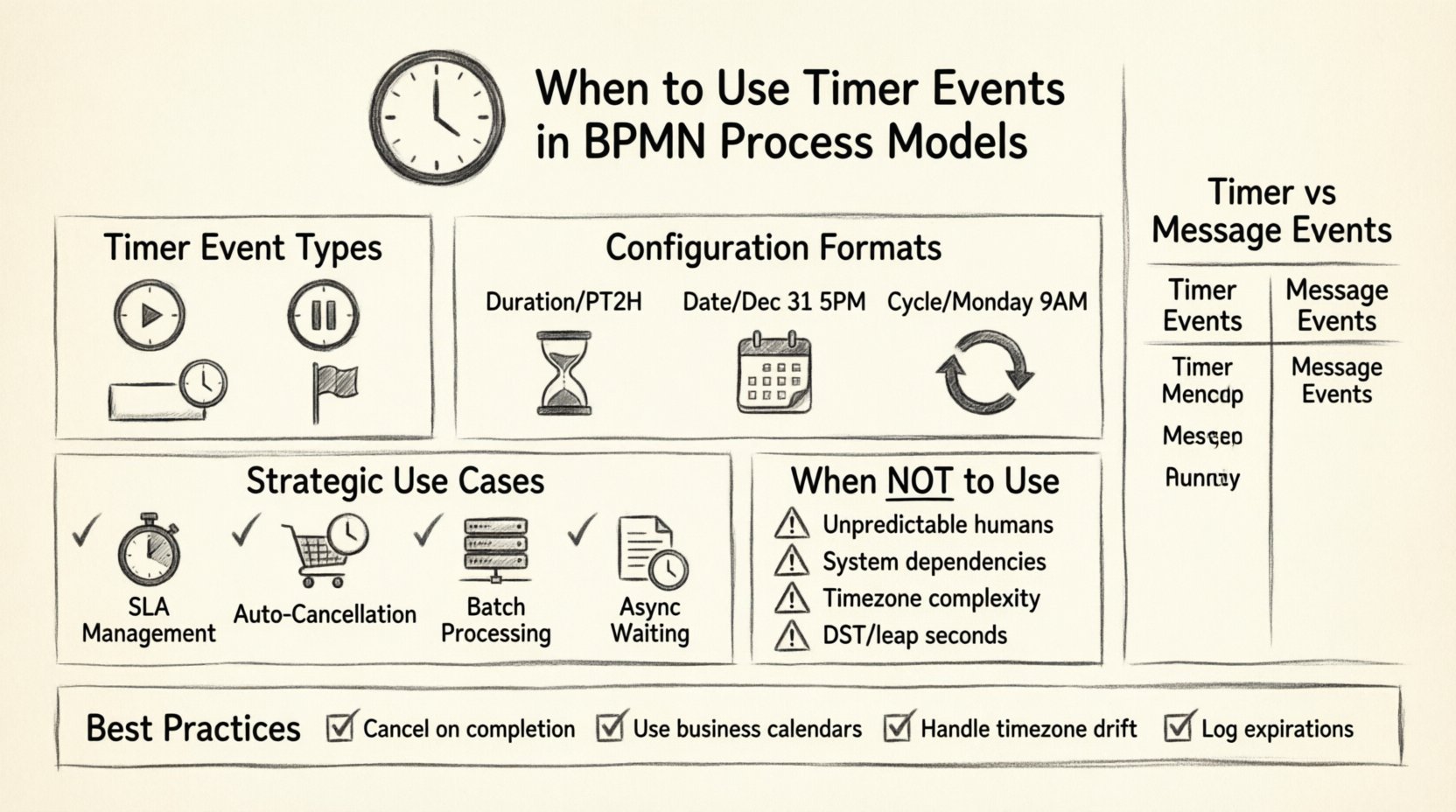
In the world of Business Process Model and Notation (BPMN), timing is everything. Processes do not exist in a vacuum; they operate within the constraints of time, deadlines, and business rhythms. Timer events provide the mechanism to bridge the gap between static workflow steps and dynamic time-based triggers. Understanding when to apply these events is critical for building robust, maintainable, and accurate process models.
This guide explores the strategic application of timer events. We will examine the different types, configuration options, and the specific business scenarios that warrant their use. We will also address common pitfalls to avoid, ensuring your models reflect reality without over-complicating the execution logic.
Understanding the Timer Event Types 🕒
BPMN defines timer events as a specific type of intermediate or boundary event, as well as a start event. They are distinct from message or signal events because they rely on the system clock rather than external communication. There are three primary locations where you might place a timer event:
- Timer Start Event: This initiates the process at a specific time. It is often used for batch jobs, daily reports, or scheduled recurring tasks.
- Intermediate Catching Timer Event: This pauses the process for a set duration or until a specific date. It is commonly used to wait for a response before proceeding or to enforce a timeout.
- Boundary Timer Event: Attached to an activity, this acts as a fallback. If the activity takes too long, the timer fires and triggers an alternative path, such as an escalation or error handling routine.
- Timer End Event: Rarely used as a direct terminator, this typically signals the end of a timed waiting period before the process completes.
Choosing the correct location depends on the behavior you need to model. A start timer triggers the lifecycle. An intermediate timer pauses it. A boundary timer handles exceptions to the lifecycle.
Configuration Formats: How Time is Defined ⚙️
When configuring a timer event, the engine requires a definition of time. There are three standard formats supported by most BPMN implementations. Understanding these is essential for accurate modeling.
1. Duration (Relative Time)
This is the most common configuration. It specifies a length of time to wait. It is relative to when the event is reached.
- Example: Wait 2 hours (PT2H) or 1 day (P1D).
- Use Case: Waiting for a user to approve a request before it auto-rejects. The clock starts when the task is assigned.
- Iso 8601: These often follow the ISO 8601 duration format (e.g., PnYnMnDTnHnMnS).
2. Date (Absolute Time)
This configuration waits until a specific point in time is reached. It is independent of when the process instance arrives at the event.
- Example: Wait until December 31st at 5:00 PM.
- Use Case: Running a year-end closing process. The process can sit idle for weeks until that specific date hits.
- Dynamic Variables: Often, the date is derived from a variable, such as an order date plus a specific number of days.
3. Cycle (Recurring Time)
Cycles allow the timer to fire repeatedly based on a pattern. This is useful for maintenance tasks or periodic checks.
- Example: Every Monday at 9 AM or every 30 minutes.
- Use Case: Checking inventory levels or sending weekly status updates.
- Complexity: Cycle timers require careful handling to prevent overlapping instances from clogging the system.
Strategic Use Cases for Timer Events 🎯
Not every waiting period requires a timer event. In many cases, human interaction or system states are better indicators of progress. Below are the scenarios where timer events are the correct choice.
1. Service Level Agreement (SLA) Management
Businesses often guarantee response times to customers. If a task remains unattended for too long, it breaches the SLA. A boundary timer event on the task monitors this. If the timer fires, the process can route to a manager or escalate the priority.
- Monitor: How long has this ticket been open?
- Action: If > 48 hours, notify supervisor.
2. Automatic Cancellation or Timeouts
Some processes must expire if no action is taken. For example, a shopping cart reservation might last only 10 minutes. If payment is not received, the reservation is released. An intermediate timer event can enforce this expiration without requiring constant polling.
- Scenario: User leaves checkout page.
- Timer: 10 minutes.
- Result: Cart is cleared, inventory is updated.
3. Scheduled Batch Processing
Tasks that do not require a specific trigger but must happen at regular intervals are best modeled with a Timer Start Event. This removes the need for a human operator to kick off the process.
- Examples: End-of-day reconciliation, nightly data backup, monthly billing generation.
- Benefit: Ensures consistency and removes human error in starting the process.
4. Asynchronous Waiting Periods
When a process must wait for an external event that is time-dependent (e.g., waiting for a court date to pass before filing a document), a timer event is appropriate. However, if the date is unknown, a message event is better.
When NOT to Use Timer Events 🚫
While powerful, timer events introduce complexity. Overusing them can lead to brittle processes. Here are scenarios where you should avoid them.
- Unpredictable Human Behavior: Do not use a timer to wait for a human to reply if the timing is unknown. A human might reply in 5 minutes or 5 days. Use a message event to wait for the actual response. A timer only tells you when to give up.
- System Dependencies: If the process waits for a database update, a timer is a poor substitute for checking the data state. Polling via timer is inefficient compared to event-driven updates.
- Complex Time Zones: If your process spans multiple time zones, calculating durations can become difficult. A “24-hour” timer might mean different things to different users. Be explicit about the time zone context.
- Leap Seconds and Daylight Savings: Standard timers usually count seconds. They may not account for daylight savings transitions or leap seconds unless explicitly configured. For business days, use business calendars instead of raw timers.
Best Practices for Implementation ✅
To ensure your process models remain reliable, follow these architectural guidelines when working with timers.
1. Cancel Timers on Completion
If a process reaches a decision point before the timer fires, the timer must be cancelled. If a user completes a task early, you do not want the timer to fire later and trigger duplicate actions. Most engines handle this automatically if the path is distinct, but be aware of the logic flow.
2. Use Business Calendars
Standard timers count every hour. Business timers count only working hours. If you set a timer for 2 business days, it should not fire on a weekend. Ensure your platform supports business calendars to align with operational hours.
3. Handle Time Zone Drift
Always define whether your timer is based on UTC or local time. If your system moves a process instance from a server in New York to one in London, UTC is the safest standard to prevent timing errors.
4. Log Timer Expirations
When a timer fires, it is a significant event. It often triggers an exception path. Ensure these events are logged in the audit trail. This is vital for compliance and debugging.
Timer Events vs. Other Events 🆚
Deciding between a timer and a message event is a common modeling challenge. The table below outlines the differences.
| Feature | Timer Event | Message Event |
|---|---|---|
| Trigger Source | System Clock | External Communication |
| Predictability | High (if configured) | Low (depends on sender) |
| Use Case | Deadlines, Cycles, SLAs | Collaboration, Responses |
| Timeout Risk | High (if not cancelled) | Low (if message arrives) |
| State Dependency | Time-based only | Data/Content-based |
Use a message event when you need to wait for information. Use a timer event when you need to enforce a deadline or schedule a task.
Common Pitfalls and Error Handling ⚠️
Even with good planning, timer events can cause issues in production. Here are specific technical challenges to anticipate.
1. The Midnight Problem
If you schedule a task for “Every day at 5:00 PM”, ensure the system handles the transition from one day to the next correctly. If the server time changes, does the task run twice or skip a day? Always test during transition periods.
2. Overlapping Instances
If a cycle timer fires every 5 minutes, but the process takes 10 minutes to run, you will accumulate hundreds of instances. You must implement a limit or a queue mechanism to prevent resource exhaustion.
3. Variable Timeouts
Dynamic timeouts are tricky. If the timer depends on a variable, and that variable changes, the timer might not update. Most engines require the timer to be set at the moment the event is reached. If the deadline changes, the timer must be explicitly reconfigured or cancelled.
4. Performance Impact
Timers require the engine to check active instances against the clock. If you have millions of active instances with timers, this check can become a bottleneck. For high-volume processes, consider using an external scheduler rather than a built-in engine timer.
Modeling Tips for Clarity 📝
Your process diagrams should communicate intent. When you include a timer event, the reader should immediately understand the time constraint.
- Label Clearly: Do not just show a clock icon. Label the event with the duration (e.g., “Wait 24 Hours”).
- Group Related Events: If you have multiple timers for the same deadline, group them visually or logically.
- Define the Outcome: Ensure the path taken when the timer fires is clear. Is it a failure? A reminder? A hand-off?
Summary of Decision Criteria 📋
Before adding a timer event to your model, ask these questions:
- Is the timing predictable and system-controlled?
- Does this wait represent a deadline or a cycle?
- Is the alternative a human response (which would need a message event)?
- Can the process handle the timer expiring without breaking?
- Do we have a business calendar to exclude holidays?
If the answer is yes, a timer event is likely the right tool. If the answer involves waiting for a person or an unpredictable external system, reconsider the approach.
BPMN is about modeling reality. Time is a fundamental dimension of reality. By using timer events correctly, you ensure your digital processes respect the constraints of the physical world. They provide the structure needed for automation to function reliably, turning static diagrams into dynamic engines that manage time as effectively as they manage tasks.