


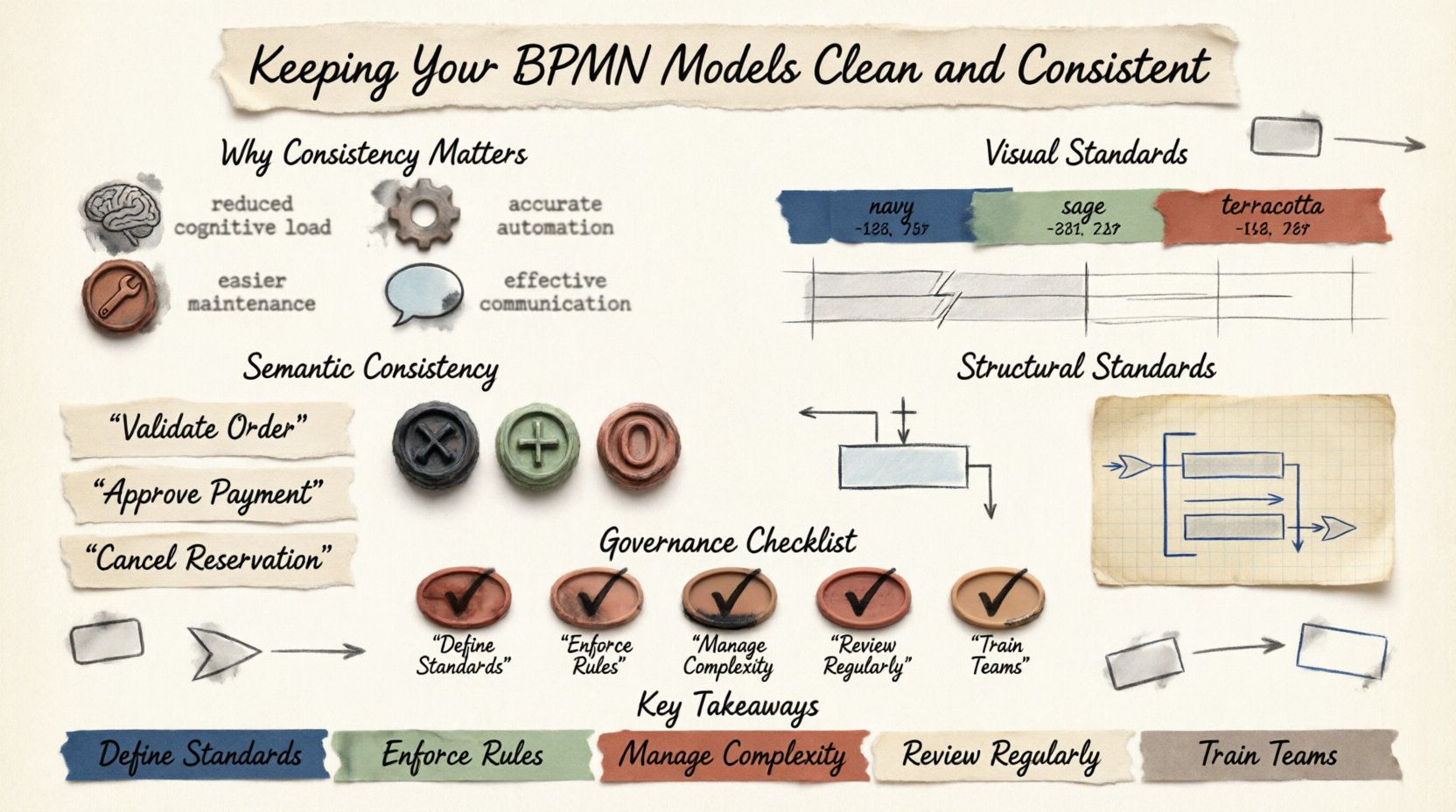
Business Process Model and Notation (BPMN) serves as the universal language for process documentation. It bridges the gap between business stakeholders and technical developers. However, a language is only useful if it is spoken correctly. Inconsistent diagrams lead to confusion, implementation errors, and significant maintenance overhead. This guide outlines the essential strategies for maintaining clean, consistent, and reliable BPMN models without relying on specific vendor tools.
🔍 Why Consistency Matters in Process Modeling
Process models are not static drawings; they are functional specifications. When a model lacks consistency, its value diminishes rapidly. Stakeholders struggle to interpret the flow, developers face ambiguity during implementation, and automated execution engines may reject invalid structures. Consistency ensures that anyone reading the diagram understands the intent immediately.
The benefits of a disciplined approach include:
- Reduced Cognitive Load: Readers do not waste time deciphering layout choices or symbol variations.
- Accurate Automation: Consistent semantics ensure that execution engines process logic exactly as designed.
- Easier Maintenance: When updates are required, a standardized structure allows for quick modifications.
- Effective Communication: Visual uniformity signals professionalism and clarity to business audiences.
🎨 Establishing Visual Standards
Visual consistency is the first layer of quality. It involves the layout, colors, fonts, and alignment of elements within the diagram. While BPMN defines the syntax, it does not enforce a visual style. This freedom can lead to chaos if not governed.
1. Color Palette Discipline
Colors should convey meaning, not decoration. A standard palette prevents the diagram from looking like a child’s art project. Define a specific set of colors for specific elements and adhere to them strictly.
- Tasks: Use a neutral background color to represent standard work items.
- Gateways: Use distinct colors for different decision points (e.g., exclusive vs. parallel).
- Events: Use colors to indicate the type of event (start, end, intermediate).
- Swimlanes: Use subtle shading to distinguish pools or lanes without overwhelming the text.
Avoid using bright neon colors for critical logic paths. These distract the eye. Instead, use color to highlight exceptions or specific business rules. If a diagram uses more than five distinct colors, it is likely too complex for effective communication.
2. Alignment and Spacing
A messy layout implies a messy process. All elements must be aligned using a grid system. This does not mean every box must be perfectly square, but the flow should be predictable.
- Vertical Flow: Ensure processes flow from top to bottom where possible. Horizontal flows are acceptable but should be used consistently across the suite of diagrams.
- Spacing: Maintain equal spacing between parallel paths. This visual balance makes it easier to scan the diagram.
- Connector Lines: Avoid crossing lines. If lines must cross, use a bridge or re-route the flow to maintain clarity.
- Font Size: Keep text consistent. Headings should be larger than task labels, and labels should be readable without zooming.
📝 Semantic Consistency and Naming Conventions
Visual cleanliness is secondary to semantic accuracy. Every element in the diagram must have a precise meaning. Inconsistent naming conventions are a common source of errors in process execution.
1. Task Naming
Task labels should be verb-noun pairs. This describes the action and the object. Avoid vague terms like “Do” or “Process”.
- Incorrect: “Process Order”
- Correct: “Validate Order” or “Ship Goods”
Ensure that the same action is named identically across different diagrams. If “Approve Invoice” appears in one model, do not rename it to “Authorize Payment” in another. This confuses searchability and integration.
2. Event Definitions
Events drive the process. They mark the start, end, or interruption of flow. Consistency in event naming helps stakeholders understand triggers.
- Start Events: Name them based on the trigger (e.g., “Receive Application”).
- End Events: Name them based on the outcome (e.g., “Send Confirmation”).
- Intermediate Events: Clearly indicate what is happening (e.g., “Wait for Email”).
Avoid using generic names like “Event 1” or “Step 2”. The diagram should be self-explanatory.
3. Gateway Logic
Gateways control the flow of execution. Inconsistent use of gateways leads to logic errors. Stick to the standard BPMN types.
- Exclusive Gateway (X): Use when only one path is taken based on a condition.
- Parallel Gateway (AND): Use when all paths must be taken simultaneously.
- Inclusive Gateway (OR): Use when one or more paths can be taken.
Never mix these up. If a process requires parallel execution, do not use an exclusive gateway. The distinction is critical for automated engines.
🏗️ Structural Standards and Complexity Management
A model should be readable at a glance. If a single page contains too much information, it becomes unusable. Structural consistency helps manage complexity.
1. Subprocesses
Subprocesses allow you to hide detail. However, they should not be used to hide confusion. Use them only when a section of the process is sufficiently complex to warrant its own diagram.
- Expandable: Ensure subprocesses can be expanded to reveal internal logic.
- Named Clearly: Give subprocesses descriptive names that summarize the contained flow.
- Boundary: Do not create nested subprocesses deeper than three levels. This creates an “onion” effect that is hard to debug.
2. Pools and Lanes
Pools represent participants (organizations or systems). Lanes represent roles or departments within those participants. Keep the hierarchy logical.
- One Lane per Role: Do not combine unrelated roles into a single lane.
- Swimlane Order: Arrange lanes in a logical order (e.g., Customer, Sales, Finance).
- Message Flows: Use message flows strictly between pools. Do not use sequence flows between pools.
🛡️ Governance and Review Processes
Standards are useless without enforcement. A governance framework ensures that models remain clean over time. This involves review cycles and validation.
1. The Checklist Method
Before a model is approved, it should pass through a checklist. This ensures no rule is overlooked.
| Category | Check Item | Pass Criteria |
|---|---|---|
| Visual | Alignment | Elements are aligned to grid lines. |
| Visual | Colors | Standard palette is applied. |
| Logic | Gateways | Gateways have defined conditions. |
| Logic | Flows | No dead ends or infinite loops. |
| Naming | Labels | Labels follow verb-noun convention. |
2. Peer Review
Have a colleague review the model. Fresh eyes catch inconsistencies that the author misses. This is not about nitpicking; it is about verifying clarity. The reviewer should ask: “Can I understand this process without asking the author?”
🔄 Maintenance and Lifecycle Management
Processes evolve. Business rules change. The models must evolve with them. A consistent model is easier to update, but version control is still required.
- Versioning: Maintain a history of changes. Every update should have a version number and a change log.
- Archival: Archive old versions for audit purposes but keep the active model clean.
- Documentation: Link the model to external documentation. If a task is complex, add a text description rather than cluttering the diagram.
🚫 Common Pitfalls to Avoid
Even experienced modelers fall into traps. Being aware of these common mistakes helps maintain quality.
- Over-Coupling: Do not make every task dependent on every other task. Keep dependencies minimal.
- Missing Conditions: Every outgoing sequence flow from a gateway must have a condition unless it is a default path.
- Complex Text: Do not write paragraphs inside task boxes. Use one line if possible.
- Ignoring Exceptions: Plan for what happens when things go wrong. Include error handling paths explicitly.
📈 The Impact on Business Value
Investing time in model consistency pays dividends. It reduces the time spent on clarifications. It speeds up the onboarding of new analysts. It ensures that the automation built on top of the models works correctly from the start.
When a model is clean, it becomes a trusted asset. Stakeholders trust the data derived from it. Developers trust the logic they implement. This trust accelerates digital transformation initiatives.
🔑 Key Takeaways for Success
To keep your BPMN models clean and consistent, focus on these core principles:
- Define Standards: Create a style guide for colors, fonts, and naming.
- Enforce Rules: Use checklists and peer reviews to validate models.
- Manage Complexity: Use subprocesses to hide detail, not to hide confusion.
- Review Regularly: Audit models periodically to ensure they match current business reality.
- Train Teams: Ensure everyone modeling understands the standards.
By treating modeling as a disciplined engineering practice rather than a creative exercise, you ensure longevity and reliability. Your processes will remain clear, actionable, and ready for the future.