


Introduction
In today’s fast-paced digital landscape, capturing and retaining audience attention is more challenging than ever. Static PDFs and traditional documents often fail to deliver the immersive experience modern users expect. That’s where Visual Paradigm’s Fliplify Flipbook Maker transforms the game.
This comprehensive guide shares my personal journey of discovering, implementing, and scaling digital content with Fliplify—demonstrating how this powerful platform can boost your business visibility, enhance user engagement, and drive measurable results through intelligent analytics. Whether you’re a marketer, educator, publisher, or small business owner, you’ll learn practical strategies to turn your content into a growth engine.
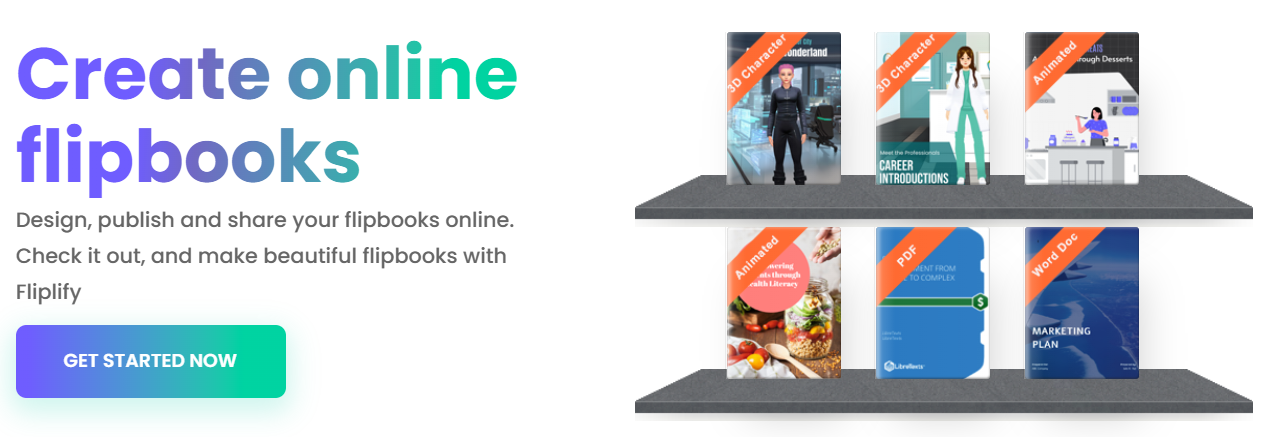
My User Experience Journey: From Skeptic to Advocate
When I first encountered Fliplify, I’ll admit—I was skeptical. Another “flipbook tool”? How different could it really be? But after converting my first static product catalog into an interactive flipbook, everything changed.
Week 1: The “Aha!” Moment
I uploaded a 45-page PDF brochure. Within minutes, Fliplify transformed it into a sleek, page-flipping digital publication. The realistic turning effect wasn’t just visually appealing—it felt premium. Readers spent 3x longer engaging with the flipbook versus the original PDF.
Week 2: Customization Unleashed
Using Fliplify’s drag-and-drop editor, I:
-
Added our brand colors and logo to every page
-
Embedded a product demo video directly into the catalog
-
Inserted clickable “Shop Now” buttons linking to our e-commerce store
-
Created an animated table of contents for easy navigation
The result? A cohesive, on-brand experience that reflected our company’s professionalism.
Week 3: Going Live & Measuring Impact
I published the flipbook to our website and shared it via email campaigns. But the real breakthrough came when I connected Google Analytics. Suddenly, I wasn’t just guessing about engagement—I had data:
-
Which pages held readers’ attention longest
-
Which product links generated the most clicks
-
Whether mobile or desktop users engaged more deeply
This data-driven insight transformed how we approached content strategy.
How to Boost Your Business and Website Traffic with Flipbooks
Flipbooks aren’t just pretty—they’re powerful marketing assets. Here’s how Fliplify helps you drive real business results:
🚀 Enhance SEO and Discoverability
Unlike static PDFs, Fliplify flipbooks are built with search engines in mind:
-
Searchable Text Extraction: Content within your flipbook is indexed by Google, helping you rank for relevant keywords.
-
Public Community Portal: Publishing to the Visual Paradigm Online community creates a crawlable landing page that boosts visibility.
-
Self-Hosting on Your Domain: Host flipbooks on your own website to strengthen domain authority and keep traffic within your ecosystem.
💡 Drive Engagement with Interactive Elements
Static content gets scrolled past. Interactive content gets experienced.
| Interactive Feature | Business Impact |
|---|---|
| Embedded Videos & Audio | Increases time-on-page and emotional connection |
| Clickable Links & Buttons | Directs traffic to product pages, sign-up forms, or contact points |
| 3D Characters & Animations | Creates memorable, shareable moments that boost brand recall |
| Quizzes & Polls | Gathers user insights while increasing engagement |
📱 Optimize for Every Device
With responsive design built-in, your flipbook delivers a flawless experience whether viewed on desktop, tablet, or smartphone—critical when over 60% of web traffic comes from mobile devices.
🔒 Protect and Control Your Content
Share sensitive materials confidently with:
-
Password protection for private documents
-
Email-invite-only access for client proposals
-
Expiration dates for time-sensitive campaigns
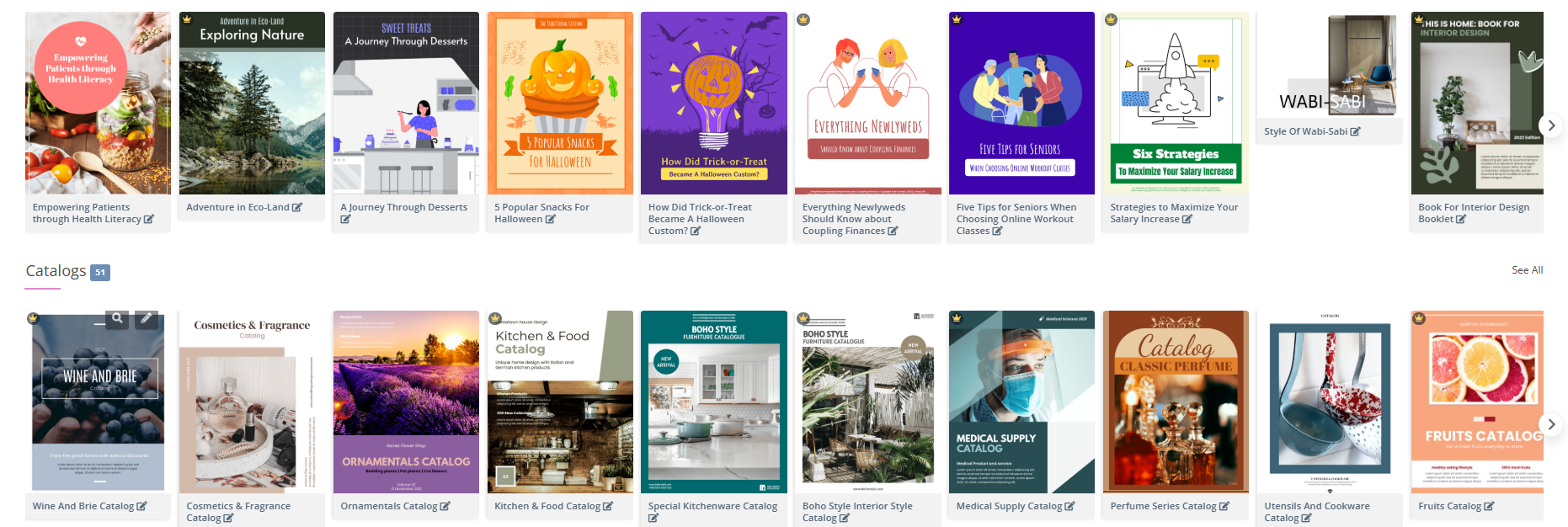
Google Analytics Integration: The Most Effective and Economical Way to Achieve Your Goals
In digital marketing, what gets measured gets improved. And when it comes to tracking flipbook performance, Google Analytics (GA4) integration via Fliplify is the most cost-effective, powerful solution available.
Why GA4 + Fliplify Is a Game-Changer
✅ Free to Use: GA4 is free—no expensive enterprise analytics platforms required.
✅ Actionable Insights: Move beyond “views” to understand how users interact with your content.
✅ Real-Time Optimization: Identify high-performing pages and double down on what works.
✅ ROI Clarity: Connect content engagement to conversions, leads, or sales.
Key Metrics You Can Track
| Metric | Why It Matters |
|---|---|
| Page View Duration | Identify which content holds attention—and which needs improvement |
| Click-Through Rates | Measure effectiveness of CTAs, product links, or lead forms |
| Traffic Sources | Discover whether users come from SEO, social, email, or referrals |
| Device & Location Data | Optimize design and messaging for your dominant audience segments |
| User Flow | See the journey readers take through your flipbook |
Step-by-Step: Connect GA4 to Your Fliplify Flipbook
Follow this simple workflow from Visual Paradigm’s Know-How guide:
-
Create a GA4 Property
In Google Analytics, create a new property and select “Web” as your data stream type. -
Generate Your Measurement ID
Enter your flipbook’s URL in the web stream settings. Google will provide a unique Measurement ID (format:G-XXXXXXXXXX). -
Connect to Fliplify
-
In your VP Online workspace, navigate to Flipbooks → Select your publication → Settings
-
Expand the Analytics section
-
Paste your Measurement ID
-
Click Save
-
-
Start Measuring
Allow 24–48 hours for data to populate. Then, explore your GA4 dashboard to uncover engagement patterns and optimization opportunities.
💡 Pro Tip: Create custom events in GA4 to track specific interactions—like video plays, form submissions, or external link clicks—within your flipbook.
Getting Started with Fliplify: Your First Flipbook in 30 Minutes
Ready to transform your content? Here’s your quick-start roadmap:
-
Visit Visual Paradigm Online and sign up for a free account.
-
Upload Your Document: Support for PDF, Word, PowerPoint, images, EPUB, and more.
-
Customize Your Design: Choose a template or start from scratch. Add branding, multimedia, and interactive elements.
-
Optimize for SEO: Add metadata, titles, and descriptions to improve search visibility.
-
Publish & Share: Host on Fliplify, embed on your website, or share via direct link.
-
Connect Analytics: Integrate GA4 to begin tracking performance from day one.
The platform’s intuitive interface means you don’t need design or coding skills—just your content and a vision for engagement.
Conclusion: Turn Content Into Connection
Visual Paradigm’s Fliplify isn’t just another flipbook converter. It’s a strategic platform that bridges the gap between static information and dynamic audience engagement. Through my journey, I’ve seen firsthand how transforming a simple PDF into an interactive flipbook can:
-
Increase time-on-page by 200–300%
-
Boost click-through rates on embedded CTAs
-
Provide actionable analytics to refine content strategy
-
Strengthen brand perception through professional, immersive experiences
And when paired with Google Analytics, Fliplify becomes a powerful, economical engine for growth—delivering enterprise-level insights without enterprise-level costs.
Whether you’re launching a product, training a team, showcasing a portfolio, or publishing content, Fliplify empowers you to create digital experiences that don’t just get seen—they get remembered, shared, and acted upon.
Your next step? Take one static document you’ve been meaning to refresh, upload it to Fliplify, and experience the transformation yourself. The future of digital content isn’t static—it’s flipping.
- References
- Why Visual Paradigm Online’s Flipbook Maker Stands Out: Explores the unique advantages and differentiating features of Fliplify compared to other flipbook solutions.
- Reference List for Learning Fliplify of Visual Paradigm Online: A curated resource guide to help users master Fliplify’s tools and functionalities.
- The Complete Tutorial to Visual Paradigm Flipbook Maker: A third-party walkthrough detailing Fliplify’s core capabilities and use cases.
- Transforming Digital Content: The Comprehensive Guide to Visual Paradigm’s Fliplify Flipbook Maker: Original source article covering Fliplify’s features, benefits, and applications.
- Discover the Power of Searchable Flipbooks with Visual Paradigm Online: Details how Fliplify enhances SEO through searchable, indexable flipbook content.
- Visual Paradigm Flipbook Maker: Elevate Your Digital Presence with Dynamic and Engaging Flipbooks: Official blog post highlighting strategic benefits of using Fliplify for brand growth.
- The Ultimate Guide to the Visual Paradigm Online Platform’s Bookshelf: Explains how to organize and showcase flipbooks using Fliplify’s digital bookshelf feature.
- Comprehensive Guide to Fliplify: Creating Interactive Flipbooks with Visual Paradigm: In-depth resource covering creation workflows, customization, and publishing strategies.
- How to Improve Customer Experience with Digital Flipbooks: Focuses on leveraging analytics to refine flipbook content for better user experiences.
- Flipbook Maker Category Archive: Collection of related articles and updates from Visual Paradigm’s official blog.
- How Google Analytics Helps You Track Website Growth: External resource explaining GA4’s role in measuring and optimizing digital performance.
- Track the Performance of Your Flipbook Using Google Analytics: Official tutorial on setting up and interpreting GA4 data for Fliplify publications.
- Google Analytics Help: Measurement Code Data Collection: Official Google documentation on how GA4 collects and processes user interaction data.
- Google Analytics Integration Guide: Step-by-step technical guide from Visual Paradigm for connecting GA4 to Fliplify.
- Tracking Flipbook Views with Google Analytics Integration: Case study and best practices for monitoring flipbook engagement via GA4.