


Software development is not merely about writing code; it is about delivering value. The journey from a concept to a functioning application involves multiple stages, each critical to the final outcome. Among these stages, deployment stands as the pivotal bridge between development and production. It is the moment where code transitions from a developer’s environment to the hands of the end user. Understanding the role of deployments within the Software Lifecycle Management (SLM) framework is essential for any organization aiming for stability, speed, and reliability.
This guide explores the intricate mechanics of deployment, its visualization through deployment diagrams, and its integration into broader lifecycle processes. We will examine strategies, risks, automation, and the metrics that define success. Whether you are a developer, an operations engineer, or a project manager, grasping these concepts ensures smoother transitions and fewer disruptions.
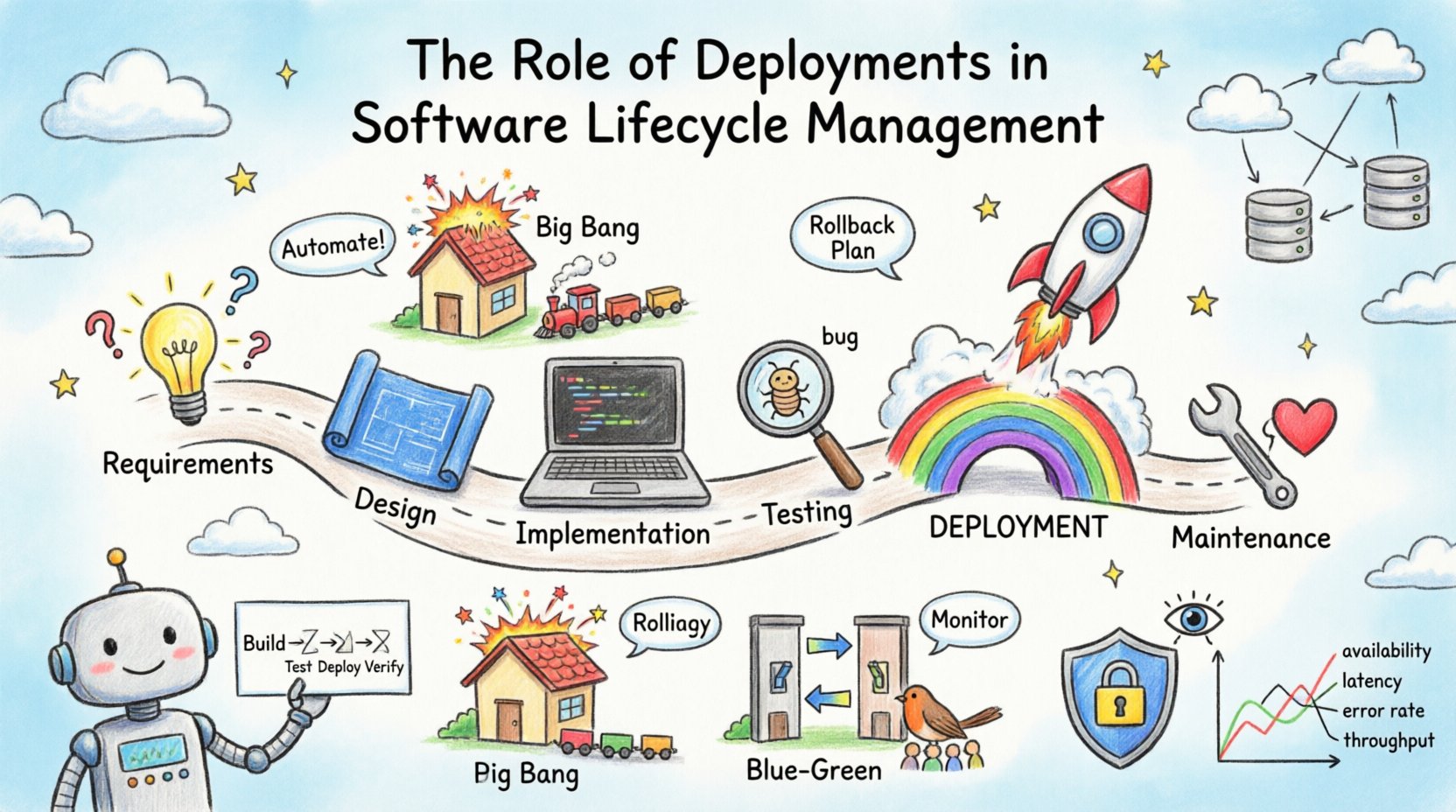
🔍 Understanding Software Deployment in the Lifecycle
Deployment is often conflated with release, but they are distinct phases within the Software Lifecycle Management. Development focuses on creation and testing, while deployment focuses on availability and maintenance. In the context of SLM, deployment is the execution of the plan to make software accessible in a target environment.
The lifecycle typically follows a linear or iterative path:
- Requirements Gathering: Defining what needs to be built.
- Design: Architecting the solution.
- Implementation: Writing the actual code.
- Testing: Verifying functionality and stability.
- Deployment: Moving code to production.
- Maintenance: Ongoing support and updates.
Deployment acts as the gatekeeper. If the deployment process is flawed, even the most robust application can fail in production. This is why it requires meticulous planning and execution. It involves configuring servers, managing dependencies, and ensuring data integrity.
📐 The Deployment Diagram: A Visual Blueprint
To manage complexity, teams rely on visual representations. The deployment diagram is a key artifact in this process. It provides a static view of the physical hardware and software architecture. Unlike a class diagram that focuses on structure, a deployment diagram focuses on topology.
Key Components of a Deployment Diagram
When constructing a deployment diagram, several elements come into play to represent the infrastructure:
- Nodes: These represent physical hardware or execution environments, such as servers, routers, or cloud instances. They can be abstract (a virtual machine) or concrete (a specific server rack).
- Artifacts: These are the tangible deliverables, such as executables, libraries, or database scripts, that reside on the nodes.
- Communication Paths: Lines connecting nodes indicate network connections, protocols, or data flow directions.
- Interfaces: Defined points where the software interacts with the external environment or other systems.
Using these diagrams allows teams to identify bottlenecks before they occur. For instance, a diagram might reveal that all database traffic flows through a single gateway, creating a potential single point of failure. Visualizing the deployment topology helps in capacity planning and resource allocation.
Why Visualize the Deployment?
- Clarity: Stakeholders can understand the infrastructure without reading code.
- Planning: Helps in estimating costs for hosting and bandwidth.
- Security: Highlights where data enters and leaves the system, aiding security audits.
- Onboarding: New team members can grasp the system architecture faster.
🔄 Deployment Strategies and Methods
How code moves to production matters immensely. Different projects require different approaches based on risk tolerance, update frequency, and user base size. Below are the primary methods used in modern lifecycle management.
1. Big Bang Deployment
This is the traditional approach where the entire system is replaced at once. It is simple to plan but carries high risk. If something goes wrong, the entire service goes down. It is suitable for small systems or internal tools where downtime is acceptable.
2. Rolling Deployment
In this strategy, new versions are deployed incrementally. Instances are updated one by one while the rest remain operational. This ensures high availability during the transition. It is widely used in distributed systems.
3. Blue-Green Deployment
This involves maintaining two identical environments: Blue (current live) and Green (new version). Traffic is switched from Blue to Green once testing is complete. If issues arise, traffic can be reverted instantly. This method minimizes downtime significantly.
4. Canary Deployment
Here, the new version is rolled out to a small subset of users first. If metrics look good, the rollout expands to the entire user base. This limits the blast radius of potential bugs.
Comparison of Deployment Strategies
| Strategy | Complexity | Risk | Best Use Case |
|---|---|---|---|
| Big Bang | Low | High | Small projects, maintenance windows |
| Rolling | Medium | Medium | Large distributed systems |
| Blue-Green | High | Low | Critical production systems |
| Canary | High | Low | User-facing features, A/B testing |
⚙️ Automation and Continuous Integration
Manual deployment is prone to human error. In a mature lifecycle, automation is non-negotiable. Continuous Integration and Continuous Deployment (CI/CD) pipelines automate the testing and deployment steps.
A typical automated pipeline includes:
- Build: Compiling code and packaging artifacts.
- Test: Running unit, integration, and security tests automatically.
- Deploy: Pushing artifacts to the staging or production environment.
- Verify: Automated smoke tests to confirm the deployment succeeded.
Automation reduces the time between a code commit and a live feature. It also enforces consistency. Every deployment follows the same steps, reducing configuration drift. This consistency is vital for troubleshooting when issues arise.
Benefits of Automated Deployment
- Speed: Releases can happen multiple times a day.
- Reliability: Scripts remove guesswork and manual typos.
- Scalability: Pipelines can handle increased load without extra effort.
- Traceability: Every change is logged and linked to a specific commit.
🛡️ Risk Management and Rollback Plans
Even with automation, things go wrong. Deployment is the highest risk phase in the lifecycle. A failed deployment can lead to data loss, service outages, or security breaches. Therefore, a robust rollback plan is mandatory.
Preparing for Failure
- Feature Flags: Allow features to be toggled on or off without redeploying code.
- Database Backups: Ensure data is recoverable before schema changes.
- Health Checks: Define clear metrics to determine if a deployment is healthy.
- Communication: Inform stakeholders immediately if issues are detected.
A rollback strategy should be as rehearsed as the deployment itself. If the new version causes latency spikes or error rates to jump, the system must automatically revert to the previous stable version. This capability is often referred to as “self-healing” infrastructure.
📊 Monitoring and Feedback Loops
Deployment does not end when the code is live. It marks the beginning of the observation phase. Monitoring provides the feedback loop necessary for the next lifecycle iteration.
Key Metrics to Track
- Availability: Is the service up and running?
- Latency: How fast are requests being processed?
- Error Rate: How many requests are failing?
- Throughput: How many requests are handled per second?
Observability goes beyond simple metrics. It involves logs and traces to understand why something happened. When a deployment fails, logs help pinpoint the specific line of code or configuration change that caused the issue. This data informs the next round of development, ensuring that similar issues are prevented in the future.
🔒 Security and Compliance in Deployment
Security cannot be an afterthought. It must be integrated into the deployment pipeline. This concept is known as DevSecOps.
- Vulnerability Scanning: Automatically scan containers and dependencies for known security flaws.
- Secret Management: Never hardcode credentials. Use secure vaults to manage keys and passwords.
- Access Control: Ensure only authorized personnel can trigger deployments.
- Auditing: Keep records of who deployed what and when.
Compliance requirements often dictate how data is stored and processed. Deployment diagrams help auditors understand where sensitive data resides. Ensuring that data does not leave approved regions is a common requirement for global organizations.
🌍 Challenges in Modern Deployment
Despite best practices, teams face hurdles. Understanding these challenges helps in mitigation.
1. Environment Drift
This occurs when the development, testing, and production environments become different over time. Configuration differences lead to bugs that appear only in production. Infrastructure as Code (IaC) helps solve this by treating infrastructure configurations as versioned code.
2. Dependency Hell
Applications rely on external libraries and services. If a dependency updates and breaks compatibility, the deployment fails. Managing version pinning and testing against dependencies is crucial.
3. Data Migration
Updating the schema while the application is running is difficult. Data must be migrated without locking the database for long periods. Techniques like zero-downtime migration are required for large-scale systems.
4. Cultural Silos
Development and Operations teams often work in isolation. This leads to friction during deployment. Breaking down these silos through shared responsibilities and communication is key to success.
🔮 Future Trends in Deployment
The landscape of deployment is evolving. Several trends are shaping the future of lifecycle management.
- Serverless Architectures: Teams focus less on managing servers and more on code logic. Deployment becomes simpler as the platform handles scaling.
- Edge Computing: Deployments move closer to the user to reduce latency. This requires managing many distributed nodes.
- AI-Driven Operations: Artificial intelligence can predict failures and automate remediation before users notice issues.
- GitOps: Using version control systems as the single source of truth for infrastructure. Changes are made via pull requests, ensuring auditability.
📝 Conclusion
The role of deployments in Software Lifecycle Management is foundational. It is the mechanism that transforms potential into reality. By utilizing deployment diagrams, adopting robust strategies, and leveraging automation, organizations can deliver software that is reliable, secure, and efficient.
Success in deployment requires a balance of technology and process. It demands continuous learning and adaptation. As systems grow in complexity, the deployment process must evolve alongside them. Focusing on visibility, risk management, and feedback ensures that the software continues to meet user needs without compromising stability.
Investing in a mature deployment capability is not just an IT concern; it is a business imperative. It enables faster time to market, reduces operational costs, and improves customer satisfaction. As you plan your next lifecycle iteration, consider the deployment strategy carefully. It is the gateway to value delivery.