


In an era where information spreads across tools—Google Docs, Confluence, Notion, Draw.io, and standalone models—teams face a critical challenge: fragmented knowledge ecosystems that lack coherence, searchability, and intelligent insights. Enter OpenDocs, a revolutionary knowledge management platform launched by Visual Paradigm in January 2026 as part of its Visual Paradigm 18.0 release.
native diagram editor embedded directly within each page. Users can generate, edit, and embed diagrams without switching applications.
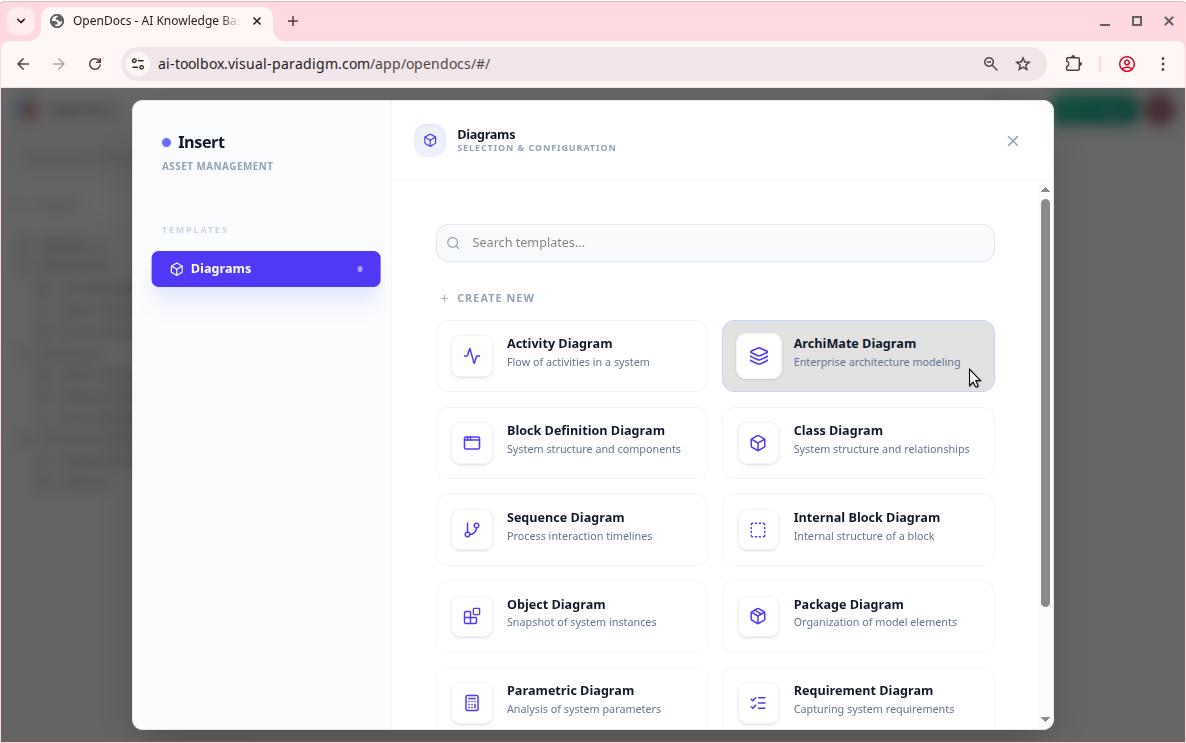
Available diagram types include:
- Flowcharts
- UML (Class, Sequence, Use Case, Activity, Component)
- Mind Maps
- ER Diagrams (Entity-Relationship)
- BPMN (Business Process Model and Notation)
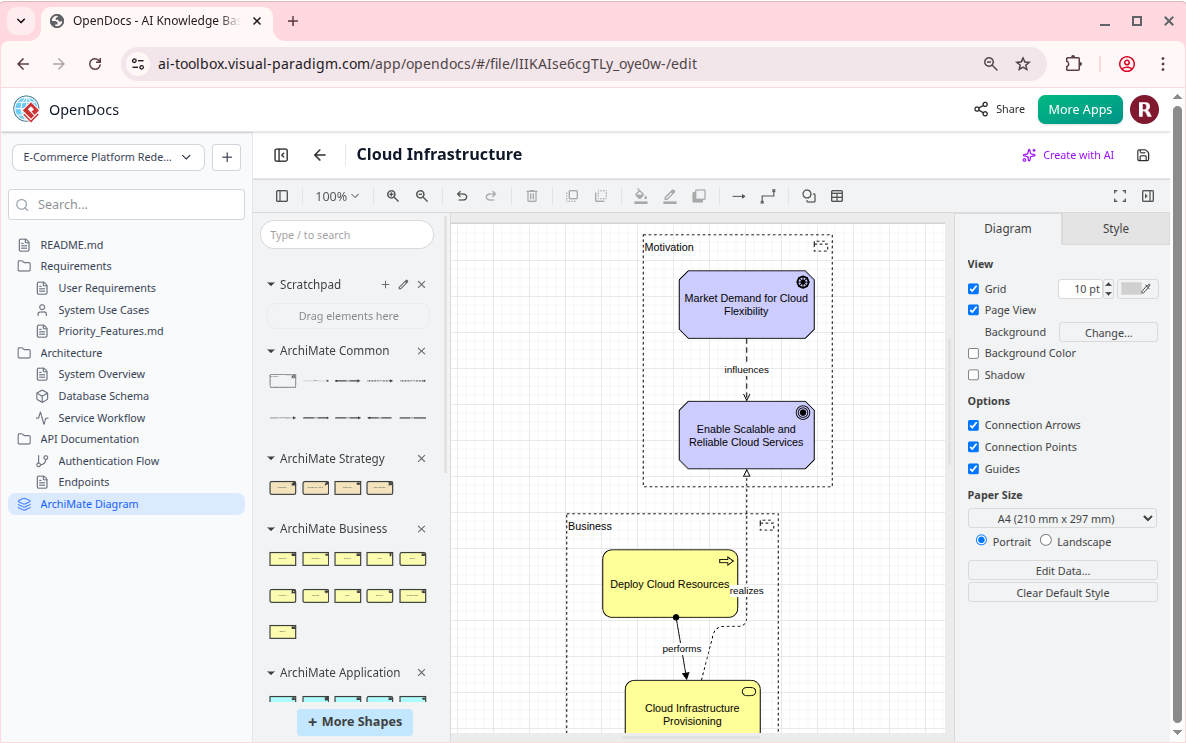
- ArchiMate (for enterprise architecture)
What sets this apart is the AI Diagram Generator, which enables users to describe a process or system in natural language, and OpenDocs generates a visually coherent diagram in near real-time.
Example prompt: “Generate a flowchart showing how a user signs in to our app using email and password, including validation steps and error conditions.”
The AI produces a Mermaid.js or native OpenDocs diagram syntax output, which can be refined through visual editing or code-level customization. This capability dramatically reduces the time required to create documentation for workflows, user journeys, or system designs.
4. AI Content Assistant (Context-Aware Intelligence)
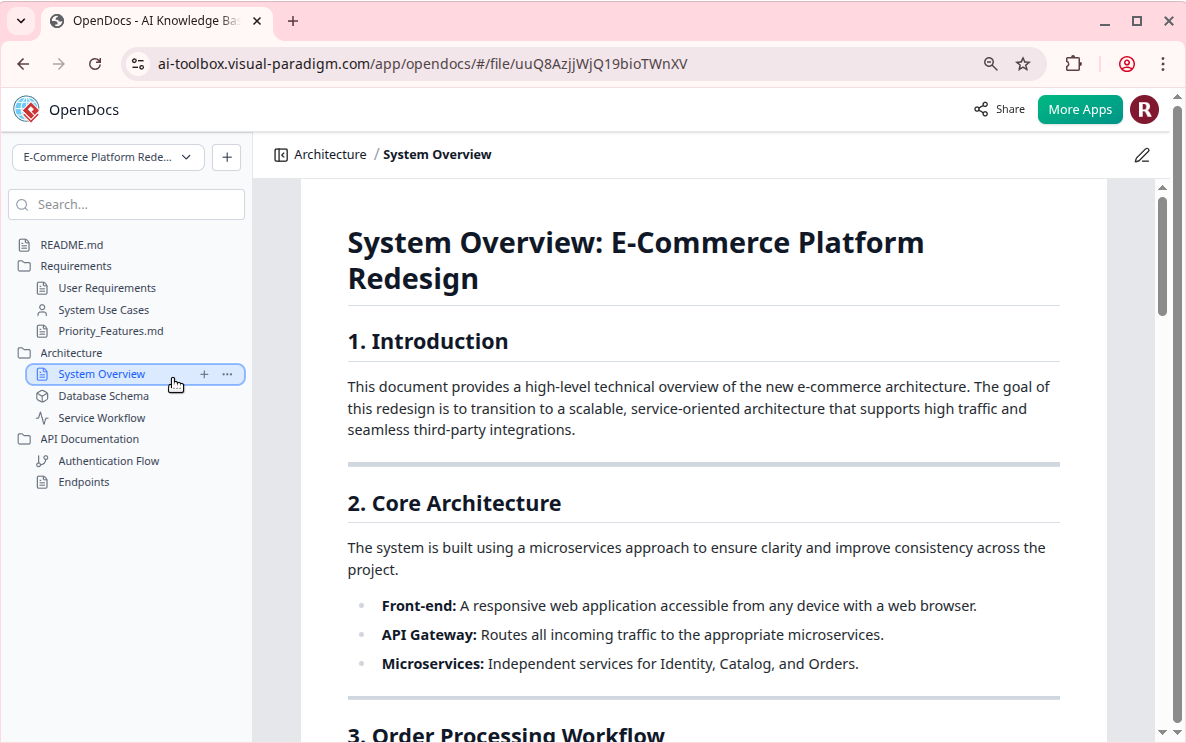
OpenDocs includes a context-aware AI assistant powered by Retrieval-Augmented Generation (RAG). This means that all AI interactions—whether summarization, explanation, or generation—are grounded in the actual content of the user’s knowledge base.
Key AI functions:
- Content Generation: Generate a full technical document from a prompt (e.g., “Write a section on authentication in our API”)
- Summarization: Condense long documents into concise summaries (ideal for onboarding or executive reviews)
- Explanation: Turn complex concepts into plain language (e.g., explain “state machine in UML” to a junior developer)
- Querying: Pose questions like “What are the API endpoints for user profile updates?”—and receive answers based on the knowledge base
- Diagram-to-Text: Describe a diagram and generate its textual representation
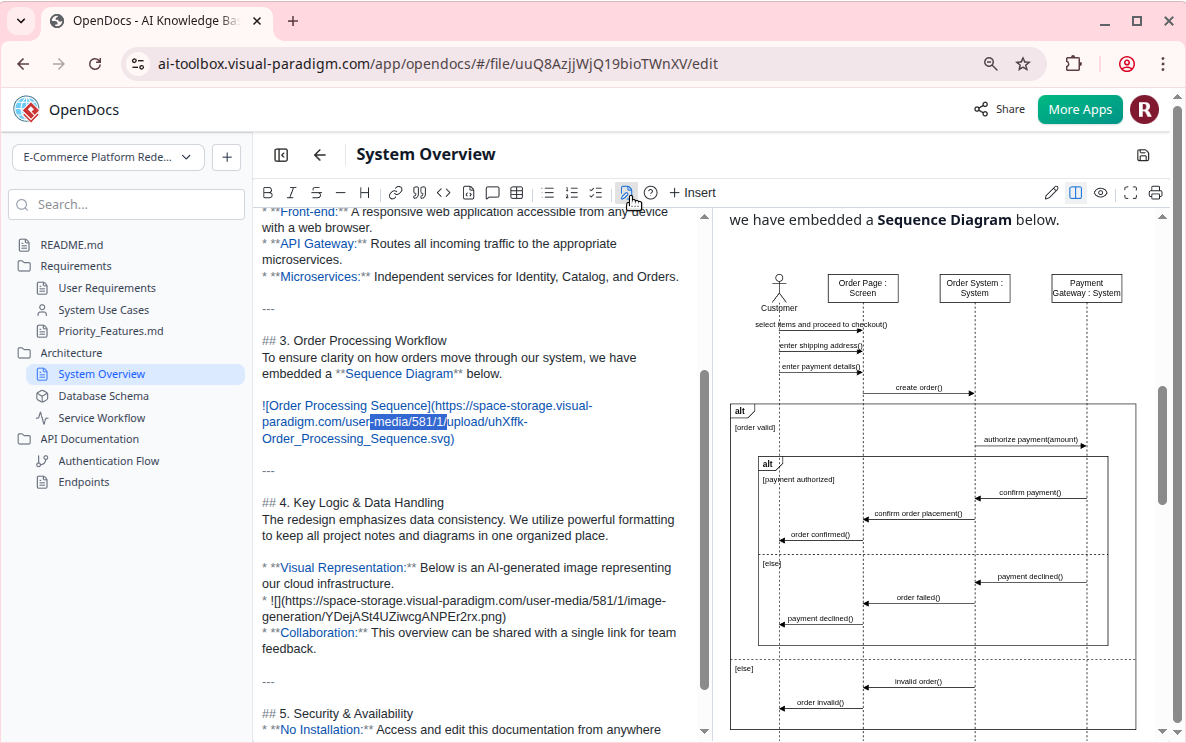
The AI learns from interaction patterns and contextual references, improving accuracy over time as more content is added and revised. This creates a self-optimizing knowledge ecosystem that grows smarter with usage.
5. Real-Time Collaboration & Versioning
OpenDocs supports both real-time and asynchronous collaboration:
- Multiple users can edit the same page simultaneously with conflict resolution and change tracking
- Users can assign roles: view-only, editor, or admin
- Full version history with timestamps and revision notes
- Changes are versioned and stored in a time-ordered timeline
This makes OpenDocs ideal for engineering teams drafting API specs or project managers aligning stakeholders on timelines and deliverables.
6. Intelligent Search and Discovery
Search within OpenDocs is not keyword-based—it’s semantic and context-aware.
Users can:
- Search by keyword, phrase, or diagram type
- Find pages by topic, project, or user
- Trigger AI to interpret ambiguous queries (e.g., “Show me all login-related flows”)
- Use filters such as date, author, or page type
The underlying search engine leverages NLP and graph-based indexing to understand relationships between diagrams and text—making it easier to discover hidden connections or use cases.
Who Is OpenDocs For?
OpenDocs is not a one-size-fits-all solution. Its strength lies in domains where visual clarity and textual depth go hand in hand.
Primary user groups include:
- Software Development Teams: Create architecture diagrams, API documentation, and system flowcharts with embedded code snippets and explanation text.
- Project Managers & Business Analysts: Document value streams, process flows, and risk assessments using BPMN or flowcharts with narrative justification.
- HR & Onboarding Teams: Build structured employee handbooks, training paths, and onboarding workflows with embedded mind maps and flowcharts.
- Academics & Researchers: Maintain literature reviews and research notes with embedded mind maps, conceptual models, and summary sections.
- Individuals: Use it as a personal knowledge base for hobbies, learning, or long-term projects (e.g., a personal AI journey or software design log).
Especially valuable for organizations that have been using a scattered mix of tools and are now seeking a centralized, intelligent, and visual-first documentation platform.
Getting Started: A Step-by-Step Guide
Setting up OpenDocs requires minimal effort and is designed for intuitive onboarding. Follow these steps to launch your first knowledge base:
- Sign Up or Log In: Go to https://online.visual-paradigm.com or https://ai.visual-paradigm.com. Use your existing Visual Paradigm account. A free trial is available, but full access requires a subscription (Professional, Deluxe, or higher).
- Access OpenDocs: From the dashboard, locate the “OpenDocs” tile or navigate directly to https://ai-toolbox.visual-paradigm.com/app/opendocs.
- Create a Knowledge Base: Click “New” or “Create Tree”. Name it something meaningful (e.g., “Backend Services”, “Frontend Architecture”, or “Personal Research Notes”).
- Build Content:
- Click “Add Page” → Use the rich text editor to write content
- Insert a diagram by clicking the diagram icon → Choose type or use the AI generator with a prompt
- Nest pages within folders using the tree sidebar
- Use AI Tools: Highlight text or type a prompt in the AI assistant bar to generate summaries, explanations, or new content.
- Share and Collaborate: Click “Share” → Generate a public link or invite team members. Set permissions (view, edit, admin).
- Maintain and Scale: Regularly search for content, restructure the tree, and archive old entries to keep the knowledge base clean and efficient.
Best Practices and Pro Tips
To maximize the value of OpenDocs, consider these proven strategies:
- Start Small: Begin with a single project or domain (e.g., “API Documentation”) before building a full enterprise knowledge base.
- Leverage AI Early: Use the AI to draft initial versions of documentation or generate diagrams from high-level descriptions—saving hours of manual work.
- Combine Text and Visuals: Always pair explanatory text with diagrams. For example, an architecture overview page should include a UML class diagram alongside a detailed explanation.
- Regular Cleanup: Archive outdated or redundant pages. Use tags (e.g., “deprecated”, “review”, “draft”) to manage versions and lifecycle.
- Establish Templates: Create reusable page templates for consistency (e.g., “API Endpoint Page Template”, “System Flow Overview”) to ensure uniformity across teams.
- Integrate with Visual Paradigm Modeling: Users of the Visual Paradigm modeling tools can directly import or embed their existing model diagrams (e.g., from VP Modeler) into OpenDocs pages for cross-referencing.
Limitations and Considerations (as of 2026)
While OpenDocs represents a significant leap forward in knowledge management, it is not without constraints:
- Subscription-Based Access: Full functionality requires a Visual Paradigm subscription (not available as a standalone free tool).
- Web-Only with Desktop Support: The primary experience is web-based; desktop integration is available but limited in features and offline performance.
- AI Capabilities Evolve Rapidly: AI features are still in active development and may vary by edition (e.g., Premium vs. Standard). Users should expect updates and changes in response to user feedback.
- Not a Replacement for Specialized Tools: For highly complex modeling (e.g., formal verification, advanced simulation), OpenDocs should be seen as a companion, not a full replacement.
- Learning Curve for Complex AI Prompts: While intuitive, crafting effective prompts for diagram generation or summarization may take time and experience.
Conclusion: The Future of Knowledge Work
OpenDocs is more than a tool—it’s a paradigm shift. It represents the future of knowledge management in technical and interdisciplinary environments: a living, intelligent, visual, and collaborative ecosystem where text and diagrams coexist in harmony, and AI doesn’t just assist—it understands context, retrieves meaning, and generates insight.
For engineering teams, project managers, educators, and knowledge workers, OpenDocs offers a compelling alternative to fragmented, disjointed documentation systems. It reduces cognitive load, enhances team alignment, and accelerates decision-making by delivering a true single source of truth that evolves with use.
If you’re managing software architecture, documenting business processes, or maintaining personal knowledge, OpenDocs is well worth exploring—especially through the free trial offered by Visual Paradigm.
Try it today: Visit https://ai.visual-paradigm.com/tool/opendocs and start building your first knowledge tree. Whether for a team project or personal growth, OpenDocs empowers you to manage knowledge like never before.
- AI-Powered Visual Modeling and Design Solutions by Visual Paradigm: AI-driven tools for visual modeling, diagramming, and software design that accelerate development workflows.
- Visual Paradigm – All-in-One Visual Development Platform: A unified platform for visual modeling, software and business process design, and AI-powered development tools.
- AI Chatbot Feature – Intelligent Assistance for Visual Paradigm Users: AI-powered chatbot that delivers instant guidance, automates tasks, and boosts productivity in Visual Paradigm.
- Visual Paradigm Chat – AI-Powered Interactive Design Assistant: An interactive AI interface for generating diagrams, writing code, and solving design challenges in real time.
- AI Textual Analysis – Transform Text into Visual Models Automatically: AI analyzes text documents to automatically generate UML, BPMN, and ERD diagrams for faster modeling and documentation.
- Visual Paradigm AI Chatbot Enhances Multi-Language Support …: AI chatbot supports multiple languages, enabling seamless diagram generation in Spanish, French, Chinese, and more.
- AI -Powered BI Analytics by Visual Paradigm – ArchiMetric: Start using AI-powered BI analytics in under a minute—no installation or signup required for most features.
- Discover the Power of Visual Paradigm ’s AI -Powered… – Visualize AI: Visual Paradigm’s AI-powered Image Translator leads the market with advanced capabilities beyond standard tools.
- AI Chatbot for Diagramming: How It Works with Visual Paradigm: The AI chatbot converts natural language into diagrams, eliminating the need to learn modeling syntax or standards.
- AI Brainstorming Features – Visual Paradigm: Visual Paradigm’s AI-powered brainstorming tools deliver intelligent idea generation and collaborative workflows to enhance creativity and productivity.
- AI Brainstorming Tool – Visual Paradigm AI: Generate and organize ideas quickly with AI-driven insights and smart templates in Visual Paradigm’s AI Brainstorming tool.
- AI-Powered Use Case Diagram Refinement Tool – Smart Diagram Enhancement: AI-powered refinement enhances use case diagrams for improved clarity, consistency, and completeness.
- Convert Use Case to Activity Diagram – AI-Powered Transformation: Automatically convert use case diagrams into detailed activity diagrams to visualize system workflows.
- AI-Assisted UML Class Diagram Generator – Visual Paradigm: Generate UML class diagrams with AI-powered suggestions, validation, PlantUML export, and design analysis.
- Mastering UML Activity Diagrams with AI | Visual Paradigm Blog: Explores how AI features in Visual Paradigm enhance the creation and optimization of UML activity diagrams for developers and analysts.
- Revolutionize Your Slides: Meet Visual Paradigm’s AI Markdown Presentation Maker!: Turn raw ideas into polished, animated presentations using AI-powered Markdown input.
- Lumina AI: Generate AI-Powered Video Slideshows Instantly: Generate dynamic video presentations from text using AI, ideal for storytelling and rapid content creation.
- Lumina AI Slideshow Maker: Create Stunning Presentations with AI: Create professional-quality slides from simple text using artificial intelligence to save time and spark creativity.
- Illumy AI Slideshow Maker: Instant AI-Powered Presentation Creation: Create professional, visually rich slides in seconds using AI, tailored for marketers, educators, and business professionals.
- AI Animated Presentation Studio: Create Dynamic, Animated Slides with Ease: Design engaging, animated presentations with AI-powered storytelling, motion, and visual effects.
- How to Structure Your Jira Backlog Instantly with Agilien AI: Automate Jira backlog structuring by analyzing user stories and generating organized sprints and epics using Agilien AI.
- Agilien AI-Powered Jira Backlog Planner – Visual Paradigm: Automate and improve Jira backlog planning with Agilien AI, which intelligently structures user stories and epics for efficient sprints.
- How to Create Stunning Animated Presentations with Visual Paradigm’s AI Markdown Presentation Maker: Create dynamic, visually engaging presentations using AI-powered Markdown tools in Visual Paradigm.
- Introducing AI Animated Presentation Studio – A New Era in Visual Storytelling: Generate AI-enhanced, animated presentations effortlessly with Visual Paradigm’s AI Animated Presentation Studio.
- Visual Paradigm Online – AI-Powered Presentation Maker for Modern Creators: Visual Paradigm Online’s AI-driven presentation maker offers a powerful tool for professionals and educators to create dynamic, professional presentations with ease.
- Complete Tutorial: AI-Powered Business Process Mapping with Visual Paradigm: Learn to use AI-powered features in Visual Paradigm for faster, more accurate business process mapping.
- Visual Paradigm AI Diagram Generation Guide: A step-by-step guide to using Visual Paradigm’s AI-powered tools for fast and accurate diagram generation.
- AI Diagram Generation Features in Visual Paradigm: Advanced AI capabilities in Visual Paradigm enable diagram creation from natural language descriptions.
- Visual Paradigm AI Diagram Generator Release Notes: Latest updates and enhancements to Visual Paradigm’s AI Diagram Generator feature.
- Visual Paradigm’s AI Diagram Generator Expands Instant Creation Capabilities: Visual Paradigm’s AI diagram generator now supports instant creation of DFDs, ERDs, mind maps, and more.
- New Diagram Types Added to AI Diagram Generator: DFD & ERD: Expanded AI diagram generation support for Data Flow Diagrams (DFD) and Entity Relationship Diagrams (ERD).
- AI Diagram Generator Now Supports Package Diagrams in Visual Paradigm: New release enables AI-generated package diagrams for improved software architecture visualization.
- AI Diagram Generator Adds Radar Chart Support: Visual Paradigm introduces AI-powered radar chart generation for visualizing complex performance and capability metrics.
- Comprehensive Tutorial: Generating ArchiMate Diagrams with AI: Learn to generate ArchiMate diagrams and viewpoints efficiently using Visual Paradigm’s AI diagram generator.
- From Problem Description to Class Diagram: AI-Powered Textual Analysis: Convert natural language problem descriptions into accurate class diagrams using Visual Paradigm’s AI-powered textual analysis.
- How to Translate Text in Images for UML, BPMN, and Flowcharts: Use AI tools to extract and translate text in technical diagrams for global collaboration and localization.
- AI Textual Analysis Tool by Visual Paradigm: Turn natural language input into structured diagrams for software design, documentation, and system modeling.
- Introduction to Choosing Between Generative AI and Visual Paradigm AI for Diagramming: This article helps users understand the key differences between general generative AI and Visual Paradigm AI, guiding them in selecting the right tool for efficient and accurate diagram creation.
- Comprehensive Guide to Visual Paradigm AI Table Generator: From Natural Language to Executable Code: Transform natural language into functional database tables and executable code using Visual Paradigm AI’s table generation engine.
- Case Study: Enhancing System Modeling Efficiency with Visual Paradigm’s AI-Powered Chatbot: Improve system modeling efficiency and accuracy with Visual Paradigm’s AI chatbot for conversational diagram creation.
- How to Create a UML Deployment Diagram for Cloud Apps with AI: A step-by-step guide to using AI-powered tools to efficiently generate UML deployment diagrams for cloud applications.
- Information Discovery with Deep Learning & NLP on Azure – Template: Build intelligent systems that extract insights from unstructured data using deep learning and NLP with this advanced Azure template.
- Mastering AI-Driven Use Case Diagrams with Visual Paradigm: A tutorial on using AI features in Visual Paradigm to create intelligent, dynamic use case diagrams for modern software systems.
- AI-Powered Radar Chart Creation in Visual Paradigm Desktop: Learn to generate intelligent, data-driven radar charts using AI features in Visual Paradigm Desktop for enhanced analytical visualization.
- Comprehensive Tutorial: Using Visual Paradigm’s AI Development Plan Generator: Use Visual Paradigm’s AI-powered tool to create detailed and strategic development plans for software and AI projects.
- Ultimate Guide to C4 Model Visualization Using Visual Paradigm’s AI Tools: Leverage AI-powered tools in Visual Paradigm to automate and enhance C4 model visualization for smarter architecture design.
- Comprehensive Guide to Translating Text in Technical Diagrams Using AI: Shows how Visual Paradigm’s AI Image Translator automates accurate translation of text in UML, BPMN, and flowcharts.
- Comprehensive Review of Visual Paradigm’s AI Diagram Generation Features: Reviews Visual Paradigm AI’s ability to generate diagrams from natural language with high accuracy and speed.
- AI-Powered User Story 3Cs Editor: Enhance Clarity and Completeness: AI-powered tool that assists Agile teams in writing effective user stories using the 3Cs framework: Card, Conversation, and Confirmation.
- AI-Powered Gantt Chart Builder – Instant Project Planning Tool: An AI-powered tool that generates Gantt charts from simple task inputs, enabling intelligent scheduling and visual planning.
- Visualizing Complex Ideas with AI-Powered Tree Diagrams: AI-driven tree diagram tools help users break down complex ideas into clear, visual structures for improved understanding.
- AI-Powered Fishbone Diagram Generator – Uncover Root Causes in Seconds: AI-powered tool automates fishbone diagram creation to speed up root cause analysis and decision-making.
- AI-Powered Diagram Generation: New Features for UML Timing Diagrams: Visual Paradigm’s AI-powered feature enables automatic generation of UML timing diagrams for faster, more accurate modeling.
- Introducing AI-Powered ArchiMate Viewpoints Generator in Visual Paradigm: AI-driven generation of ArchiMate viewpoints automates enterprise architecture modeling for improved accuracy and efficiency.
- Visual Paradigm AI Chatbot: The World’s First Purpose-Built AI Assistant for Visual Modeling: Visual Paradigm’s AI chatbot enables natural language interaction to guide users through visual modeling tasks.
- How AI Enhances Class Diagram Creation in Visual Paradigm: AI enhances class diagram creation by automating design and improving accuracy with minimal user input.
- AI-Powered Sequence Diagram Refinement in Visual Paradigm: Transform use-case descriptions into precise, professional sequence diagrams using AI-powered refinement.
- Streamlining Class Diagrams with Visual Paradigm’s AI: AI tools in Visual Paradigm reduce the time and complexity of creating accurate class diagrams for software projects.
- AI-Powered MVC System Architecture Generator by Visual Paradigm: Automatically generate scalable and clean MVC system architectures using AI-driven modeling in Visual Paradigm.
- Comprehensive Tutorial: AI-Powered ArchiMate Diagram Generation in Visual Paradigm Desktop: Create professional ArchiMate diagrams efficiently using AI-powered generation in Visual Paradigm Desktop.