


Introduction: Why This Journey Started for Me
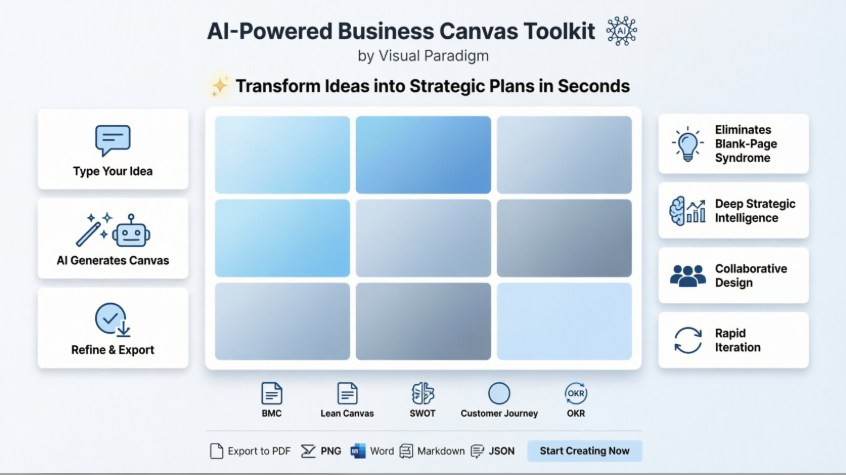
How I transformed my business concept into a polished strategic plan in minutes—not days—using AI-driven insights and a comprehensive library of proven frameworks.

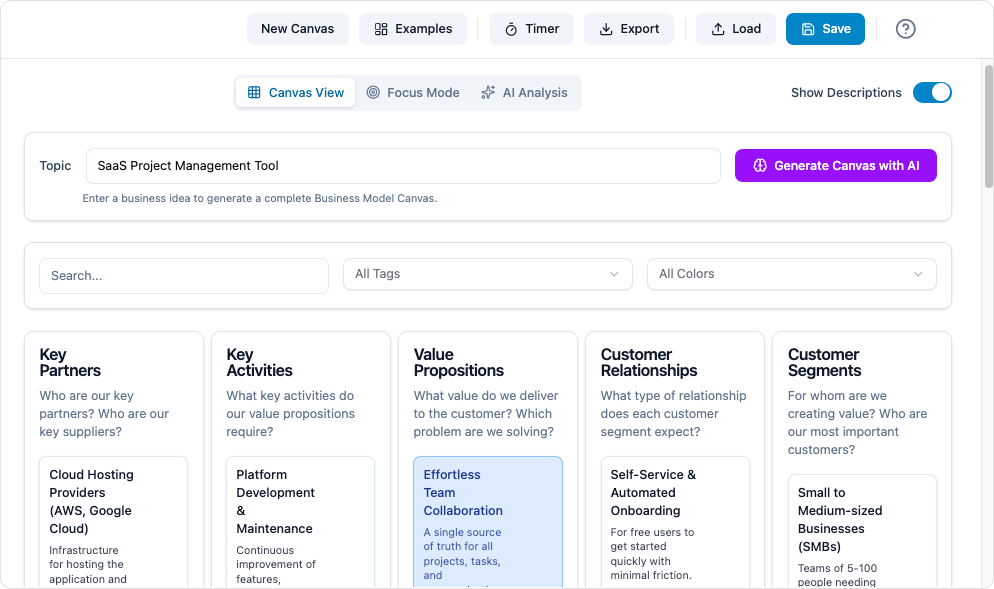
🌟 My First Encounter: Why I Needed This Tool
Like many product strategists, I’ve stared at a blank document more times than I’d like to admit. The pressure to articulate a cohesive business model—while juggling customer needs, revenue logic, and competitive dynamics—can feel overwhelming. That’s when I discovered Visual Paradigm’s AI-Powered Business Canvas Toolkit.
This isn’t just another template library. It’s a strategic co-pilot that helps you deconstruct complex business ideas into the nine essential building blocks of the Business Model Canvas (BMC): Customer Segments, Value Propositions, Channels, Customer Relationships, Revenue Streams, Key Resources, Key Activities, Key Partnerships, and Cost Structure. Whether you’re validating a startup concept, refining a product roadmap, or exploring innovation opportunities, this tool offers structure without sacrificing creativity.
🚀 Getting Started: My First 5 Minutes
Step 1: Accessing the Platform
I logged into Visual Paradigm Online and navigated to the AI Canvas Toolbox. The interface was clean, intuitive, and immediately inviting—no steep learning curve.
Step 2: Choosing My Framework
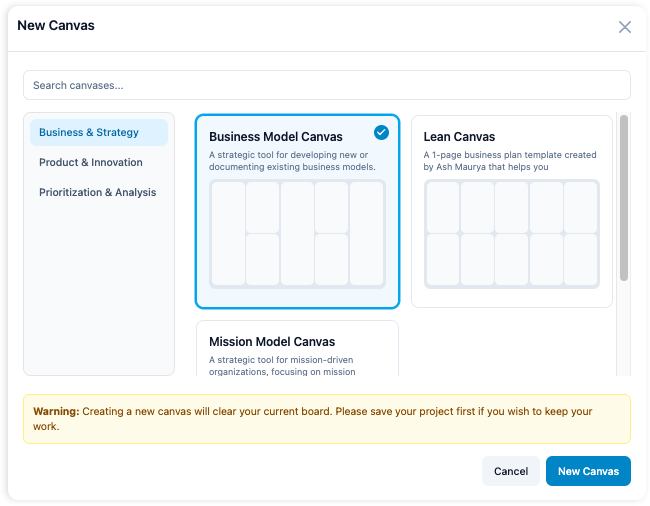
With over 20 frameworks available, I started with the classic Business Model Canvas. But what excited me most was the flexibility: Lean Canvas for startups, Customer Journey for UX mapping, Porter’s Five Forces for competitive analysis—the options felt endless.
Step 3: Prompting the AI
Here’s where the magic began. I typed a simple prompt:
“A sustainable coffee shop in an urban area targeting busy professionals”
I clicked “Generate Canvas with AI” and held my breath.
Step 4: The Instant Transformation
Within seconds, all nine BMC blocks populated with context-aware, relevant suggestions. The AI didn’t just fill boxes—it understood my industry, audience, and value proposition. I could immediately see logical connections between my target customers’ pain points and my proposed value streams.
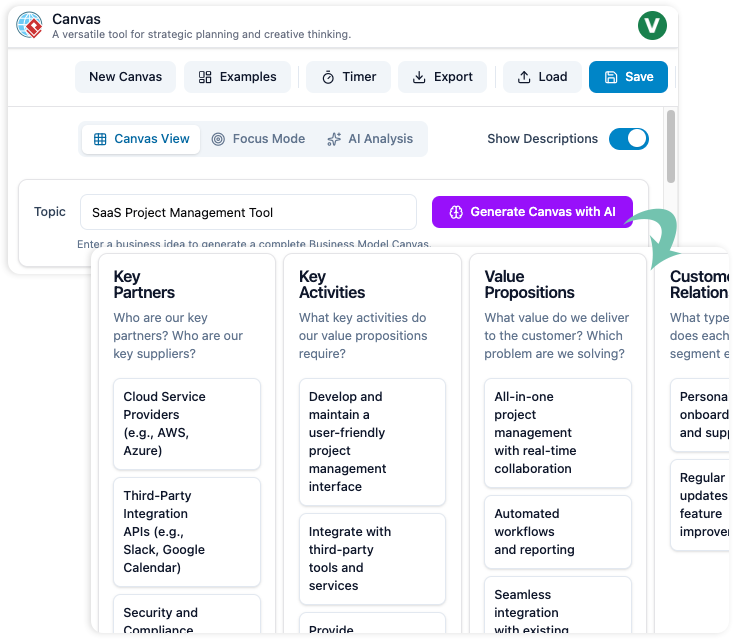
Step 5: Refining with Intelligence
I wasn’t stuck with the first draft. I dragged elements to reorder priorities, asked the AI to expand on “Revenue Streams,” and requested alternative suggestions for “Key Partnerships.” Each interaction felt like collaborating with a seasoned strategist who never gets tired.
🔍 Deep Dive: Turning My Canvas into Strategic Intelligence
A canvas is only as valuable as the insights it unlocks. With one click, I accessed the AI Analysis tab—and my perspective shifted.
What I Discovered:
-
SWOT Analysis: The AI automatically identified strengths I hadn’t articulated (like my supply chain sustainability) and flagged risks I’d overlooked (seasonal demand fluctuations).
-
Cohesion Score: A brilliant metric showing how well my revenue streams aligned with customer needs. My initial model scored 78%—with AI suggestions, I pushed it to 92%.
-
Pitch Deck Outline: Instantly generated a 10-slide investor structure perfectly aligned with my business model. This alone saved me hours of presentation prep.
-
Market Viability Check: AI-generated insights on competitive positioning and growth potential gave me confidence to move forward—or pivot if needed.
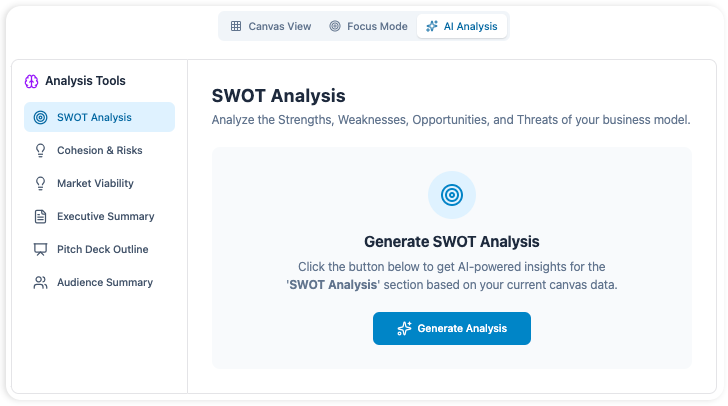
💡 Pro Tip from My Experience: Don’t just accept the first AI output. Use the “Smart Refinement” feature to ask targeted questions like “What are three alternative pricing models for this customer segment?” The depth of contextual understanding is remarkable.
🗂️ Exploring the Framework Library: One Tool, Endless Applications
What started as a BMC exercise quickly expanded. I realized this toolkit could support every stage of my strategic workflow.
Business & Strategy Frameworks I Tested:
| Framework | My Use Case | Why It Worked |
|---|---|---|
| Business Model Canvas | Core business model validation | Visual clarity of value creation logic |
| Lean Canvas | Startup problem-solution fit | Focused on risks, metrics, and unfair advantage |
| Porter’s Five Forces Canvas | Competitive landscape analysis | Structured assessment of industry pressures |
| Blue Ocean Strategy | Innovation opportunity mapping | Framework for creating uncontested market space |

Product & Innovation Frameworks That Elevated My Work:
| Framework | My Use Case | Key Insight |
|---|---|---|
| Customer Journey Canvas | Mapping user touchpoints | Identified critical friction points in onboarding |
| Empathy Map Canvas | Deepening user understanding | Uncovered unspoken emotional needs |
| Lean UX Canvas | Validating feature assumptions | Created testable hypotheses for rapid iteration |

Analysis & Prioritization Tools That Saved Me Time:
| Framework | My Use Case | Outcome |
|---|---|---|
| SWOT Analysis Canvas | Strategic planning session | Clear action items from threat mitigation |
| Impact Effort Matrix | Roadmap prioritization | Focused team energy on high-impact, low-effort wins |
| OKR Canvas | Quarterly goal setting | Aligned team objectives with measurable results |

✨ My Favorite Discovery: Every framework includes pre-built templates with expert tips and real-world examples. I didn’t start from zero—I started from wisdom.
🤝 Collaboration & Export: Sharing My Strategic Vision
Strategy isn’t valuable in isolation. Here’s how I brought my team into the process:
Real-Time Collaboration
-
Invited colleagues to co-edit my canvas with live cursors and comments
-
Used the built-in workshop timer to keep brainstorming sessions focused
-
Tracked version history to see how our thinking evolved
Professional Export Options
When it was time to present, I exported my work in multiple formats:
-
PDF for executive summaries
-
Word/Markdown for documentation and wikis
-
PNG for slide decks
-
JSON for integration with other tools
The export quality was pristine—no awkward formatting, no lost content. My stakeholders received polished, presentation-ready materials that reflected hours of strategic thinking… completed in minutes.
⚡ Advanced Features That Became My Secret Weapons
AI-Powered Insights Beyond Generation

I learned to use the AI not just for creation, but for continuous improvement:
-
“What assumptions am I making in my Value Proposition?”
-
“Suggest three ways to reduce customer acquisition costs”
-
“How might this model scale to international markets?”
Multiple Views for Different Thinking Modes

-
Canvas View: Holistic overview for strategic alignment
-
Focused View: Deep-dive into single blocks without distraction
-
Switching between views helped me balance big-picture thinking with tactical execution
Seamless Integration with My Workflow

-
Cloud access via browser for quick ideation
-
Desktop sync for offline work and enterprise integration
-
Team features with SSO and admin controls for organizational deployment

📚 Learning Along the Way: Resources That Accelerated My Mastery
As I deepened my usage, I explored Visual Paradigm’s knowledge base:
Must-Read Guides I Found Invaluable:
-
Mastering the Business Model Canvas: A Deep Dive: Clarified the strategic intent behind each BMC block
-
5 Common Mistakes to Avoid with the Lean Canvas: Saved me from classic startup pitfalls
-
How to Use AI to Supercharge Your Canvas Brainstorming: Advanced prompting techniques that unlocked deeper insights
🔐 Access & Availability: What Worked for My Context
As a product manager working across cloud and desktop environments, I appreciated the flexible access model:
✅ Cloud Access: Used directly in-browser at canvas.visual-paradigm.com for quick sessions
✅ Desktop Integration: Synced with my Visual Paradigm Desktop Professional license for offline work
✅ Team Collaboration: Real-time co-editing made remote strategy sessions productive
✅ Enterprise Ready: SSO and compliance features aligned with my organization’s security requirements
Note: The Canvas feature is included in Visual Paradigm Online Combo/Deluxe Editions and Desktop Professional/Enterprise licenses with active maintenance.
🎯 My Results: From Blank Page to Confident Strategy
After using the toolkit for three strategic initiatives, here’s what changed:
| Before Visual Paradigm AI Canvas | After Using the Toolkit |
|---|---|
| Hours staring at blank documents | Strategic drafts in minutes |
| Uncertain about model coherence | Data-backed cohesion scores |
| Manual SWOT and risk analysis | Automated, contextual insights |
| Fragmented framework usage | Unified library with seamless switching |
| Time-consuming export formatting | One-click professional outputs |
Most importantly: I moved faster with greater confidence. The AI didn’t replace my strategic thinking—it amplified it, challenged my assumptions, and helped me articulate ideas I couldn’t quite express alone.
🌟 Final Reflection: Why This Journey Matters
In a world where business complexity accelerates daily, tools that enhance—rather than automate—human judgment are invaluable. Visual Paradigm’s AI-Powered Business Canvas Toolkit didn’t just help me create a document; it helped me think more clearly, collaborate more effectively, and act more decisively.
Whether you’re:
-
A startup founder validating your first business model
-
A product manager refining a roadmap
-
An enterprise leader exploring innovation opportunities
-
A consultant delivering strategic insights to clients
…this toolkit meets you where you are and elevates your strategic practice.
🚀 Ready to Start Your Own Journey?
Your next breakthrough idea deserves more than a blank page. Give it the strategic foundation, AI-powered intelligence, and collaborative flexibility it needs to thrive.
Summary: What I Learned & Why It Matters
🎯 My final takeaway: Great strategy isn’t about having all the answers upfront. It’s about asking the right questions, iterating with purpose, and communicating with clarity. Visual Paradigm’s AI Canvas Toolkit doesn’t give you a finished plan—it gives you the confidence, structure, and intelligence to build one that’s uniquely yours.
📚 Reference List
- AI Business Model Canvas Tool – Visual Paradigm: Official Visual Paradigm solution page for the AI-powered business model canvas tool, featuring product overview and key capabilities.
- Comprehensive Guide to Visual Paradigm’s AI-Powered Business Model Canvas Tool: In-depth guide covering features, usage workflows, and strategic benefits of Visual Paradigm’s AI canvas toolkit.
- AI-Powered Business Model Canvas Software: Overview of Visual Paradigm’s canvas software with AI capabilities for rapid strategic planning and business model validation.
- What is the Business Model Canvas?: Educational resource explaining the nine building blocks, strategic value, and practical applications of the BMC framework.
- Canvas Tool Features – Visual Paradigm: Detailed feature documentation for the AI-powered canvas tool including generation, analysis, collaboration, and export capabilities.
- Comprehensive Tutorial: Visual Paradigm Model Canvas Tool: Step-by-step tutorial for using Visual Paradigm’s canvas tool for business strategy development, from setup to export.
- Canvas Tool Features – Visual Paradigm: Feature documentation for the AI canvas toolkit including real-time collaboration, AI analysis, and multi-format export options.
- AI Business Model Canvas Solution: Visual Paradigm’s solution page highlighting AI-driven business strategy creation, automated insights, and enterprise integration.
- Comprehensive Tutorial: AI-Powered Business Canvas Toolkit with Visual Paradigm: Practical tutorial demonstrating how to leverage AI for rapid business canvas creation, refinement, and team collaboration.
- Comprehensive Tutorial: AI-Powered Business Canvas Toolkit with Visual Paradigm: Advanced guide for using Visual Paradigm’s AI toolkit to transform ideas into actionable business strategies with risk assessment and pitch preparation.
- From Blank Page to Business Strategy: A Business Professional’s Guide to Visual Paradigm’s AI Model Canvas Tool: Professional guide for overcoming creative blocks and building comprehensive, investor-ready business strategies using AI assistance and strategic frameworks.