


Enterprise architecture is a complex discipline that requires precise communication. Without a standardized language, stakeholders often speak different dialects of IT and business. The ArchiMate Viewpoint serves as the bridge between these diverse perspectives. It allows architects to model specific concerns without overwhelming the audience with unnecessary details.
This guide outlines a structured path to understanding and applying ArchiMate Viewpoints effectively. Whether you are designing infrastructure or planning business transformation, mastering this framework enhances clarity and decision-making. Let us begin the journey toward architectural proficiency.
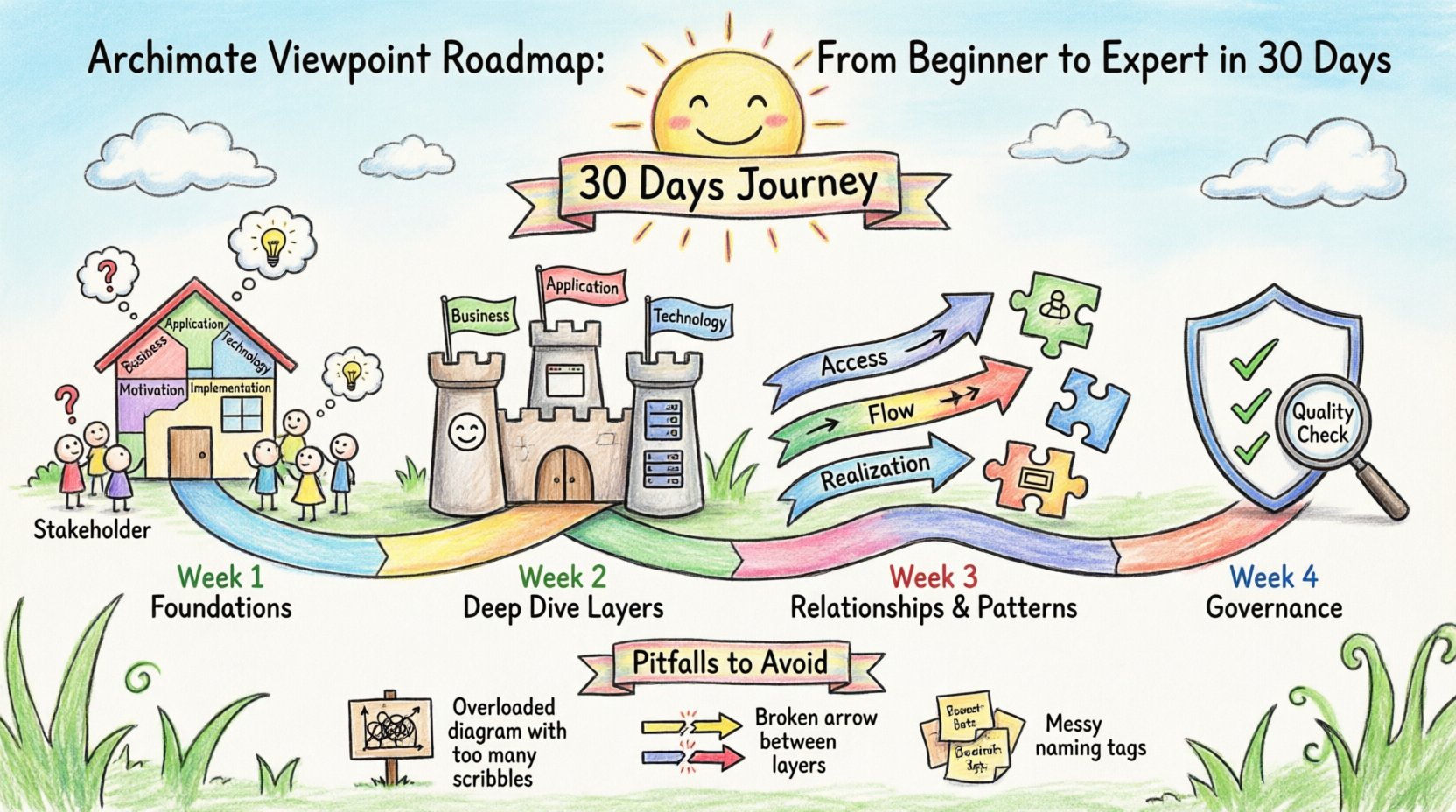
Week 1: Foundations of Viewpoint Design 📐
The first week focuses on the core concepts. Before drawing models, you must understand the theoretical underpinnings. A Viewpoint is not a model itself; it is a template for creating a View.
Key Concepts to Grasp
- Viewpoint: Defines the concerns of a specific stakeholder group and the conventions for modeling them.
- View: The actual representation of the architecture from the perspective defined by the Viewpoint.
- Concern: The specific issues or interests that the Viewpoint addresses.
- Stakeholder: Any individual or group with an interest in the architecture.
Understanding the distinction between a Viewpoint and a View is critical. A Viewpoint is reusable and static, while a View is instantiated from that template for a specific project or discussion.
Day 1-3: The Standard Structure
Start by reviewing the standard layers defined in the ArchiMate specification. Every architecture model sits within a logical structure. Familiarity with these layers prevents confusion later.
- Business Layer: Focuses on organizational structure, processes, and roles.
- Application Layer: Deals with software systems and their logical components.
- Technology Layer: Covers hardware, networks, and infrastructure.
- Motivation Layer: Captures goals, drivers, and principles.
- Implementation & Migration Layer: Handles the transition from current state to target state.
Day 4-7: Stakeholder Analysis
A Viewpoint is meaningless without a stakeholder. Spend the final three days of Week 1 mapping stakeholders to concerns.
- Who needs to see the business process flow?
- Who cares about the software dependencies?
- Who requires visibility into the hardware costs?
Create a simple matrix listing stakeholders on one axis and potential concerns on the other. This exercise clarifies why a specific Viewpoint is necessary.
Week 2: Deep Dive into the Layers 🏛️
Week 2 involves modeling the specific constructs within the three primary layers. You must learn the grammar of the language to write the sentences of architecture.
Business Layer Constructs
The Business Layer is often the starting point. It describes how the organization operates.
- Business Actor: A person or organization performing activities.
- Business Role: A collection of responsibilities.
- Business Process: A set of related activities.
- Business Service: A unit of functionality provided to a user.
- Business Object: A representation of key business entities.
Application Layer Constructs
This layer focuses on the logical software that supports the business.
- Application Component: Modular software units.
- Application Function: Specific capabilities of a component.
- Application Interface: Interaction points between components.
- Application Service: Functionalities exposed to other layers.
Technology Layer Constructs
The Technology Layer supports the Application Layer.
- Node: Hardware or software execution environments.
- Device: Physical or logical computing devices.
- System Software: Operating systems or middleware.
- Network: Communication pathways.
- Artifact: Physical or digital representations of information.
| Layer | Primary Constructs | Common Stakeholders |
|---|---|---|
| Business | Process, Role, Actor | Management, Operations |
| Application | Component, Function, Interface | Developers, System Architects |
| Technology | Node, Device, Network | Infrastructure Engineers, IT Ops |
Day 15-21: Layer Interactions
Models are rarely isolated. You must understand how layers interact. A Business Process uses an Application Service, which runs on a Node.
- Practice drawing connections between layers.
- Ensure you are not mixing constructs from different layers without justification.
- Use the Access relationship to show usage between layers.
Week 3: Relationships and Patterns 🔗
Week 3 shifts focus from static elements to dynamic relationships. These relationships define how elements interact and influence one another.
Core Relationships
Understanding the syntax of relationships is vital for accurate modeling.
- Association: A generic connection between two elements.
- Specialization: Indicates that one element is a specific type of another.
- Flow: Represents the movement of information or materials.
- Access: Shows that one element accesses another.
- Realization: Shows that one element implements or instantiates another.
- Triggering: Indicates that one event triggers another.
- Assignment: Links an actor to a role or process.
- Communication: Describes the interaction between actors.
Common Patterns
Experienced architects recognize patterns. These are recurring structures that solve common problems.
- The Service Pattern: Business processes consume services provided by applications.
- The Deployment Pattern: Application components are deployed onto physical nodes.
Complex systems are hidden behind simplified interfaces.
Day 22-28: Advanced Modeling Techniques
Apply the relationships to create cohesive models. Focus on consistency.
- Ensure directionality of arrows matches the logic of the process.
- Use Realization to show how a business goal is achieved by a specific solution.
- Use Specialization to break down complex roles into manageable sub-roles.
Week 4: Governance and Refinement 🛡️
The final week is about validation and governance. A model is only as good as its ability to communicate truth. This phase ensures your Viewpoints are robust and reusable.
Defining Viewpoint Rules
A Viewpoint should restrict what is visible. This reduces cognitive load for the reader.
- Define which layers are visible in this specific Viewpoint.
- Specify which relationship types are allowed.
- List the required elements that must appear.
For example, a Technical Deployment Viewpoint might hide all Business Layer elements. A Business Process Viewpoint might hide the underlying Hardware details.
Validation and Quality Assurance
Before publishing a model, run a quality check.
- Completeness: Are all required elements present?
- Consistency: Do the labels match the definitions?
- Clarity: Is the diagram easy to read without a legend?
- Accuracy: Does the model reflect the actual state of the environment?
Day 29-30: Final Review and Iteration
Spend the last two days reviewing your entire portfolio. Identify gaps.
- Are there stakeholders who still have unanswered questions?
- Is there redundancy in your Viewpoint library?
- Can you simplify any complex diagrams?
Common Pitfalls to Avoid ⚠️
Even experienced practitioners make mistakes. Awareness of these traps helps you maintain high quality.
1. Overloading the View
Do not try to show everything in one diagram. If a Viewpoint is too complex, it fails to communicate. Split the architecture into multiple Views.
2. Ignoring the Motivation Layer
Models often describe what exists, but neglect why it exists. Include the Motivation Layer to link goals and drivers to the architecture.
3. Mixing Layers Indiscriminately
Avoid placing Business Actors directly on Technology Nodes without a clear Application layer in between. This breaks the logical flow of the architecture.
4. Neglecting Naming Conventions
Consistent naming is essential for searchability and maintenance. Use a standard format for elements, such as [Layer]_[Function]_[Name].
Building a Sustainable Practice 📚
Learning the framework is one thing; sustaining it is another. Here are steps to keep your skills sharp.
- Join Communities: Engage with other architects to discuss challenges.
- Read Case Studies: Analyze how others have solved similar problems.
- Review Specifications: The official specification evolves. Stay updated.
- Practice Regularly: Model real scenarios to reinforce learning.
Summary of the Roadmap
| Phase | Focus Area | Outcome |
|---|---|---|
| Week 1 | Foundations & Stakeholders | Clear understanding of Viewpoint vs View |
| Week 2 | Layer Constructs | Ability to model Business, App, and Tech layers |
| Week 3 | Relationships & Patterns | Dynamic and connected architecture models |
| Week 4 | Governance & Refinement | Validated, high-quality architectural artifacts |
By following this structured approach, you build a strong foundation in ArchiMate Viewpoint design. The goal is not merely to draw diagrams, but to facilitate better decisions across the enterprise. Start applying these principles today to enhance your architectural output.