Introduction
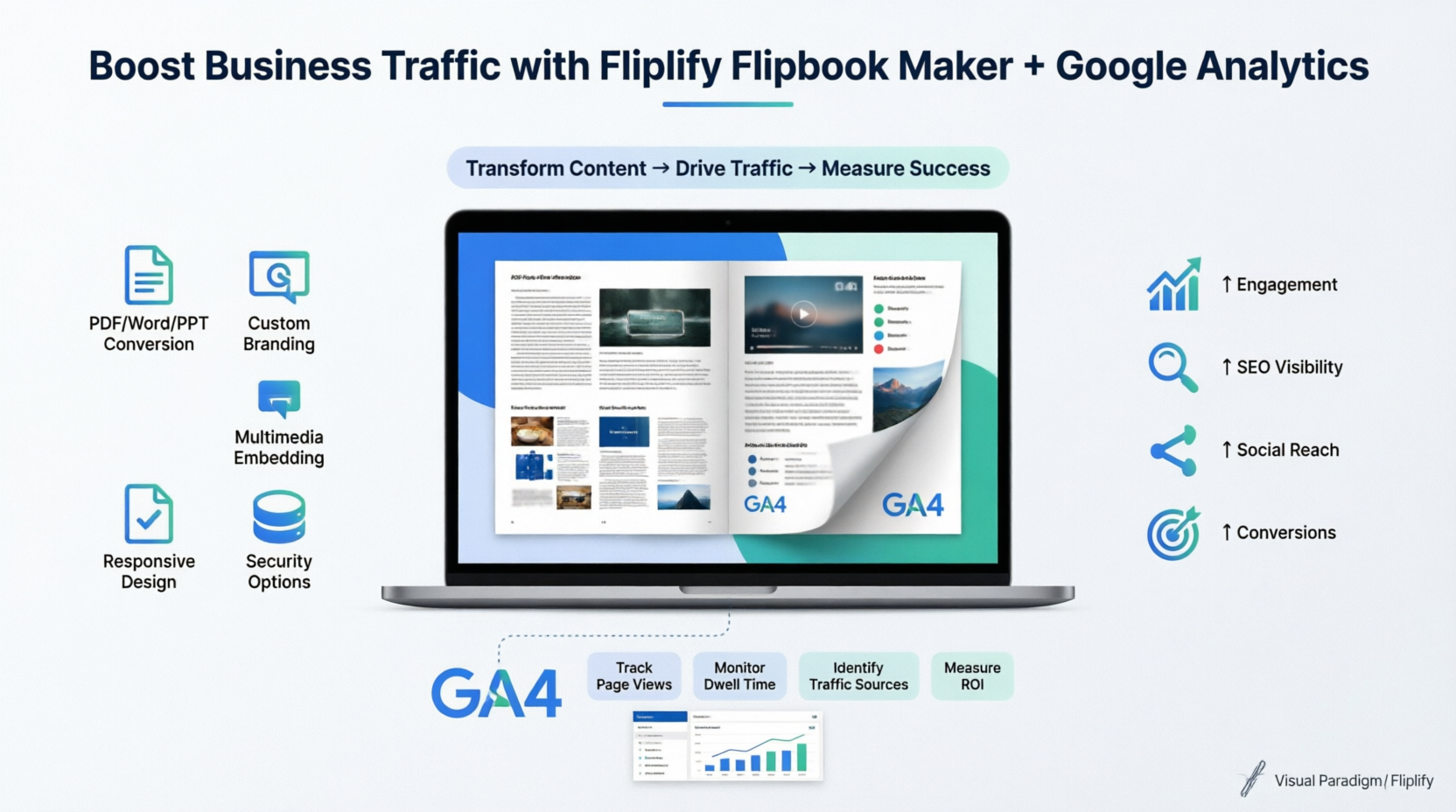
In today’s competitive digital landscape, static content no longer captures attention or drives meaningful engagement. Businesses need dynamic, interactive experiences that not only inform but also convert visitors into customers. Visual Paradigm’s Fliplify Flipbook Maker emerges as a powerful solution, transforming ordinary PDFs, Word documents, PowerPoint presentations, and images into immersive, page-flipping digital publications.
This comprehensive guide explores how Fliplify can boost your business growth and website traffic while demonstrating why integrating Google Analytics represents the most effective and economical strategy for measuring and optimizing your content performance. Whether you’re a marketer, educator, publisher, or entrepreneur, discover how to leverage interactive flipbooks to stand out, engage audiences, and achieve measurable business results.

Why Flipbooks Drive Business Growth and Website Traffic
Traditional static documents often fail to retain user attention or encourage sharing. Fliplify flipbooks solve this challenge by delivering an engaging, book-like reading experience that keeps visitors on your page longer—a key signal search engines use to rank content.
Key Traffic-Boosting Benefits:
-
Increased Dwell Time: The realistic page-flip animation encourages users to explore content thoroughly, reducing bounce rates and improving SEO rankings.
-
Enhanced Shareability: Interactive flipbooks are more likely to be shared across social media and email, expanding your content’s reach organically.
-
Mobile-Optimized Experience: Responsive design ensures your content looks great on any device, capturing the growing mobile audience.
-
Brand Authority: Professionally designed flipbooks position your business as innovative and customer-focused, building trust and credibility.
Key Features of Fliplify That Boost Engagement
| Feature | Business Impact |
|---|---|
| Realistic Page-Flip Effect | Creates an immersive reading experience that increases time-on-page and content retention. |
| Customization and Branding | Tailor themes, colors, and logos to maintain brand consistency and strengthen brand recognition. |
| Interactive Multimedia Integration | Embed videos, audio, links, and animations to guide users toward conversions (e.g., product demos, contact forms). |
| Versatile File Format Support | Convert existing marketing materials (PDFs, PPTs, Word docs) into interactive assets without redesign costs. |
| SEO-Optimized Structure | Makes flipbook content searchable and indexable, helping new audiences discover your business through organic search. |
| Self-Hosting Options | Host flipbooks on your domain to consolidate SEO authority and maintain full control over branding and security. |
| Built-in Analytics Integration | Connect Google Analytics to track user behavior and optimize content based on real performance data. |
| User-Friendly Interface | Enables non-technical team members to create and update content quickly, reducing reliance on external developers. |
How SEO-Optimized Flipbooks Increase Discoverability
Fliplify ensures your digital publications work for you 24/7 by making content searchable and indexable:
-
Search Engine Indexing: Unlike traditional PDFs that search engines struggle to parse, Fliplify converts content into HTML5 format that bots can easily crawl and catalog.
-
Searchable Text Extraction: Text within your flipbook becomes indexable, allowing users to find your content through relevant keyword searches.
-
Community Portal Exposure: Publishing to the Visual Paradigm Online community portal provides an additional public URL that attracts search engine crawlers and potential readers.
-
Domain Authority Preservation: Self-hosting flipbooks on your own domain ensures all SEO benefits (backlinks, traffic, engagement signals) accrue to your primary website.
Google Analytics Integration: The Most Effective & Economical Way to Track Success
While creating engaging content is crucial, measuring its impact is equally important. Google Analytics integration with Fliplify provides a powerful, cost-effective solution for understanding audience behavior and optimizing your content strategy.
Why Google Analytics is the Smart Choice:
-
Free & Powerful: GA4 offers enterprise-level analytics at no cost, making it accessible for businesses of all sizes.
-
Actionable Insights: Move beyond basic view counts to understand exactly how users interact with your content.
-
Data-Driven Decisions: Identify high-performing pages, popular content types, and drop-off points to refine your strategy.
-
ROI Measurement: Track conversions, lead generation, and engagement metrics to demonstrate the tangible business value of your flipbooks.
What You Can Track with GA4 + Fliplify:
-
Reader Behavior: Page views, time spent per page, scroll depth, and interaction with embedded links or multimedia.
-
Traffic Sources: Determine whether visitors arrive via organic search, social media, email campaigns, or direct links.
-
Audience Demographics: Understand geographic distribution, device preferences (mobile vs. desktop), and user technology.
-
Conversion Paths: Monitor how flipbook engagement leads to desired actions (newsletter sign-ups, product inquiries, purchases).
Step-by-Step: Setting Up Analytics for Your Flipbooks
Follow this streamlined process to connect Google Analytics with your Fliplify publications:
-
Create a GA4 Property: In your Google Analytics account, create a new “Property” and select “Web” as the data stream type.
-
Get Your Measurement ID: Enter your flipbook’s URL in the web stream settings to generate a unique Measurement ID (format: G-XXXXXXXXXX).
-
Connect to Fliplify:
-
In your VP Online workspace, navigate to Flipbooks and select your publication’s Settings.
-
Expand the Analytics section and paste your Measurement ID.
-
-
Save and Monitor: Click Finish. Allow 24–48 hours for data to begin populating in your Google Analytics dashboard.
Pro Tip: Use UTM parameters on links shared from your flipbook to track campaign-specific performance and attribute conversions accurately.
Industry Applications: Real-World Use Cases
Marketing & Sales
-
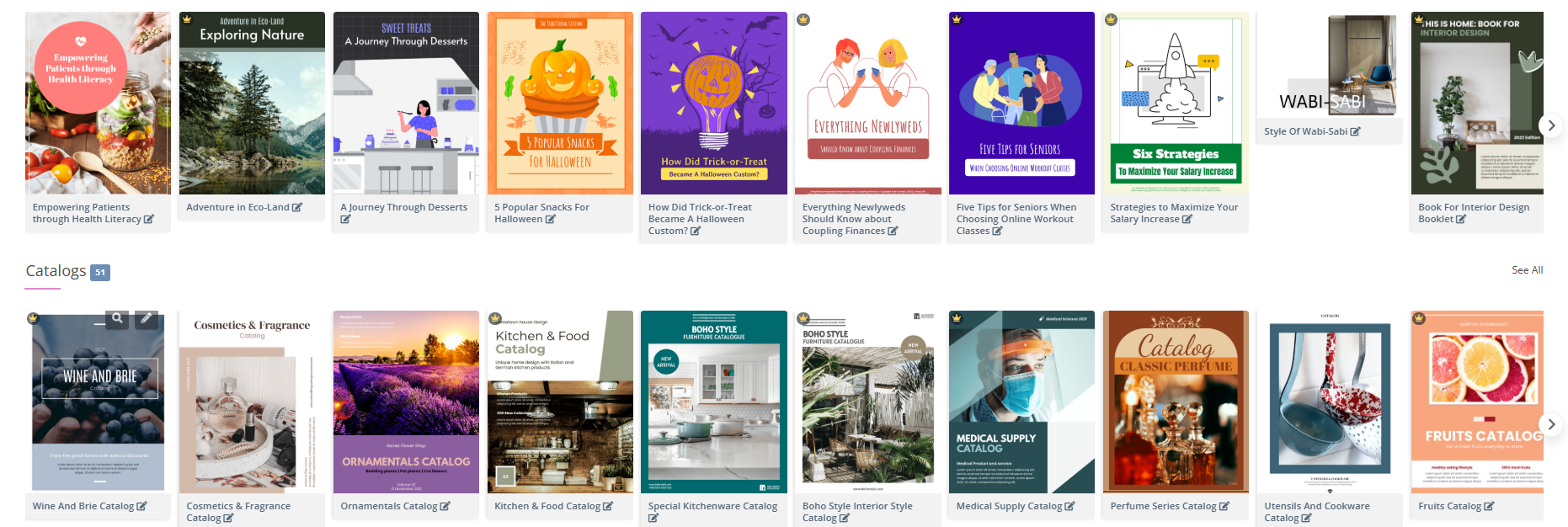
Product Catalogs: Embed shoppable links and demo videos to shorten the buyer journey.
-
Lead-Generating Brochures: Include interactive forms that capture prospect information directly within the flipbook.
-
Proposal Presentations: Impress clients with rich media proposals that stand out from static PDFs.
Education & Training
-
Interactive Textbooks: Boost student engagement with embedded quizzes, videos, and clickable glossaries.
-
Employee Onboarding: Create memorable training materials that new hires can access anytime, anywhere.
Publishing & Media
-
Digital Magazines: Offer subscribers a premium reading experience with seamless page transitions and multimedia content.
-
Newsletters: Increase open rates and click-throughs with visually compelling, trackable email flipbooks.
Hospitality & Tourism
-
Interactive Menus: Showcase dishes with high-quality images and chef videos to increase order values.
-
Travel Guides: Provide clickable maps, destination videos, and booking links to enhance the customer journey.
Getting Started with Fliplify
Ready to transform your digital content? Begin your journey at the Visual Paradigm Online Flipbook Maker. The platform offers:
-
A free tier to explore core features
-
Intuitive drag-and-drop editor requiring no coding skills
-
Extensive template library and design assets
-
Comprehensive tutorials and customer support
Start with a single document, apply the analytics integration steps above, and watch as your engagement metrics begin to tell a story of growth.
Conclusion
Visual Paradigm’s Fliplify Flipbook Maker is more than a content conversion tool—it’s a strategic asset for business growth. By transforming static documents into interactive, SEO-optimized flipbooks, you capture attention, extend engagement, and improve search visibility. When paired with Google Analytics integration, Fliplify becomes a powerful, economical engine for data-driven marketing: you create compelling content, measure its impact with precision, and continuously refine your approach based on real user behavior.
In an era where digital attention is scarce and competition is fierce, the businesses that thrive are those that deliver exceptional, measurable experiences. With Fliplify and Google Analytics, you have the tools to do exactly that—boosting your website traffic, enhancing customer experience, and driving tangible business results, all without breaking the budget.
References
- Why Visual Paradigm Online’s Flipbook Maker Stands Out: Explores the unique advantages and differentiating features of Fliplify compared to other flipbook solutions.
- Reference List for Learning Fliplify of Visual Paradigm Online: A curated collection of resources and guides to help users master Fliplify’s features and functionalities.
- The Complete Tutorial to Visual Paradigm Flipbook Maker: A comprehensive step-by-step tutorial covering Fliplify’s core capabilities and how to leverage interactive web technology for digital publishing.
- Transforming Digital Content: The Comprehensive Guide to Visual Paradigm’s Fliplify Flipbook Maker: An in-depth guide covering Fliplify’s features, benefits, and applications for creating engaging interactive digital publications.
- Discover the Power of Searchable Flipbooks with Visual Paradigm Online: Explains how Fliplify makes flipbook content searchable and indexable by search engines for improved discoverability.
- Visual Paradigm Flipbook Maker: Elevate Your Digital Presence with Dynamic and Engaging Flipbooks: Discusses how flipbooks can enhance brand visibility and user engagement through interactive digital content.
- The Ultimate Guide to the Visual Paradigm Online Platform’s Bookshelf: A detailed walkthrough of organizing and showcasing flipbook publications using Fliplify’s customizable digital bookshelf feature.
- Comprehensive Guide to Fliplify: Creating Interactive Flipbooks with Visual Paradigm: A complete resource for creating professional, interactive flipbooks using Visual Paradigm’s tools and templates.
- How to Improve Customer Experience with Digital Flipbooks: Strategies for leveraging Fliplify’s analytics and interactive features to enhance user engagement and drive conversions.
- Flipbook Maker Category – Visual Paradigm Blog: A collection of articles and updates related to Visual Paradigm’s flipbook creation tools and best practices.
- How Google Analytics Helps You Track Website Growth: Explains the role of Google Analytics in measuring traffic sources, user behavior, and optimizing digital marketing strategies.
- Track the Performance of Your Flipbook Using Google Analytics: A practical guide to integrating Google Analytics with Fliplify flipbooks to monitor reader engagement and content performance.
- Google Analytics 4: Measurement Protocol and Data Collection: Official Google support documentation on how GA4 collects and processes user interaction data across devices and platforms.
- Google Analytics Integration for VP Online: Step-by-step instructions from Visual Paradigm’s knowledge base for connecting Google Analytics to your flipbook publications.
- Tracking Flipbook Views with Google Analytics Integration: Best practices for setting up and interpreting Google Analytics data to measure flipbook viewership and user engagement.