


In 2026, the line between creative ideation and professional-grade architectural engineering has never been clearer. As AI continues to evolve, so too does the divide between general-purpose language models (LLMs) like ChatGPT-4o, Claude 3.5, and Gemini Advanced, and specialized, domain-driven AI ecosystems such as Visual Paradigm AI (v18.0).
The choice isn’t just about tools—it’s about intent. Are you seeking a fast-thinking brainstorming partner? Or do you need a disciplined, traceable, and enterprise-ready co-pilot for system design?
Let’s break down the critical differences to help you decide which path aligns with your goals.
🔍 Core Difference: Creativity vs. Compliance
| Feature | General LLM (GPT-4o, Claude 3.5, etc.) | Visual Paradigm AI Ecosystem (v18.0) |
|---|---|---|
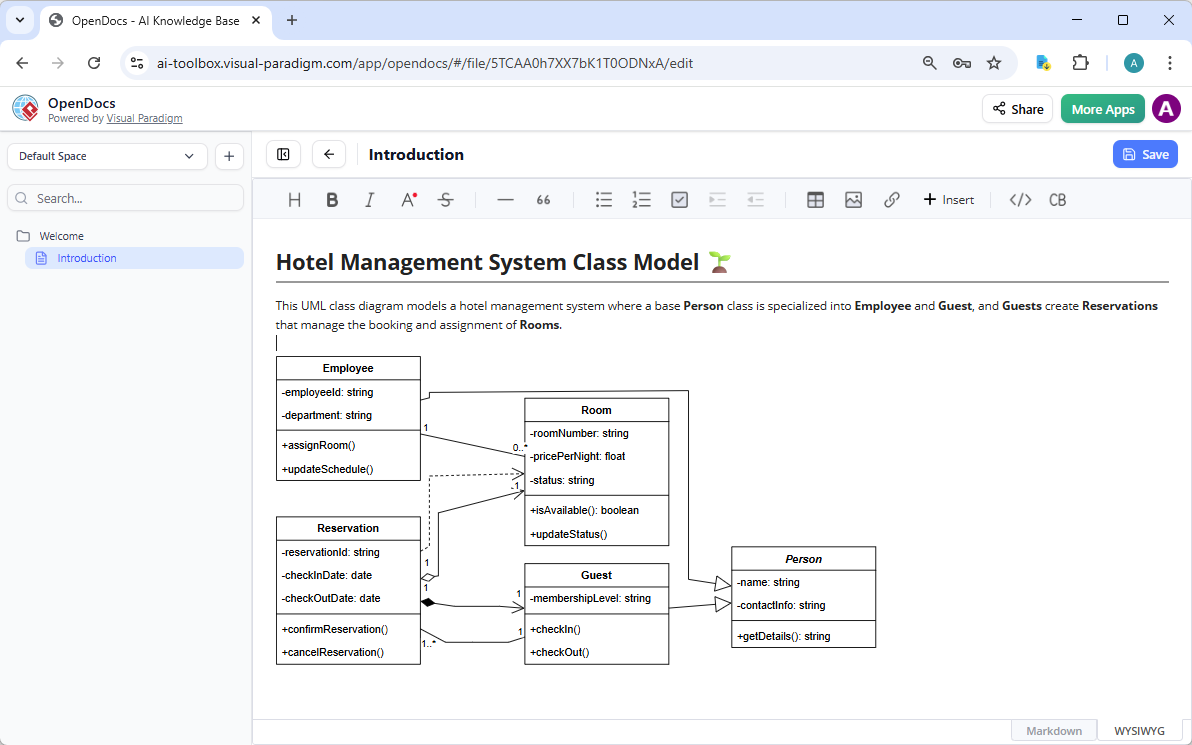
| Output Type | Text-based code (PlantUML, Mermaid) or static images | Native, editable diagram objects (UML, ArchiMate, BPMN) |
| Standards Compliance | Inconsistent; prone to “hallucinating” notation or mixing layers | Strict enforcement of formal standards (e.g., UML 2.5, ArchiMate 3.2) |
| Editability | Requires re-prompting or manual code fixes | Bi-directional editing: modify via chat or drag-and-drop on canvas |
| Context Awareness | Limited to current chat window | Enterprise-wide integration: connects to Jira, OpenDocs, VSMs, and repositories |
| Pricing Model | Free (limited) or ~$20/month (Pro) | Paid subscription + active maintenance required for AI features |
✅ Bottom Line:
Use a general LLM when you need speed and flexibility.
Choose Visual Paradigm AI when you need precision, consistency, and governance.
🧠 1. General LLM: The “Creative Generalist”
✅ Best For:
-
Rapid ideation and concept validation
-
Learning UML/Architectural patterns
-
One-off presentations or informal documentation
📌 When to Use It:
-
You’re in the Discovery phase of a project.
-
You’re asking questions like:
“What are the common actors in a retail POS system?”
“Show me a sequence diagram for user login with 2FA.”
The LLM excels here—offering instant, natural-language responses and generating Mermaid or PlantUML code that you can render quickly.
⚠️ The Realities (Free & Paid)
Free Tier Reality (2026):
-
Access to advanced reasoning and code generation.
-
But: High maintenance cost.
-
Frequent “hallucinations” in diagram syntax.
-
Misplaced connectors, invalid stereotypes, or inconsistent layering.
-
You spend more time debugging the code than designing.
-
Paid Tier Reality (e.g., ChatGPT Plus, Claude Pro):
-
Better logic handling and more stable outputs.
-
Still lacks a visual modeling engine.
-
Cannot interact with the diagram directly—no drag-and-drop, no live editing.
-
Any change requires re-prompting the AI, which often reorders or rewrites the entire diagram, breaking layout and consistency.
🛠️ Workaround? You can copy-paste generated PlantUML into a viewer, but you’re still working with static, uneditable content—a dead end for collaboration or iteration.
🏗️ 2. Visual Paradigm AI: The “Architectural Co-Pilot”
✅ Best For:
-
Enterprise architecture (TOGAF, Zachman)
-
Agile teams managing complex, traceable systems
-
Regulatory compliance and audit-ready documentation
-
Long-term system evolution with consistent modeling
📌 When to Use It:
-
You’re building a TOGAF Target Architecture.
-
You need to generate a Value Stream Map (VSM) for a corporate audit.
-
You must link a Use Case to a Jira User Story, a Software Design Document (SDD), or a test case.
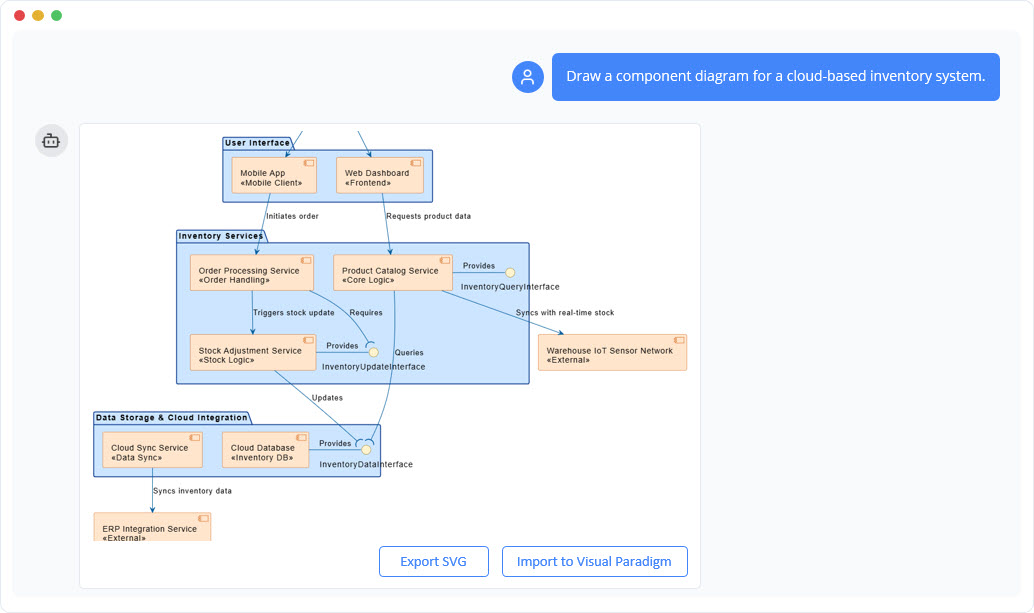
In Visual Paradigm 18.0, the AI isn’t just a code generator—it’s an agentic modeling engine.
🔧 Key Advantages of VP AI Ecosystem:
1. Native, Editable Diagram Objects
-
Diagrams are not images or code snippets.
-
Each element (class, actor, process, etc.) is a first-class model object.
-
You can click, drag, rename, and restructure directly on the canvas—no need to rewrite code.
2. Bi-Directional AI Interaction
-
Ask: “Add a retry mechanism with exponential backoff to this sequence diagram.”
-
VP AI updates the model, not just the visual.
-
The change propagates automatically across related diagrams, components, and documentation.
3. Enterprise Integration & Traceability
-
Connects AI-generated models to:
-
Jira (link requirements to diagrams)
-
OpenDocs (auto-generate specs from models)
-
Value Stream Maps (VSM) (track process bottlenecks)
-
-
Enables end-to-end traceability: from idea → diagram → code → test → audit.
4. Strict Standards Enforcement
-
No more “creative freedom” with notation.
-
Automatically validates:
-
UML 2.5 compliance
-
ArchiMate 3.2 semantics
-
BPMN 2.0 flow rules
-
-
Eliminates ambiguity—critical in regulated industries (finance, healthcare, defense).
5. AI Features Require Paid Subscription (Jan 2026 Update)
-
As of January 2026, AI Chatbot, AI Studios (e.g., Cloud Architecture Studio), and AI-driven model generation are exclusively available to:
-
Paid subscribers with active maintenance contracts.
-
-
The Community (Free) Edition no longer includes AI capabilities.
💡 This reflects a strategic shift: AI is now a professional-grade feature, not a free experiment.
🎯 Summary: Which Should You Choose?
✅ Choose a General LLM if:
-
You’re a student or solo developer on a $0 budget.
-
You only need “good enough” diagrams for a one-off presentation or personal learning.
-
You’re comfortable working in text-based diagram languages (Mermaid, PlantUML).
-
You don’t need traceability, version control, or integration with project tools.
📝 Ideal use case: Sketching a quick workflow for a blog post or a side project.
✅ Choose Visual Paradigm AI (v18.0) if:
-
Traceability matters: You must link diagrams to Jira, SDDs, or test cases.
-
Complexity is high: Managing 100+ diagrams across teams, with consistency across models.
-
Accuracy is non-negotiable: No room for “hallucinated” relationships or invalid notation.
-
You’re part of an enterprise, Agile, or compliance-driven team.
📝 Ideal use case: Designing a regulated banking system, leading a TOGAF architecture initiative, or delivering audit-ready documentation.
🛠️ Ready to Generate a Complex Diagram?
Would you like me to help you draft a specific, optimized prompt for Visual Paradigm AI v18.0 to generate a complex ArchiMate viewpoint, such as:
-
Business Viewpoint for a retail e-commerce platform?
-
Application Viewpoint with microservices and APIs?
-
Technology Viewpoint with cloud infrastructure and security layers?
Just say the word—and I’ll craft a prompt that leverages VP’s agentic AI, standards compliance, and enterprise integration to generate a production-ready, editable, traceable diagram.
🏁 Final Thought:
An LLM is a muse.
Visual Paradigm AI is a chief architect.
In 2026, choosing the right tool isn’t just about capability—it’s about accountability.
For creative exploration: go with the LLM.
For real-world impact: choose the ecosystem that builds with precision, integrity, and scale.
👉 Next Step?
Let me know your use case—I’ll generate a custom, AI-optimized prompt for Visual Paradigm 18.0 to get you started.