Introduction
In today’s fast-paced digital landscape, visual modeling has evolved from a niche technical skill into a strategic asset for teams across industries. Visual Paradigm has responded with a powerful, unified AI ecosystem comprising four distinct platforms—each tailored to different workflows, user needs, and project stages [[1]].
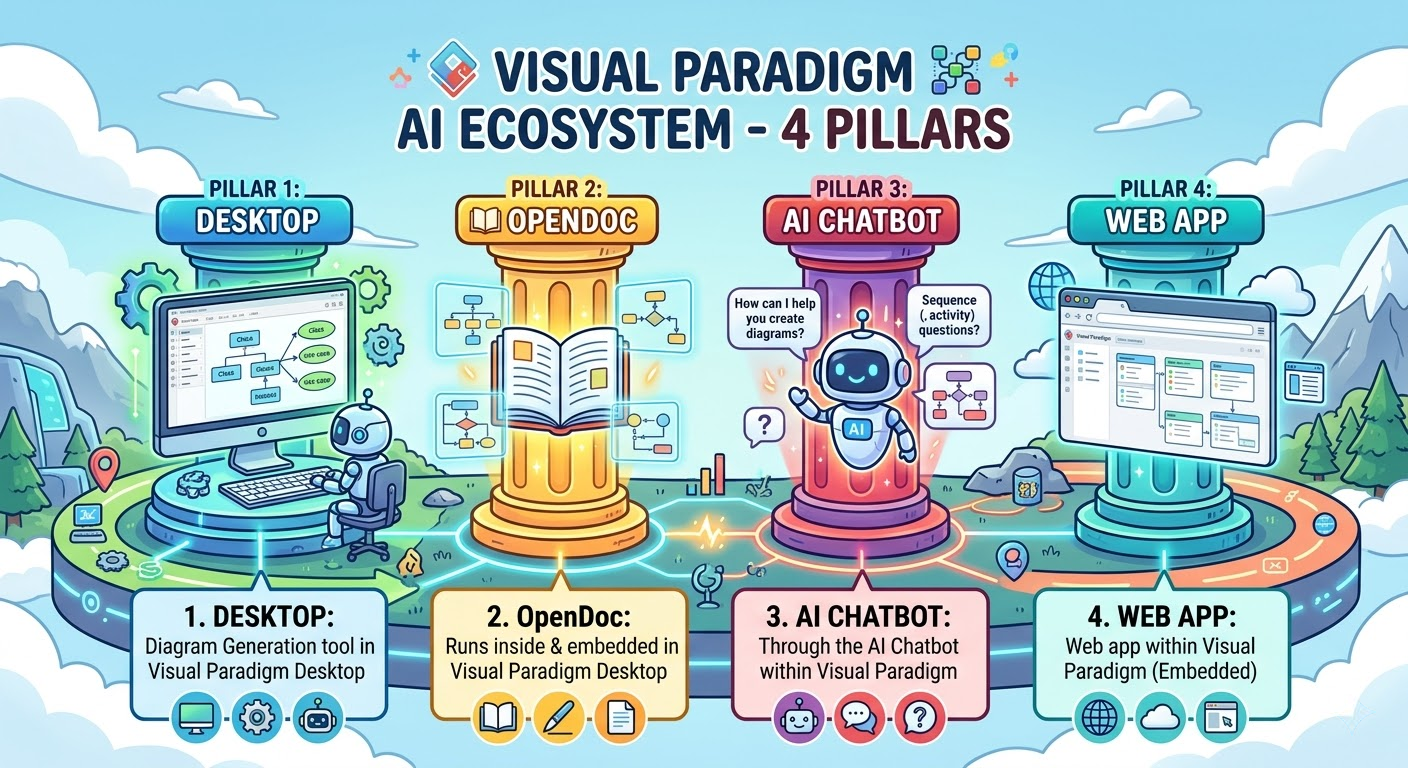
These AI-powered platforms don’t just automate diagramming; they redefine how teams conceptualize, collaborate, document, and engineer complex systems. From agile brainstorming to enterprise-grade code generation, Visual Paradigm’s AI ecosystem ensures that every stage of the modeling lifecycle is enhanced by intelligent assistance—without sacrificing precision, traceability, or collaboration [[7]].
The Four AI Pillars of Visual Paradigm
🔹 1. VP Desktop – The Professional Engine Room
Overview
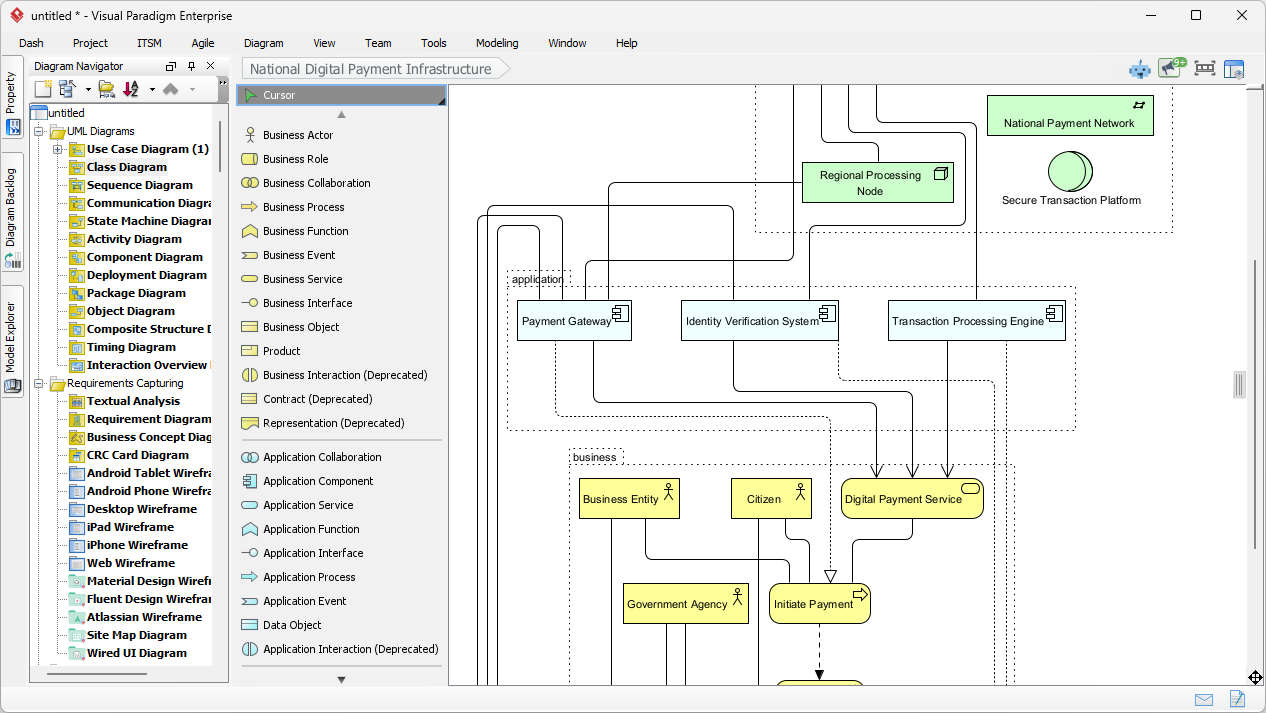
VP Desktop is the flagship desktop application designed for high-stakes modeling environments where reliability and performance are non-negotiable. It represents the professional’s workbench for serious developers and architects who demand accuracy, scalability, and control [[2]].
Core Workflow: Professional, Offline Engineering
-
AI Integration: Seamlessly embedded AI tools accelerate initial design phases—automatically generating structure, suggesting class relationships, or validating model consistency [[11]]
-
Advanced Toolset: Offers full-featured editing, version control integration (Git, SVN), code generation, reverse engineering, and traceability matrices [[4]]
-
Offline Capability: Fully functional without internet access—ideal for secure, enterprise-level projects [[2]]
Key Features
-
Full UML, SysML, C4, ArchiMate support
-
AI-powered model generation from text
-
Direct code generation (Java, C++, Python, etc.)
-
Version control via Team Server
-
Database reverse engineering + forward engineering
-
Model validation and consistency checking [[4]]
Ideal Use Cases
-
Enterprise-level UML and SysML modeling
-
Large-scale software architecture and system design
-
Code generation and reverse engineering
-
Teams requiring strict compliance and audit trails
-
Complex systems with 50+ interconnected diagrams [[2]]
Unique Value Proposition
Production-ready models, built for scale and precision.
VP Desktop ensures every diagram is not just visually accurate—but traceable, exportable, and ready for integration into CI/CD pipelines. It’s the go-to platform for engineering teams that need to deliver robust, maintainable designs under pressure [[2]].
Pro Tips
-
Start with AI, then refine manually: Use AI to generate a draft, then use built-in tools to validate logic, add constraints, and fix dependencies
-
Use “Model Validation” to catch inconsistencies (e.g., missing associations, wrong multiplicities)
-
Export to code via right-click → Generate Code. Set templates for consistent output
-
Integrate with Git via Team Server for collaborative, traceable model management [[4]]
🔹 2. OpenDocs – The Living Knowledge Hub
Overview
OpenDocs transforms traditional documentation into a dynamic, collaborative workspace, where text and diagrams are not separate entities—but interdependent components. It’s similar to Notion or GitBook but with embedded visuals that stay dynamic and editable [[2]].
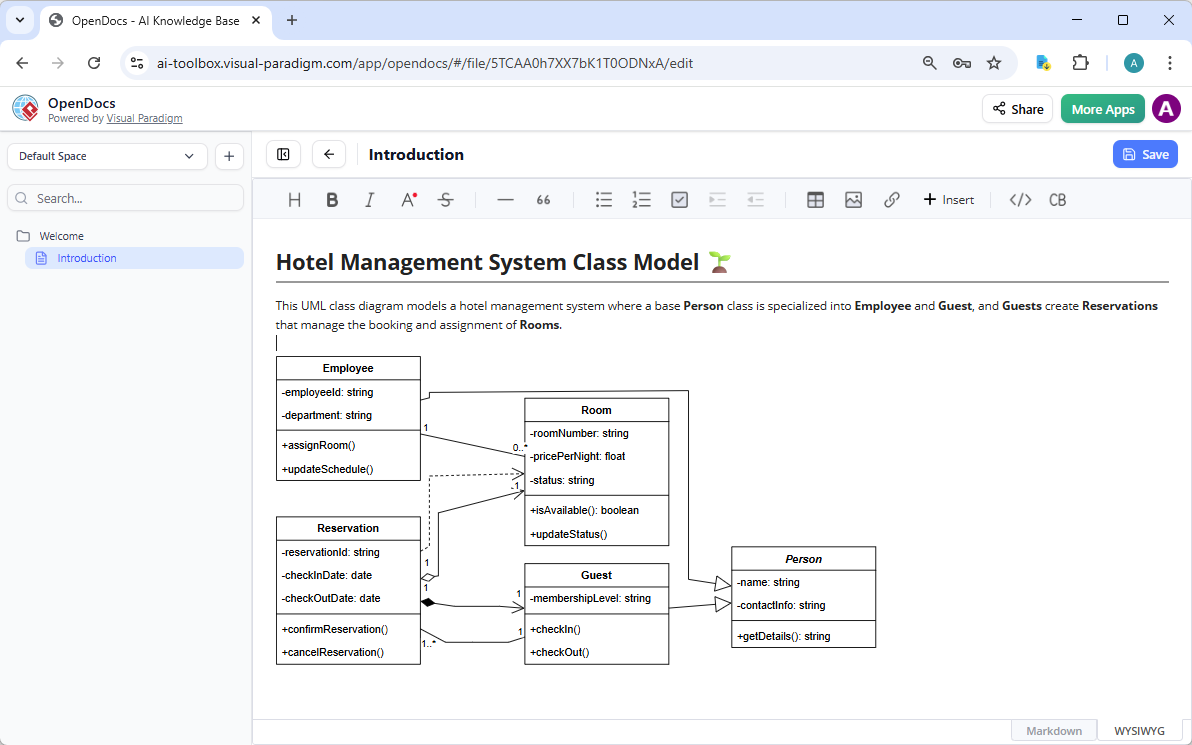
Core Workflow: Document-Centric, AI-Assisted Collaboration
-
AI-Powered Diagramming: Insert and refine diagrams inline using natural language prompts (e.g., “Create a flowchart showing user login steps”) [[20]]
-
Real-Time Updates: Diagrams are not static images. Changes to the text or structure automatically update the diagram—ensuring consistency across the document [[2]]
-
Team-Centric Design: Supports real-time co-editing, comments, and versioning—perfect for remote or hybrid teams [[23]]
Key Features
-
AI-assisted diagrams embedded directly in text
-
Diagrams are live—edit them right in the document
-
Real-time collaboration (like Google Docs)
-
Supports Markdown, tables, and rich text
-
Export to PDF, HTML, or share as a link
-
AI-powered diagram generation (UML deployment diagrams, profile diagrams, mind maps, etc.) [[24]][[25]][[27]]
Ideal Use Cases
-
Building internal wikis and knowledge bases
-
Creating strategy documents, onboarding guides, and technical reports
-
Aligning cross-functional teams (engineering, product, UX) around shared understanding
-
Documentation that needs to evolve with the project [[2]]
Unique Value Proposition
Diagrams that breathe, adapt, and evolve with your content.
By treating diagrams as living elements, OpenDocs eliminates the disconnect between documentation and visual design. It’s the ideal platform for teams that value clarity, collaboration, and maintainability in their knowledge assets [[2]].
Pro Tips
-
Embed diagrams early: Don’t wait until the end—start with a Mind Map or Process Flow during planning
-
Use AI to auto-generate diagrams from text: Just type a description and let AI build it
-
Link diagrams to other sections: Use cross-references: “See the user flow in Figure 3”
-
Assign editing rights to team leads or domain experts
-
Use templates for consistency (e.g., SWOT, PEST, RACI) [[4]]
🔹 3. AI Visual Modeling Chatbot – The Conversational Ideation Co-Pilot
Overview
The AI Chatbot reimagines modeling as a natural dialogue, making it accessible to both beginners and seasoned professionals. It’s your agile brainstorming partner that turns ideas into diagrams through conversation [[31]].
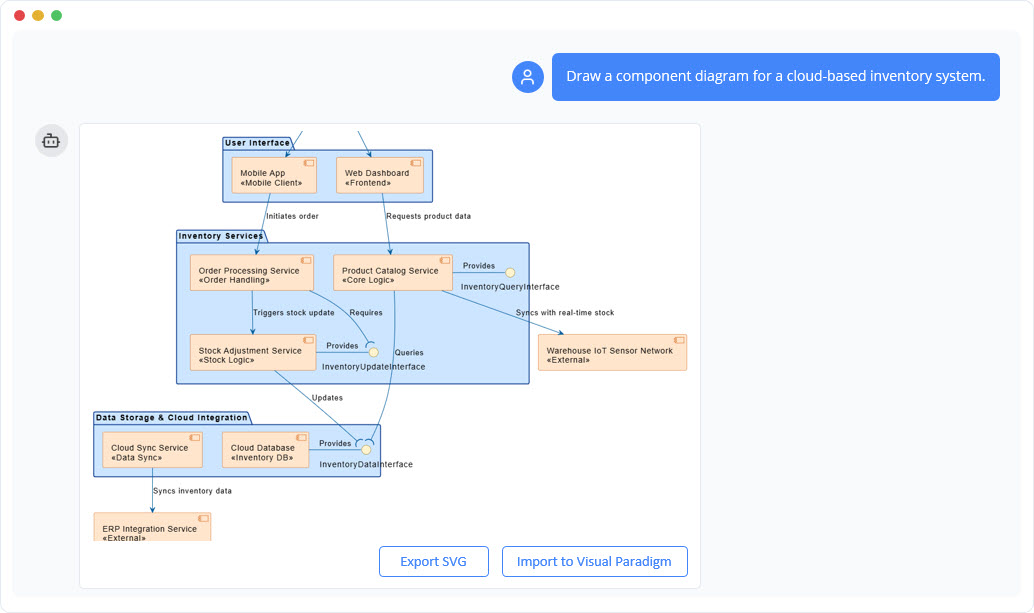
Core Workflow: Conversational & Iterative Design
-
Natural Language Input: Users describe a system in plain English—e.g., “Show me a sequence diagram of a user placing an order on an e-commerce site” [[33]]
-
Interactive Refinement: The AI generates a baseline diagram, then invites follow-up questions: “Should the payment be processed before or after order confirmation?” [[2]]
-
Rapid Iteration: Perfect for brainstorming, spike sessions, and sprint planning [[37]]
Key Features
-
Natural language diagram generation
-
Interactive refinement through conversation
-
Supports UML, C4, SysML, ArchiMate, and business strategy diagrams (SWOT, PEST)
-
Export to VP Desktop or OpenDocs with one click
-
“Explain” mode for AI-generated descriptions
-
Available as standalone or integrated with desktop tools [[30]][[31]][[32]]
Ideal Use Cases
-
Agile teams needing quick visual validation
-
Product managers and UX designers without deep modeling experience
-
Overcoming “blank canvas” paralysis during early design stages
-
Rapid prototyping and ideation
-
Learning UML concepts with instant feedback [[33]]
Unique Value Proposition
From idea to diagram in seconds—no learning curve required.
The Chatbot acts as a visual thinking partner, helping users explore possibilities, refine logic, and arrive at better designs—faster. It lowers the barrier to entry while empowering experts to prototype at scale [[2]].
Pro Tips
-
Be specific in prompts:
-
❌ “Make a diagram for a shopping app”
-
✅ “Create a sequence diagram showing a user adding an item to cart, applying a discount code, and checking out with PayPal”
-
-
Use iterative refinement:
-
Step 1: “Show the login flow”
-
Step 2: “Add a 2FA step after password”
-
Step 3: “Now show the dashboard that appears after login”
-
-
Save to OpenDocs or VP Desktop to continue work
-
Use “Explain” mode to get AI-generated descriptions of your diagram—great for documentation [[4]]
🔹 4. AI Apps & Studios (Web Apps) – The Guided Domain Experts
Overview
Web Apps are browser-based, specialized too that guide users through structured modeling processes—ensuring consistency, quality, and traceability. They represent the step-by-step guide-through approach for methodology-driven teams [[2]].
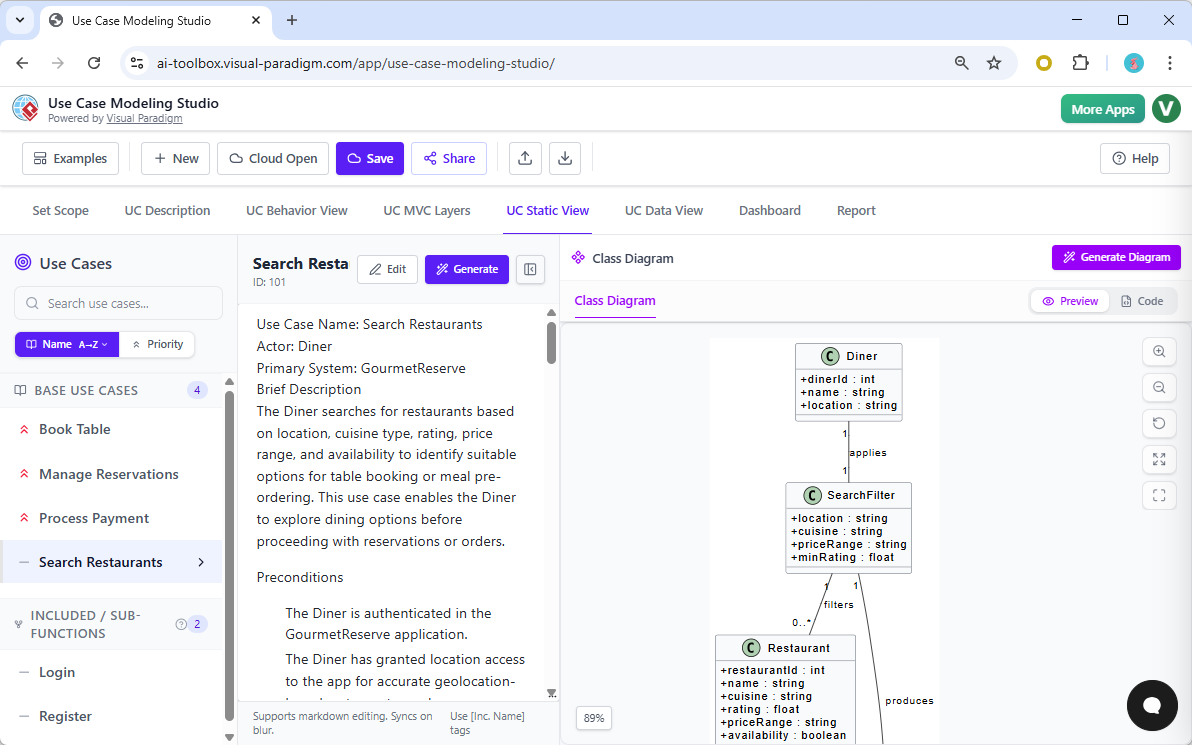
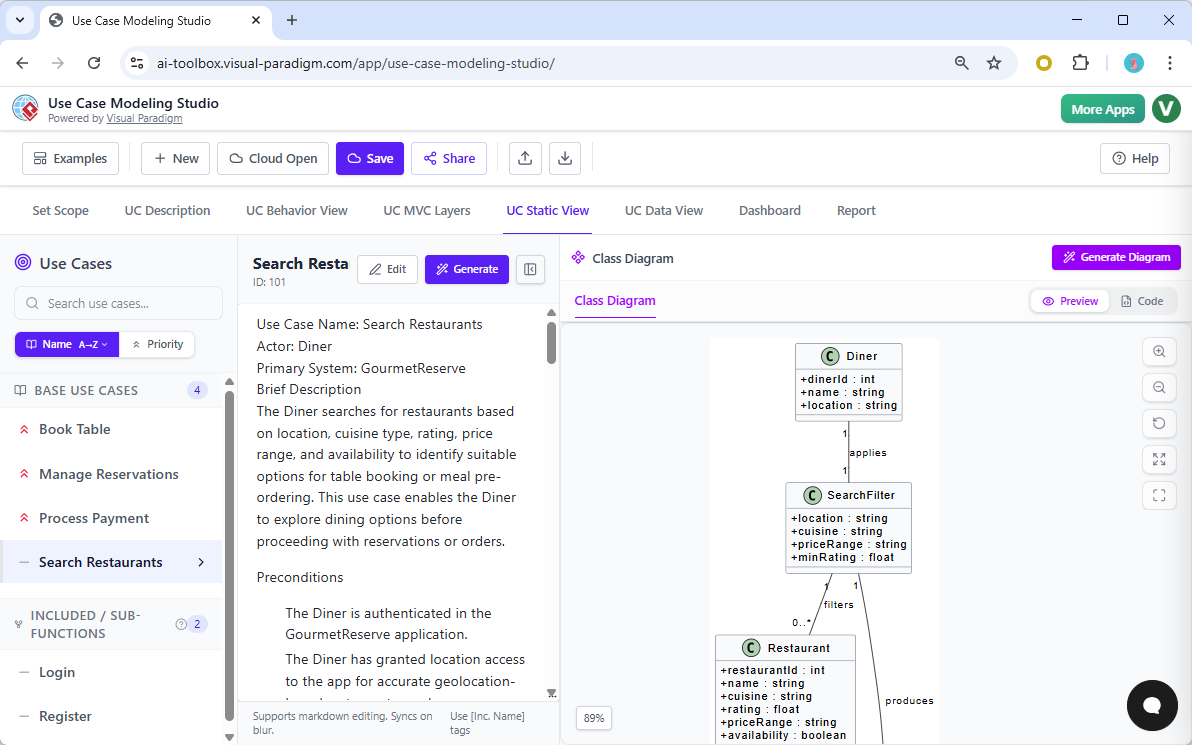
Core Workflow: Step-by-Step AI-Powered Design
-
AI Guidance: Walks users through each stage of diagram creation (e.g., “Define the context,” “Identify key actors,” “Sketch the first draft”) [[2]]
-
Best Practice Enforcement: Promotes standards like C4 Model for architecture, or structured requirements modeling
-
Traceability & Consistency: Ensures models are not isolated artifacts but part of a larger, interconnected system [[2]]
Key Features
-
Browser-based, no installation needed
-
Step-by-step guidance for specific methodologies
-
Enforces best practices (e.g., C4 model levels, use case depth)
-
AI assists at each step: “Now describe the primary actor and its goal”
-
Export to OpenDocs, VP Desktop, or PDF
-
Specialized studios for different purposes [[2]]
Available Studios
-
C4 PlantUML Studio: For software architecture (Context → Containers → Components → Code)
-
Use Case Modeling Studio: For system requirements analysis
-
AI Cloud Architecture Studio: For AWS, Azure, GCP, and other cloud platforms
-
Decision Table Generator: For structured decision logic
-
Textual Analysis Tool: For extracting models from text
-
Infographic Designers: For strategic frameworks (SWOT, PEST, McKinsey 7S, etc.) [[38]][[40]][[43]]
Ideal Use Cases
-
Systematic software architecture (e.g., C4 Model, Layered Architecture)
-
Requirements analysis and specification
-
Regulatory or compliance-driven projects (e.g., aerospace, healthcare, finance)
-
Teams needing consistency and standardization
-
Onboarding new team members to modeling standards [[2]]
Unique Value Proposition
No more siloed models—only coherent, scalable, and auditable designs.
Web Apps are ideal for projects where consistency and process adherence are critical. They turn modeling into a repeatable, disciplined practice—reducing errors and improving long-term maintainability [[2]].
Pro Tips
-
Start with the right studio:
-
C4 Studio → For architecture reports
-
Use Case Studio → For system requirements
-
SWOT/PEST Studio → For strategy planning
-
-
Use AI to fill in gaps: If you’re unsure how to define a container, ask: “Suggest 3 possible containers for a cloud-based e-commerce platform”
-
Export to VP Desktop to add code generation or traceability
-
Use the “Review Mode” to validate your model against C4 standards [[4]]
Integration & Closed-Loop Workflow
How the Four Pillars Work Together
Visual Paradigm’s AI ecosystem is designed for hybrid workflows where you can seamlessly move between platforms based on your project phase:
Example Workflow: Building a Microservices API
1. Brainstorm (AI Chatbot)
-
Prompt: “Create a sequence diagram for a user signing up, verifying email, and logging in”
-
Refine: “Add a step for sending a welcome email”
-
Export to OpenDocs or VP Desktop [[4]]
2. Document (OpenDocs)
-
Copy the diagram into a “User Onboarding” page
-
Add text: “This flow ensures security and user experience”
-
Allow team members to edit the diagram inline
-
Create living documentation that evolves with the project [[2]]
3. Architect (C4 Studio – Web App)
-
Use the C4 PlantUML Studio to build a full architecture model:
-
Context → Containers → Components → Code
-
-
Ensure the login flow is properly mapped across all levels
-
Validate against C4 standards [[4]]
4. Engineer (VP Desktop)
-
Import the C4 model
-
Generate class diagrams from components
-
Generate Java code for the Auth service
-
Integrate with Git and CI/CD pipelines
-
Create traceability matrices [[2]]
✅ Result: A fully traceable, documented, and coded system—all from one idea [[4]].
Feature Comparison Matrix
| Feature | VP Desktop | AI Chatbot | OpenDocs | Web App Studios |
|---|---|---|---|---|
| Best for | Engineering & code | Ideation & prototyping | Documentation & collaboration | Methodology compliance |
| AI Quality | High (precise) | High (conversational) | High (context-aware) | High (structured) |
| Editability | Full (code, traceability) | Medium (text-based) | Medium (in-doc) | Low (guided) |
| Collaboration | Team Server | Chat-based | Real-time wiki | Individual |
| Learning Curve | Steeper | Gentle | Gentle | Moderate |
| Offline Access | ✓ Full | Requires internet | Requires internet | Requires internet |
| Code Generation | ✓ Yes | Export only | Export only | Export only |
| Best for | Devs, Architects | PMs, Analysts | Teams, Wikis | Consultants, Standards Teams |
✅ Rule of Thumb: Start with the Chatbot or Web Studio → Refine in OpenDocs → Finalize in VP Desktop [[4]]
Choosing the Right Tool by Role
| Role | Primary Tool | Secondary Tool | Why |
|---|---|---|---|
| Software Developer | VP Desktop | AI Chatbot | Code generation, model traceability |
| Product Manager | AI Chatbot | OpenDocs | Fast ideation, stakeholder alignment |
| System Architect | VP Desktop | C4 Studio | Enterprise modeling, compliance |
| Business Analyst | OpenDocs | Web App Studios | Strategy docs, SWOT/PEST |
| Team Lead / Consultant | OpenDocs | C4 Studio | Documentation, standardization |
| UX Designer | AI Chatbot | OpenDocs | Rapid prototyping, user flows |
| DevOps Engineer | VP Desktop | Web Apps | Infrastructure diagrams, deployment models |
Diagram Type Support Across Platforms
Visual Paradigm supports an extensive range of diagram types across its four platforms:
UML Diagrams
-
Use Case, Class, Sequence, Activity, State Machine diagrams: Supported across all platforms
-
Deployment, Component, Object, Package diagrams: VP Desktop, OpenDocs, Chatbot
-
Communication, Timing diagrams: VP Desktop only
-
Profile, Composite Structure diagrams: OpenDocs, Chatbot [[3]]
SysML Diagrams
-
Requirement, Block Definition, Internal Block diagrams: VP Desktop, OpenDocs, Chatbot
-
Parametric diagrams: OpenDocs only [[3]]
C4 Model & Architecture
-
C4 Context, Container, Component, Deployment diagrams: All platforms
-
C4 System Landscape, Dynamic diagrams: VP Desktop, Web Apps (C4 Studio) [[3]]
Business & Strategy
-
SWOT, PEST, PESTLE, SOAR, TOWS analyses: Chatbot, Web Apps
-
McKinsey 7S, Ansoff Matrix, Blue Ocean Strategy: Chatbot, Web Apps
-
Balanced Scorecard, BCG Matrix, Porter’s Five Forces: Web Apps [[3]]
Cloud Architecture
-
AWS, Azure, Google Cloud, Alibaba Cloud, Oracle Cloud, IBM Cloud: Web Apps (AI Cloud Architecture Studio)
-
Kubernetes, DigitalOcean, OpenStack, Elastic: Web Apps [[3]]
General Diagrams
-
Flowcharts, Mind Maps, Organization Charts, PERT Charts: Multiple platforms
-
Infographics, Timelines, Family Trees, Concept Maps: OpenDocs, Web Apps [[3]]
Why Visual Paradigm AI Stands Out
1. AI ≠ Just a Drawing Tool
Most AI tools generate a picture. VP AI generates a model—editable, connected, and traceable [[4]].
2. Traceability Built-In
Change a Use Case? The related Activity or Sequence diagram updates automatically. Models are interconnected, not isolated artifacts [[2]].
3. From Idea to Code
Start with a chat, refine in a document, and generate real Java/C++/Python code in VP Desktop. The ecosystem supports the full development lifecycle [[4]].
4. Hybrid Workflow Support
You’re not locked in. Start in the Chatbot, move to OpenDocs, and finalize in VP Desktop. Each platform complements the others [[2]].
5. Designed for Teams & Enterprises
Supports version control, real-time collaboration, and integration with DevOps pipelines. Built for modern software development practices [[4]].
💡 Pro Tip: Think of VP AI as “Photoshop meets IntelliJ, powered by AI.” It’s not just about visuals—it’s about engineering intelligence [[4]].
Best Practices & Hidden Gems
1. Use “Explain” Mode
In any AI tool, generate natural language descriptions of your diagrams—perfect for reports and documentation [[4]].
2. Copy Diagrams Between Platforms
Easily move diagrams: OpenDocs → VP Desktop → Web App Studio. Your work is portable across the ecosystem [[4]].
3. Auto-Generate Documentation
Use AI to write descriptions: “Write a 300-word description of this UML class diagram” [[4]].
4. Enable “AI Suggestions” in VP Desktop
Get real-time improvements (e.g., “This class has no methods—consider adding a getter”) [[4]].
5. Use Templates for Consistency
Create your own templates for team-wide use. Standardization improves quality and reduces errors [[4]].
6. Leverage Iterative Refinement
Don’t expect perfection in one prompt. Build progressively:
-
Start broad: “Create a system architecture”
-
Refine: “Add authentication layer”
-
Detail: “Show database connections” [[4]]
Final Verdict: Is Visual Paradigm AI Worth It?
✅ Yes—if you value:
Traceability between models and code
Collaborative, living documentation
Methodology compliance (C4, ArchiMate, etc.)
Real-world engineering integration
Enterprise-grade features
❌ No—if you only need static diagrams for presentations.
Visual Paradigm AI is not just an AI tool—it’s a visual modeling engine that marries AI speed with professional-grade precision [[4]].
Conclusion: A Unified Ecosystem for Every Stage of Innovation
Visual Paradigm’s AI ecosystem is not about replacing human creativity—it’s about amplifying it [[7]].
-
Use the AI Chatbot to spark ideas
-
Build and refine them in OpenDocs for collaborative documentation
-
Dive deep into engineering with VP Desktop for precision and scale
-
Or follow a guided path with Web Apps for structured, auditable design
Together, these platforms form a cohesive, intelligent ecosystem—supporting everything from agile ideation to enterprise-grade delivery [[2]].
Whether you’re a solo developer, a product team, or a large enterprise, Visual Paradigm’s AI tools empower you to model smarter, collaborate better, and deliver faster—all while maintaining the integrity and traceability that modern systems demand [[7]].
🚀 Your idea. One AI prompt. A fully traceable, engineering-ready model.
References
- VP Desktop – AI-Powered Professional Modeling: Visual Paradigm’s flagship desktop application with AI integration for enterprise-grade UML, SysML, and code engineering [[35]].
- AI Visual Modeling Chatbot: Conversational AI assistant that generates and refines diagrams through natural language interaction [[30]].
- OpenDocs – AI-Powered Knowledge Platform: Dynamic documentation hub with live, editable diagrams embedded directly in text [[22]].
- Visual Paradigm AI Ecosystem Overview: Comprehensive guide to the four AI pillars and their integration for smarter visual modeling [[7]].
- Ultimate Guide to Visual Paradigm AI: In-depth review with user insights, workflows, and pro tips for each platform [[4]].
- AI Diagram Generator Comparison: Complete feature matrix showing diagram type support across all four platforms [[3]].
- AI Chatbot Feature: Intelligent conversational assistant for creating, refining, and analyzing UML, SysML, and ArchiMate diagrams [[31]].
- OpenDocs Documentation: Personal knowledge base with AI-powered diagramming for collaborative documentation [[23]].
- VP Desktop AI Features: Guide to getting started with AI-powered features in Visual Paradigm Desktop [[11]].
- C4 PlantUML Studio: Guided step-by-step tool for building traceable C4 architecture models across all abstraction levels [[39]].
- AI Cloud Architecture Studio: Generate AWS, Azure, GCP, and multi-cloud architecture diagrams from text descriptions [[2]].
- Use Case Modeling Studio: AI-powered web application for streamlined requirements analysis and use case design [[38]].
- OpenDocs AI Diagram Generation: New AI capabilities for generating UML profile diagrams and other visual models in OpenDocs [[27]].
- Visual Paradigm AI Updates: Latest enhancements including AI activity diagram generation and cross-platform integration [[19]].