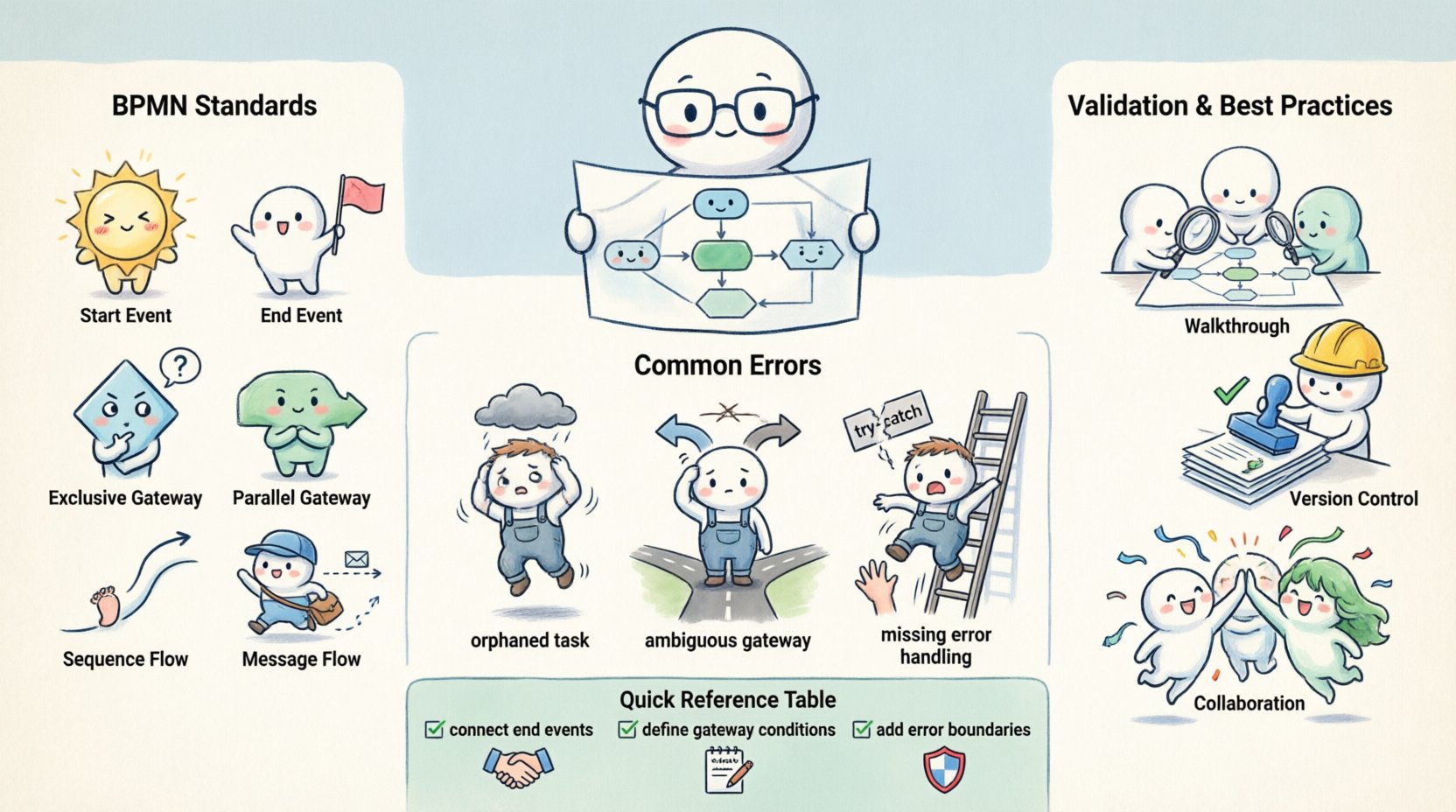
Business process models serve as the architectural blueprints for organizational operations. When these models lack precision, the consequences ripple through every layer of execution, from manual workflows to automated software systems. Accuracy in Business Process Model and Notation (BPMN) is not merely a stylistic preference; it is a fundamental requirement for operational integrity. A diagram that looks correct on the surface but fails logically under scrutiny can lead to significant financial loss, compliance breaches, and frustrated stakeholders.
This guide explores the technical and procedural steps required to maintain high fidelity in your process documentation. We will examine the structural standards, common failure points, and validation methodologies that ensure your models reflect reality.
🏗️ Understanding BPMN Standards and Semantics
The foundation of accurate modeling lies in a strict adherence to the underlying notation standards. BPMN is defined by ISO 19510, which specifies how elements should behave and interact. Deviating from these definitions creates ambiguity.
- Event Types: Distinguish clearly between start, intermediate, and end events. A start event triggers the process, while an end event concludes it. Intermediate events occur within the flow and often represent messages or timers.
- Gateways: Gateways control the divergence and convergence of paths. Exclusive gateways (diamonds) route to one path based on a condition. Inclusive gateways allow multiple paths if conditions are met. Parallel gateways split and synchronize without conditions.
- Sequence Flows: These solid lines indicate the order of execution. They must connect compatible elements. Connecting an end event to a task is a semantic error that breaks the logic of the process.
- Message Flows: These dashed lines represent communication between participants. They should not be confused with sequence flows, which represent internal logic.
When modelers mix these symbols, the resulting diagram becomes a source of confusion for developers and analysts. Precision requires knowing exactly when to use a specific shape and why.
🛑 Identifying Common Modeling Errors
Even experienced practitioners encounter errors. These mistakes often stem from rushing the design phase or assuming logical paths that do not exist. Recognizing these patterns is the first step toward correction.
1. Broken Flows and Orphaned Elements
A process must have a clear path from start to finish. Orphaned elements occur when a task or gateway has no incoming or outgoing sequence flow. This creates a dead end in the logic. Similarly, tasks that are reachable but never lead to an end event indicate an infinite loop or a missing termination point.
2. Ambiguous Gateway Logic
Gateways are the decision points of a process. If the conditions attached to outgoing flows from an exclusive gateway do not cover all possibilities, some paths become unreachable. Conversely, if conditions overlap, the system may not know which path to take. Every branch must be mutually exclusive or explicitly inclusive.
3. Missing Error Handling
Real-world processes encounter exceptions. A model that only shows the “happy path” is incomplete. If a system fails during a task, the process should have a defined error boundary event or an escalation path. Ignoring these scenarios makes the model useless for automation engineering.
🧪 Techniques for Process Validation
Validation transforms a static diagram into a verified asset. It involves testing the logic against real-world scenarios to ensure it holds up under pressure.
Traceability and Walkthroughs
Conduct formal walkthroughs with subject matter experts. Walk through every node in the diagram using specific business cases. Ask questions like:
- What happens if the user clicks “Cancel”?
- What is the fallback if the database is unavailable?
- Does this task require human intervention or system automation?
This verbal verification often reveals gaps that visual inspection misses. It ensures the model aligns with actual operational behavior.
Simulation and Logic Testing
Before implementation, run logic simulations. This involves defining test cases and tracing the execution path through the model. If a test case fails to reach an end event, the model contains a logic error. Automated validation tools can check for syntax errors, but they cannot verify business logic. Human judgment remains essential for simulating complex decision trees.
🔄 Governance and Change Management
Processes evolve. Accuracy is not a one-time achievement but a continuous state maintained through governance. Without controls, models degrade over time as business rules change.
Version Control
Every change to a process model should be versioned. This allows teams to track history and revert to previous states if a new change introduces instability. Metadata such as author, date, and change reason should accompany every update.
Audit Trails
Maintain an audit trail of who approved the model and when. This accountability ensures that changes are not made casually. When a process is deployed to production, the version of the model used should be recorded alongside the deployment.
📊 Common BPMN Errors vs. Corrections
| Common Error | Impact | Corrective Action |
|---|---|---|
| Missing End Event | Process hangs indefinitely | Ensure all paths converge to a defined end event |
| Unreachable Gateway | Logic dead ends | Check incoming flow connectivity |
| Exclusive Gateway Overlap | Ambiguous execution path | Refine condition expressions to be mutually exclusive |
| Message Flow Confusion | Incorrect participant interaction | Use sequence flows for internal logic, message flows for external |
| No Error Handling | System failure on exception | Add error boundary events to tasks |
| Orphaned Task | Task never executes | Connect task to incoming sequence flow |
📈 The Impact of Inaccuracy
The cost of inaccurate modeling extends beyond the diagram itself. It directly affects the technology stack built upon it.
Automation Failures
Modern automation relies on precise logic. If a BPMN model contains a logic error, the workflow engine will execute the same error. This can result in data corruption, duplicate transactions, or halted orders. Fixing the model after deployment is often more expensive than validating it beforehand.
Compliance and Risk
In regulated industries, process accuracy is a legal requirement. Auditors review process documentation to verify compliance with standards such as SOX or GDPR. A model that does not reflect actual controls can lead to failed audits and penalties. Accuracy ensures that every control point is documented and verifiable.
Operational Efficiency
Employees rely on process documentation for training and execution. If the model is confusing or incorrect, staff may follow workarounds that bypass controls. This creates shadow processes that are difficult to manage. Clear, accurate models reduce training time and increase consistency across teams.
🤝 Collaboration and Review Cycles
Accuracy is a team effort. No single individual can validate every aspect of a complex process. Establishing a review cycle involving business analysts, process owners, and technical architects is essential.
- Business Analysts: Validate that the logic matches business requirements.
- Process Owners: Confirm that the process aligns with strategic goals and KPIs.
- Technical Architects: Ensure the model is technically feasible and compatible with the target environment.
Regular review meetings should be scheduled. These sessions are not just for approval but for discovery. New edge cases often emerge during discussion. Capturing these insights ensures the model evolves with the business.
🛠️ Tools and Methodologies
While specific software platforms exist, the methodology remains consistent. Use diagramming tools that enforce syntax rules. These tools prevent you from drawing invalid connections, such as linking an end event to a task. However, syntax compliance does not guarantee semantic correctness.
Adopt a checklist for every model before release. Include items such as:
- Are all events connected?
- Are all gateways defined with conditions?
- Is there a path for every exception?
- Do the labels match the business terminology?
This checklist acts as a final barrier against common oversights. It standardizes the quality of output across different teams.
🔍 Continuous Improvement
The goal is not perfection but continuous improvement. Processes change, and models must adapt. Treat the model as a living document. Gather feedback from the execution phase. If users report confusion or delays, investigate the model. Did the path require too many approvals? Was a task too complex? Use this feedback to refine the accuracy of future iterations.
Documentation should be accessible. If the model is stored in a system that is hard to reach, it will not be used. Centralize process artifacts so that stakeholders can find the latest version easily. Accessibility drives adoption, and adoption drives accuracy.
📝 Summary of Best Practices
To maintain high standards in your business process models, adhere to the following principles:
- Strict Adherence to Standards: Follow BPMN 2.0 specifications without deviation.
- Rigorous Validation: Test logic with real-world scenarios and edge cases.
- Comprehensive Review: Involve multiple roles in the approval process.
- Version Control: Track all changes to ensure traceability.
- Clear Communication: Use labels that match business language, not technical jargon.
- Error Handling: Always plan for failure and exceptions.
By focusing on these areas, you build a foundation of trust. Stakeholders can rely on the models to drive decisions. Automation teams can implement workflows with confidence. The organization operates more smoothly because the blueprint is sound.
🚀 Moving Forward
Accuracy in process modeling is a discipline. It requires patience, attention to detail, and a commitment to quality. As organizations become more automated, the demand for precise models will increase. Those who master the art of accurate documentation will lead the way in operational excellence. Start by auditing your current models. Identify the gaps. Apply the validation techniques described here. The result is a more resilient, efficient, and transparent operation.