


Introduction
As a business analyst who frequently collaborates with software development teams, I’ve spent years searching for a tool that truly bridges the gap between business process modeling and technical implementation. Last quarter, I decided to put Visual Paradigm through its paces for a major digital transformation project. What started as a trial quickly became my go-to platform. In this review, I’m sharing my authentic, hands-on experience with Visual Paradigm’s integrated BPMN and UML capabilities—what worked, what surprised me, and how it transformed our workflow from requirements gathering to code generation.
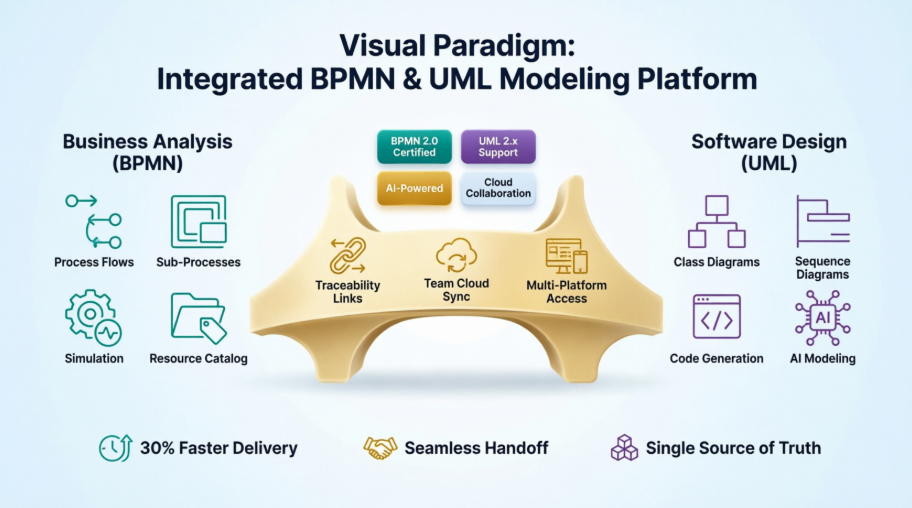
Key BPMN Features for Business Analysis: A Practitioner’s Perspective
When I first opened Visual Paradigm to model our expense reimbursement workflow (similar to the BPMN tutorial examples), I was immediately impressed by how intuitive the BPMN 2.0 implementation felt. Having worked with several modeling tools, the learning curve here was noticeably gentler.

Process Drill-Down That Actually Makes Sense
One feature I use constantly is the sub-process capability. In our procurement process, I could keep the high-level diagram clean for stakeholder presentations while drilling down into “Vendor Approval” or “Payment Processing” sub-processes for the technical team. Unlike other tools where collapsing/expanding feels clunky, Visual Paradigm maintains context beautifully. The “+” indicator on collapsed sub-processes (just like in the IBM BPMN tutorial) makes navigation intuitive.
Animation and Simulation: Testing Before Building
This was a game-changer for our team. I modeled our customer onboarding process and used the simulation feature to “run” it with sample data. We identified a bottleneck where manual approval steps were causing 3-day delays—something we caught before development started. The visual token animation helped non-technical stakeholders understand flow issues instantly.
Resource Catalog: Drag-and-Drop That Saves Hours
The Resource Catalog feels like having a seasoned BPMN expert looking over your shoulder. Need a timer event for our 7-day approval timeout? Drag it in. Adding a message flow between our “Customer” and “Support” pools? The tool automatically enforces BPMN rules (like preventing sequence flows from crossing pool boundaries). As someone who’s manually checked notation compliance before, this reduced errors significantly.
Working Procedure Editor: Bridging Documentation Gaps
I love attaching detailed operational guidelines directly to activities. For our “Verify Account” task, I added step-by-step validation rules, sample data formats, and even linked to our internal wiki. This eliminated the constant back-and-forth between process diagrams and separate documentation—a pain point I’ve experienced with other tools.
Advanced UML Features for Software Design: Developer Feedback Included
After finalizing business processes, I handed off to our development team. Their feedback on Visual Paradigm’s UML capabilities was overwhelmingly positive.
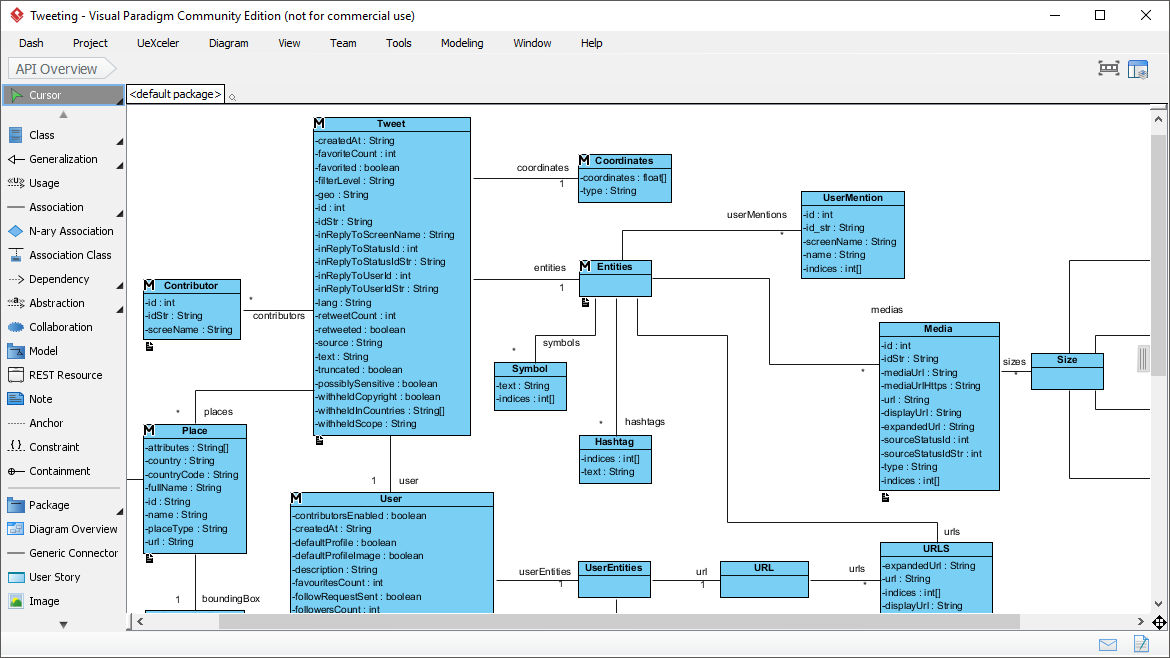
Code Engineering: From Diagram to Deployable Code
Our Java developers were skeptical about model-driven development until they tried the code generation. I created a Class Diagram for our reimbursement service, added method signatures and relationships, and with one click, generated skeleton Java code with proper package structure. Even better: when devs modified the code, reverse engineering updated the diagram. This bidirectional sync saved countless hours during sprint planning.
AI-Powered Modeling: The “Wow” Factor
During a rushed requirements session, I typed: “System processes expense reports with approval workflows, integrates with banking APIs, and sends email notifications.” Visual Paradigm’s AI generated a complete Component Diagram in seconds. While I still refined the output, it jumpstarted our architecture discussion dramatically. This isn’t just marketing hype—it’s genuinely useful for rapid prototyping.
Sequence Diagram Automation: Simplifying Complex Interactions
Modeling the message flow between our expense system and external payment gateway used to be tedious. With Visual Paradigm’s sequence diagram tools, I dragged participants, added lifelines, and created messages with automatic numbering. The ability to toggle between synchronous/asynchronous messages with visual cues helped clarify integration requirements for our API team.
IDE Integration: No Context Switching
Our team uses Eclipse, and the seamless plugin integration meant developers could view UML diagrams directly in their IDE. No more exporting images or switching windows to check model details. This small quality-of-life improvement significantly boosted adoption among reluctant developers.
Integration and Collaboration: Real-World Team Experience
Traceability: Connecting Business Goals to Technical Specs
This feature solved our biggest historical challenge: proving that technical implementations aligned with business requirements. I linked BPMN “Approve Expense” tasks to UML Use Cases and then to ERD entities for the database schema. When leadership asked why we needed a new microservice, I could visually trace the requirement from business process to code artifact. This transparency built tremendous trust.
Team Collaboration: Cloud-Powered Coordination
Working with remote team members used to mean version control nightmares. With Visual Paradigm Cloud, our business analysts in London, developers in Singapore, and QA in Toronto edited the same project concurrently. The commenting system let me flag a gateway condition for clarification, and devs responded directly on the diagram. Version history prevented the “who changed what” conflicts we experienced with file-based tools.
Multi-Platform Access: Flexibility When You Need It
During a client workshop with limited laptop access, I used the Web Diagrams feature to present our Sequence Diagrams via browser. While not all desktop features are available online, the core modeling capabilities sufficed for collaborative sessions. This flexibility proved invaluable for stakeholder engagements.
Areas for Consideration
No tool is perfect. During my evaluation, I noted a few considerations:
-
The initial setup for enterprise features requires some IT coordination
-
Advanced simulation scenarios have a learning curve (though tutorials help)
-
Mobile access is limited to viewing, not editing
That said, these are minor compared to the productivity gains. The comprehensive tutorial library and responsive community forum quickly resolved my questions.
Conclusion
After three months of daily use across multiple projects, my answer is a definitive yes—for teams serious about aligning business and technical workflows. Visual Paradigm isn’t just another diagramming tool; it’s a collaboration platform that speaks both business and developer languages fluently.
What sets it apart is the integration depth. BPMN processes don’t just sit alongside UML diagrams—they actively inform them. When I modify a business rule in a BPMN gateway, the traceability links help identify which UML components need review. This holistic approach reduced our requirement-to-implementation cycle time by an estimated 30%.
If you’re evaluating modeling tools, I recommend starting with their free trial and modeling one end-to-end process. Pay special attention to how the BPMN-to-UML traceability works for your use case. For teams bridging business analysis and software development, Visual Paradigm delivers tangible ROI through clearer communication, fewer rework cycles, and faster delivery.
Have you used Visual Paradigm or similar integrated modeling platforms? I’d love to hear about your experiences in the comments below.
References
- BPMN x UML All In One: Overview of Visual Paradigm’s integrated approach to combining BPMN and UML modeling for holistic system creation.
- Visual Paradigm Solutions Overview: Comprehensive catalog of Visual Paradigm’s modeling solutions across business analysis, software development, and enterprise architecture.
- BPMN Diagram and Tools Features: Detailed feature list for BPMN 2.0 modeling capabilities including drag-and-drop editing, validation, and export options.
- BPMN Tools for Business Process Management: Specialized BPMN tooling designed for business process modeling, analysis, and optimization workflows.
- Visual Paradigm: The Ultimate All-in-One Software for Software Development: Blog post highlighting Visual Paradigm’s integrated feature set for end-to-end software development lifecycle support.
- Comprehensive Guide to Visual Paradigm for Business Process Modeling: Third-party guide covering best practices, use cases, and implementation strategies for BPMN modeling in Visual Paradigm.
- BPMN Made Easy: Beginner-friendly resources and templates for quickly adopting BPMN modeling with Visual Paradigm.
- Visual Paradigm Modeler Edition: Product page for the Modeler edition featuring professional visual modeling capabilities with an emphasis on usability.
- UML Tool Solution: Overview of Visual Paradigm’s UML modeling solution supporting all 14 UML 2.x diagram types plus complementary charting tools.
- UML Modeling User Guide: Official documentation covering UML modeling techniques, diagram creation, and best practices within Visual Paradigm.
- Standard Edition Features: Feature comparison and capabilities of Visual Paradigm’s Standard edition for professional modeling needs.
- Use Case Diagram Tutorials: Collection of step-by-step tutorials focused on creating and refining UML Use Case diagrams.
- AI-Powered System Architecture Generation: Video demonstration of Visual Paradigm’s AI feature that converts natural language descriptions into UML Component Diagrams.
- Modeler Edition Overview: Detailed breakdown of the Modeler edition’s capabilities for professional visual modeling across multiple methodologies.
- Modeling Tutorials Library: Extensive library of video and written tutorials covering BPMN, UML, and other modeling techniques in Visual Paradigm.
- Visual Paradigm Homepage: Official website featuring product information, resources, downloads, and community support for Visual Paradigm users.
- Web Diagrams and Online Samples: Information about Visual Paradigm’s web-based diagramming capabilities and pre-built template library for rapid modeling.
