
AI-Driven Visual Paradigm: Building Customer Return DFDs with Natural Language
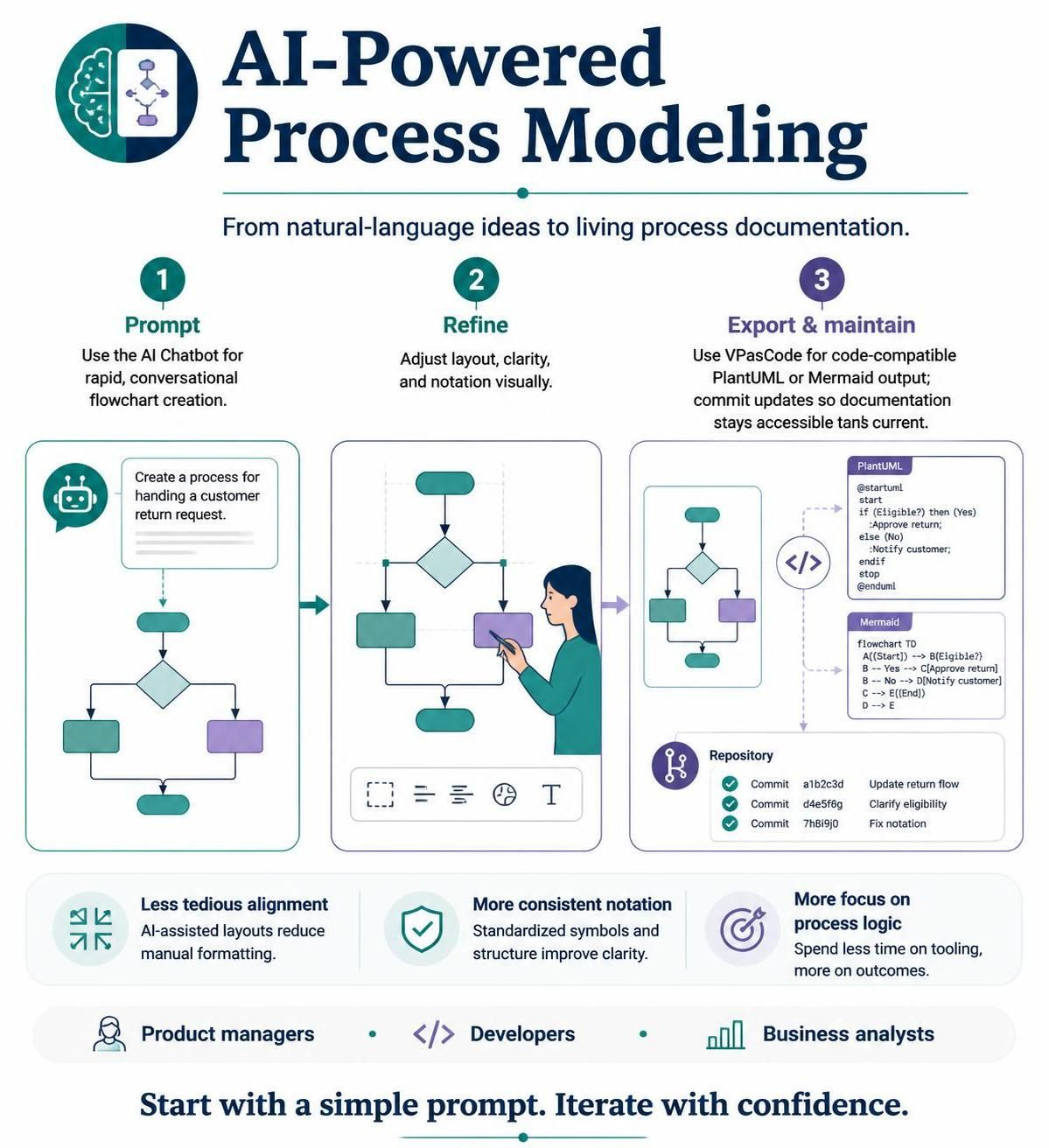
In the modern software development and business analysis landscape, the gap between conceptual ideas and executable documentation has never been wider. Visual Paradigm addresses this challenge by introducing a tripartite workflow: Prompt, Refine, and Export & Maintain. This tutorial demonstrates how to leverage the AI Chatbot, VPasCode, and visual tools to construct a robust flowchart for a “Customer Return Request” process, transforming natural language into living, code-compatible documentation.
Phase 1: The AI Prompt – Rapid Conceptualization
The journey begins not with drawing tools, but with natural language. The AI Chatbot acts as a conversational interface to generate the initial structure of your process model. This eliminates the “blank canvas” syndrome and the tedious manual alignment of shapes.
Scenario: You need to document a workflow for handling a customer return. Instead of dragging and dropping rectangles, you issue a simple instruction.
"Create a process for handing a customer return request."
What happens here? The AI interprets the intent and generates a standard flowchart structure. In the context of a return process, this typically includes:
- A Start Node (e.g., “Customer initiates return”).
- A Decision Node (e.g., “Is the item eligible?”).
- Two distinct branches: Yes (Approve return) and No (Notify customer).
- A End Node (Process completion).
The tool automatically handles the geometry, ensuring that decision diamonds are properly aligned with process rectangles, a common pain point in manual diagramming.
Phase 2: Visual Refinement – The Human-in-the-Loop
Once the AI generates the draft, the workflow moves to the Refine phase. While AI handles the heavy lifting of layout and standard notation, human oversight is crucial for specific business logic or visual clarity.
In Visual Paradigm, this stage allows you to:
- Adjust Layout: Use the AI-assisted layout tools to force a specific flow (e.g., top-to-bottom vs. left-to-right) without manual dragging.
- Standardize Symbols: Ensure that all shapes adhere to BPMN or UML standards. The AI ensures consistent notation, reducing ambiguity for stakeholders.
- Iterate Logic: If the AI misses a step (e.g., “Check Inventory”), you can refine the prompt or manually add the step to the diagram.
This phase transforms a rough draft into a polished, professional diagram that communicates complex logic clearly.
Phase 3: Export & Maintain – VPasCode & The Repository
The most significant advantage of this ecosystem is the ability to export the visual diagram into code using VPasCode. This bridges the gap between Business Analysts and Developers, allowing diagrams to be version-controlled in a repository.
Why Code? Diagrams are often static images that degrade in quality. By exporting to code (PlantUML or Mermaid), your process documentation becomes text-based, diffable, and integrates directly into your CI/CD pipeline.
Exporting to PlantUML
PlantUML is a powerful text-based diagramming tool. The following snippet demonstrates how the Visual Paradigm AI exports the “Customer Return” logic into PlantUML syntax:
@startuml
start
if (Eligible?) then (Yes)
  :Approve return;
else (No)
  :Notify customer;
endif
stop
@enduml
As shown above, the decision logic if (Eligible?) is translated directly into code. This allows developers to generate diagrams on the fly or integrate them into documentation sites.
Exporting to Mermaid.js
For web-heavy stacks, Mermaid.js is often preferred. The export function converts the same visual logic into Mermaid syntax:
flowchart TD
A([Start]) --> B{Eligible?}
B -- Yes --> C[Approve return]
B -- No --> D[Notify customer]
C --> E[End]
D --> E
Version Control and Maintenance
Once exported, these code snippets are committed to a repository. The diagram below illustrates how updates are tracked:
- Commit a1b2c3d: Update return flow logic.
- Commit d4e5f6g: Clarify eligibility criteria.
- Commit 7h8i9j0: Fix notation errors.
This ensures that your documentation remains “living”—it evolves alongside your actual business processes.
Conclusion: Strategic Advantage
By mastering the interplay between natural language prompts, visual refinement, and code-based export, you ensure that your process documentation is accurate, accessible, and deeply integrated into your development lifecycle. Whether you are a product manager mapping user journeys or a developer documenting system architecture, Visual Paradigm’s AI-powered tools empower you to focus on logic and clarity rather than formatting.