
AI-Powered DFDs: From Ideation to Version-Controlled Code
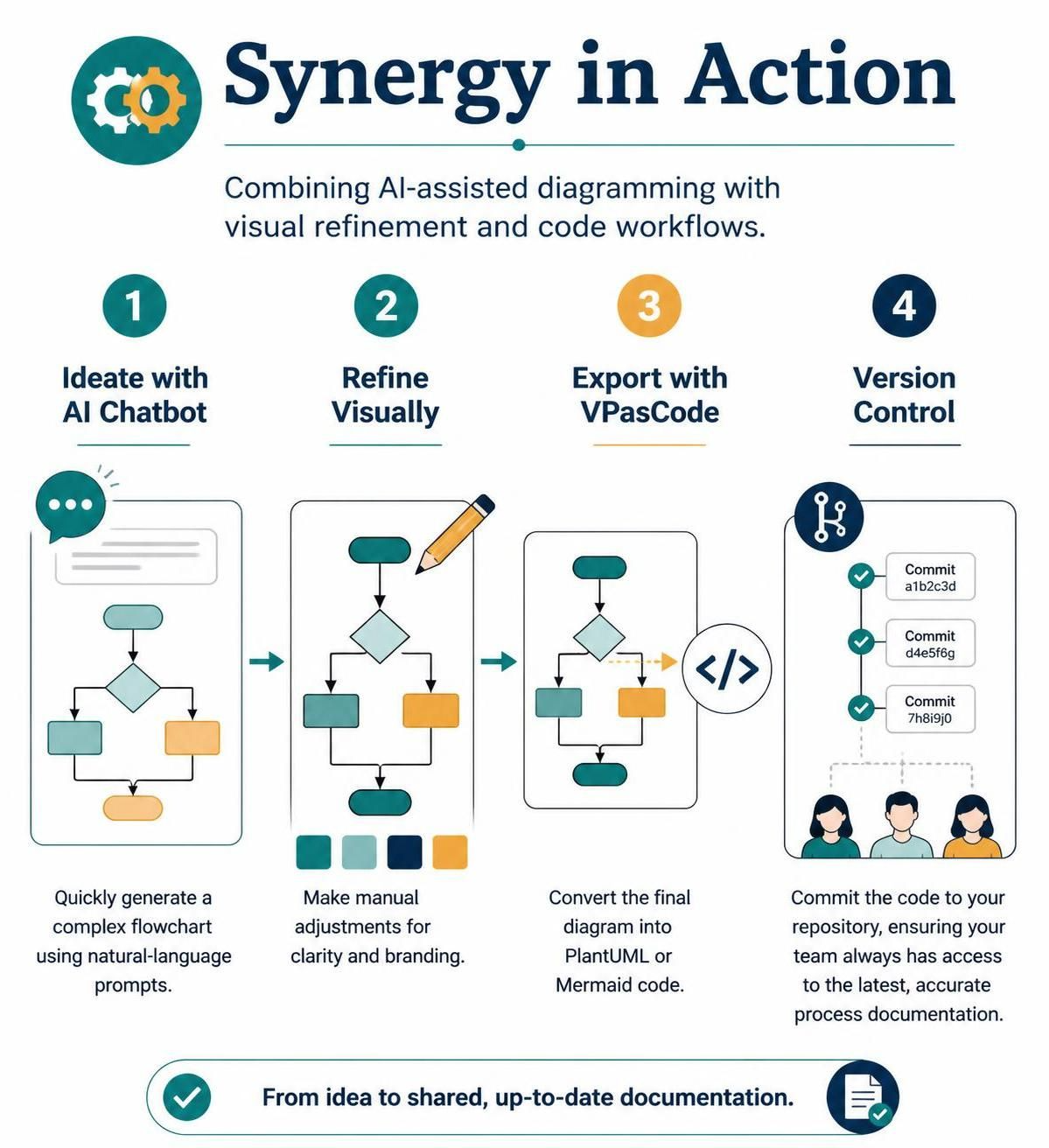
In the modern landscape of software engineering and business process modeling, relying on a single method is often insufficient. The image “Synergy in Action” illustrates a powerful, four-step hybrid workflow that combines the speed of Artificial Intelligence, the precision of visual design, and the robustness of code-based version control. This tutorial explores how to leverage this synergy to create production-ready documentation.
Step 1: Ideate with AI Chatbot
The journey begins with rapid prototyping. Instead of starting with a blank canvas, which can lead to “blank page syndrome,” modern tools allow users to leverage Large Language Models (LLMs) to generate complex structures instantly.
By using natural language prompts, you can describe a business process or a system architecture, and the AI Chatbot will generate a preliminary flowchart. This step is crucial for brainstorming and establishing the logical skeleton of your diagram without worrying about aesthetics or syntax errors.
Key Concept: Natural Language to Logic
- Input: “Create a flowchart for a user login process with password reset.”
- Output: A structured diagram with start/end nodes, decision diamonds, and process rectangles.
- Benefit: Immediate visualization of abstract concepts.
Step 2: Refine Visually
Once the AI has generated the initial structure, the “human in the loop” takes over. While AI is excellent at structure, it often lacks context regarding your specific branding guidelines or specific clarity requirements.
This step involves Visual Paradigm or similar diagramming tools where you manually adjust the layout. You might:
- Realign nodes for better readability.
- Apply specific color schemes to match corporate branding.
- Add or remove specific steps that the AI might have hallucinated or missed.
Step 3: Export with VPasCode
This is the critical pivot point where the workflow transitions from a “visual artifact” to “source code.” The tool VPasCode acts as the bridge. It allows you to take the finalized visual diagram and convert it back into code.
Why is this important? Visual diagrams are often static images (PNG, JPG) that are difficult to edit or integrate into CI/CD pipelines. By exporting to PlantUML or Mermaid code, you transform the diagram into a text-based format that is:
- Editable: Change the diagram by editing text, not by dragging boxes.
- Portable: The code can be rendered by any compatible viewer.
- Versionable: The diagram can be tracked in Git just like application code.
Step 4: Version Control
The final step solidifies the workflow. Once the diagram is code, it can be committed to a repository (like GitHub or GitLab). This ensures that your team always has access to the latest, accurate process documentation.
When the underlying code changes, the diagram updates automatically. This creates a “single source of truth” where the documentation lives alongside the codebase, preventing the common issue where diagrams become outdated the moment the software changes.
Technical Implementation Example
To visualize how this code looks after the export step, here is a simplified example of what a Mermaid flowchart might look like after being exported from the visual tool:
flowchart TD
    A[Start] --> B{User Logged In?}
    B -- Yes --> C[Access Dashboard]
    B -- No --> D[Redirect to Login]
    D --> E[Enter Credentials]
    E --> B
    C --> F[End]
By following this “Synergy in Action” workflow, you ensure that your documentation is not only fast to generate but also robust, maintainable, and collaborative.