Modeling the physical architecture of a software system is a critical step in the design phase. It moves beyond abstract logic to define the actual hardware, network topology, and software artifacts that will execute the application. Deployment diagrams serve as the primary visual tool for this purpose, illustrating the runtime physical view of the system. By mapping out nodes, artifacts, and connections, architects ensure that the infrastructure supports the functional requirements and non-functional constraints like security and performance.
This guide provides a comprehensive overview of how to construct effective deployment diagrams. We will explore the core components, semantic relationships, and practical patterns used to represent complex systems without relying on specific vendor products. The goal is to create a clear, maintainable blueprint that stakeholders and developers can reference throughout the system lifecycle.
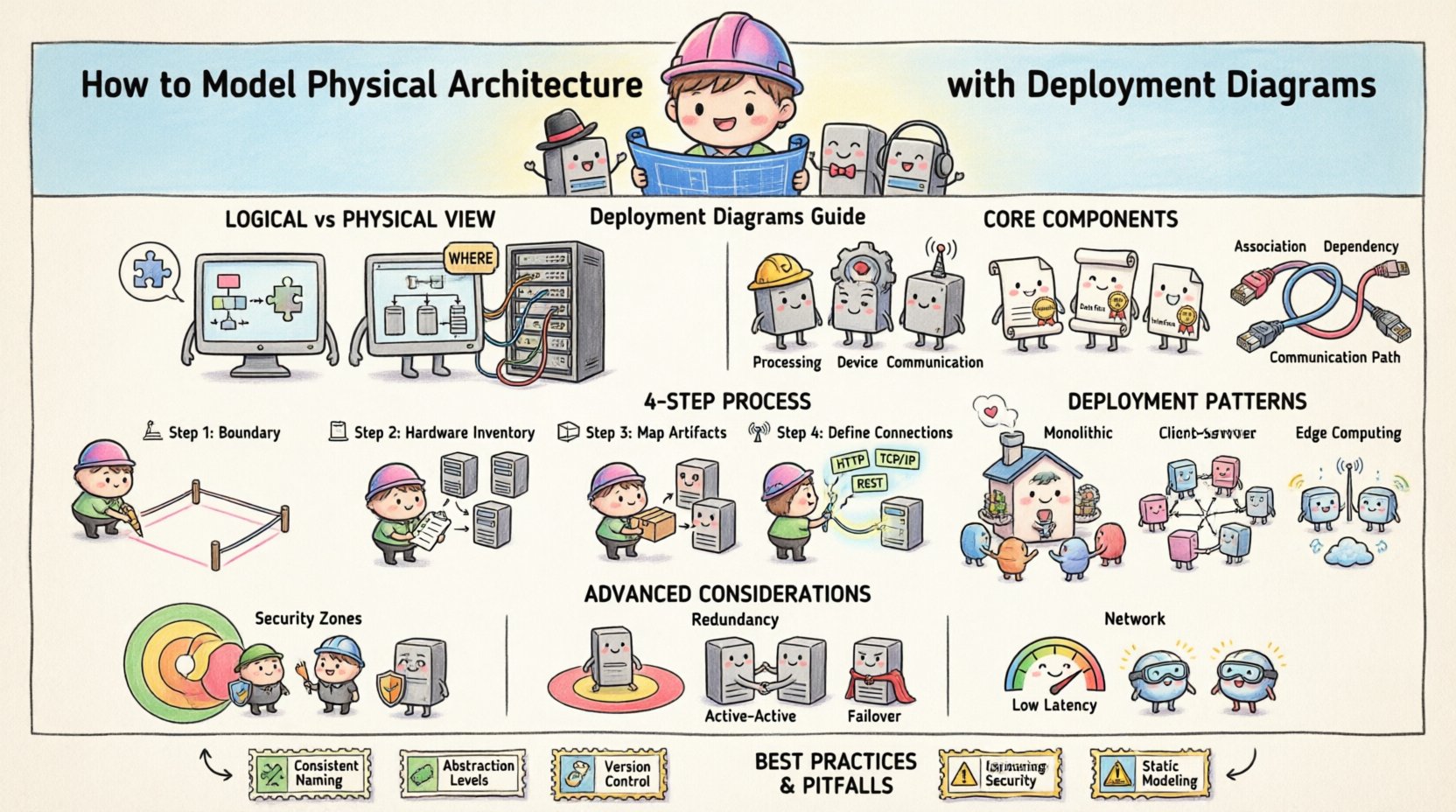
Understanding the Physical View 🖥️
Before drawing lines and shapes, it is essential to distinguish between the logical and physical views of architecture. The logical view focuses on the organization of the software components and their interactions. In contrast, the physical view answers questions about where the software runs.
- Logical View: Defines classes, interfaces, and subsystems. It describes what the system does.
- Physical View: Defines servers, devices, networks, and processes. It describes where the system runs.
Deployment diagrams bridge the gap between software design and infrastructure planning. They ensure that the application logic can be successfully mapped onto available hardware resources. This mapping involves determining the distribution of processes across nodes and defining the communication channels between them.
Core Components of a Deployment Diagram 🧱
A deployment diagram consists of three primary elements: nodes, artifacts, and connections. Understanding the semantics of each element is vital for accurate modeling.
1. Nodes (Processing and Devices) 🖨️
Nodes represent the computational resources available in the system. They are the containers for artifacts. In standard modeling notation, nodes are depicted as 3D cubes.
- Processing Nodes: These represent active computing devices capable of executing software processes. Examples include servers, workstations, or mobile devices.
- Device Nodes: These represent passive hardware components, such as routers, switches, or specialized hardware accelerators.
- Communication Nodes: These represent network infrastructure elements that facilitate data flow, such as gateways or firewalls.
Each node should be clearly labeled to indicate its role within the infrastructure. Stereotypes can be used to provide additional context, such as marking a node as a “database server” or a “load balancer”.
2. Artifacts (Software & Data) 📦
Artifacts represent the physical pieces of software or data that are deployed onto nodes. They are depicted as documents with a folded corner.
- Executable Files: The actual binary code that runs on the node (e.g., a service, an executable, a library).
- Data Files: Databases, configuration files, or static assets (images, scripts) that the application requires.
- Interfaces: Definitions of how the software interacts with the external environment or other nodes.
It is important to distinguish between the logical component (the design) and the physical artifact (the implementation). A deployment diagram focuses on the artifact.
3. Connections (Dependencies & Communication) 🌐
Connections define how nodes and artifacts interact. They represent the flow of data or control signals.
- Association: A structural link showing that a node contains or hosts an artifact.
- Dependency: Indicates that one artifact relies on another to function correctly.
- Communication Path: Represents the network medium connecting two nodes. This can be a simple line or a specific protocol stereotype (e.g., TCP/IP, HTTP).
Step-by-Step Modeling Process 📝
Creating a deployment diagram is an iterative process. It requires gathering information about the infrastructure and refining the model as requirements evolve. Follow these steps to build a robust diagram.
Step 1: Identify the System Boundaries 🚧
Define the scope of the system. What is included in the deployment? Is it just the backend, or does it include client devices? Clearly demarcate the system boundary to avoid scope creep during the modeling process.
Step 2: Inventory the Hardware Resources 🖥️
List all available or planned hardware. Consider:
- Server capacity (CPU, RAM, Storage).
- Network topology (LAN, WAN, Cloud).
- Security requirements (Firewalls, DMZ).
Do not assume a single monolithic server. Modern systems often distribute workloads across multiple nodes for scalability and redundancy.
Step 3: Map Software Artifacts to Nodes 📤
Place the artifacts onto the nodes where they will run. This is where logical components are instantiated. Consider the following:
- Which node will host the database?
- Where does the web server reside?
- Are there edge devices that process data locally?
Ensure that the node has the necessary resources to host the artifact. For example, a heavy computational process should not be placed on a low-power device.
Step 4: Define Communication Channels 📡
Draw the connections between nodes. Specify the protocols used for communication. This helps in identifying potential bottlenecks or security vulnerabilities. For instance, sensitive data should not traverse unsecured networks.
Common Deployment Patterns 🔄
While every system is unique, certain patterns recur across different architectures. Recognizing these patterns helps in standardizing documentation and communication.
| Pattern | Description | Use Case |
|---|---|---|
| Monolithic Deployment | All components run on a single node or cluster. | Small applications, internal tools. |
| Client-Server | Users connect to a central server via a network. | Web applications, enterprise systems. |
| Distributed/Microservices | Components are split across multiple independent nodes. | High-scale, cloud-native applications. |
| Edge Computing | Processing happens on devices near the data source. | IoT systems, real-time analytics. |
Monolithic Deployment 🏢
In this pattern, the entire application is deployed to a single server or a tightly coupled cluster. It simplifies network configuration and reduces latency between internal components. However, it can become a single point of failure and may struggle to scale horizontally.
Distributed Architecture 🌍
Here, different parts of the application run on separate nodes. This allows for independent scaling of specific services. If the database becomes a bottleneck, only the database nodes need to be upgraded, not the entire application server.
- Load Balancing: Multiple nodes handle requests to distribute traffic.
- Redundancy: Duplicate nodes ensure high availability if one fails.
- Geographic Distribution: Nodes placed in different regions to reduce latency for global users.
Advanced Considerations 🛡️
Beyond basic connectivity, deployment diagrams should account for operational realities. These details ensure the system is resilient and secure.
Security Zones and DMZs 🚧
Security is paramount in physical architecture. Nodes should be grouped into zones based on their trust level.
- Internal Zone: Trusted networks where sensitive data resides.
- DMZ (Demilitarized Zone): A buffer zone for public-facing services (e.g., web servers).
- External Zone: The public internet.
Use firewall stereotypes to indicate where traffic is filtered. This visual cue helps security teams verify that external access is restricted to authorized endpoints only.
Redundancy and Failover ♻️
Production systems rarely rely on a single node. Deployment diagrams should illustrate backup mechanisms.
- Active-Active: Multiple nodes serve traffic simultaneously.
- Active-Passive: A standby node takes over if the primary node fails.
- Clustering: A group of nodes working together as a single system.
Indicating these relationships in the diagram clarifies the disaster recovery strategy for operations teams.
Network Latency and Bandwidth 🚦
Not all connections are equal. When modeling distributed systems, consider the physical distance between nodes.
- High Bandwidth: Required for data-heavy transfers (e.g., video streaming).
- Low Latency: Critical for real-time interactions (e.g., trading platforms).
Labeling connections with protocol or bandwidth estimates can help identify performance risks during the design phase.
Best Practices for Maintenance 📚
A deployment diagram is a living document. As the infrastructure changes, the diagram must evolve. Adhering to best practices ensures the diagram remains useful over time.
Consistency in Naming 🏷️
Use standardized naming conventions for nodes and artifacts. For example, prefix database nodes with “DB-” and web nodes with “WEB-“. This makes the diagram easier to read and reduces ambiguity when discussing the system.
Abstraction Levels 🎯
Do not try to fit every detail into a single diagram. Use different views for different audiences.
- High-Level View: Shows major nodes and data centers for management.
- Low-Level View: Shows specific servers, ports, and configurations for engineering.
Separating these views prevents information overload and keeps the documentation manageable.
Version Control 📅
Treat the diagram as code. Store it in a version control system to track changes over time. This allows teams to revert to previous configurations if a deployment fails or to audit changes for compliance.
Common Pitfalls to Avoid ⚠️
Even experienced architects make mistakes when modeling physical architecture. Being aware of common pitfalls can save significant time during implementation.
- Over-Engineering: Adding unnecessary nodes or connections that do not reflect the actual deployment. Keep it simple.
- Ignoring Security: Failing to show firewalls or encryption points can lead to security gaps in the final implementation.
- Static Modeling: Creating a diagram that does not account for scaling. Consider how the diagram changes when traffic increases.
- Missing Dependencies: Forgetting to show how an artifact depends on a specific library or external service can cause deployment failures.
Final Considerations ✅
Modeling physical architecture with deployment diagrams requires a balance of technical accuracy and clear communication. By focusing on nodes, artifacts, and their relationships, architects can create a blueprint that guides the infrastructure team effectively.
Remember that the diagram is a tool for understanding, not just documentation. It should facilitate discussions about capacity, security, and reliability. As systems evolve, the diagram should be updated to reflect the current state of the infrastructure.
With careful planning and adherence to standard notation, deployment diagrams become an invaluable asset in the software development lifecycle. They ensure that the physical reality matches the logical design, reducing risks and improving system stability.