
Introduction
In the fast-paced world of modern product development, software architecture, and agile project management, teams constantly juggle two distinct modes of thinking: the fluid, unstructured freedom of brainstorming and the structured clarity of formal documentation. Too often, bridging this gap requires an exhausting workflow of sketching ideas on a standalone whiteboard tool, exporting images, managing file versions, and manually uploading them into project wikis or requirements documents.
This friction leads to context switching, version control nightmares, and documentation that quickly becomes outdated. Today, Visual Paradigm addresses this challenge head-on with a powerful new integration: native Excalidraw support directly within the Unified Platform and Visual Paradigm OpenDocs.

By combining a premier online diagram editor with a comprehensive workspace and documentation suite, you can now conceptualize, sketch, save, and embed visual assets without ever leaving your workflow. Whether you are mapping out complex cloud topologies, designing user onboarding flows, or building interactive mind maps, this integration transforms how technical and creative teams collaborate.
Key Concepts: Why Visual Context Matters
Documentation without visual context often leads to ambiguity, misalignment, and extended review cycles. Stakeholders struggle to interpret walls of text, and engineers waste valuable time deciphering vague specifications. Integrating a flexible Excalidraw whiteboard tool into Visual Paradigm solves these challenges by providing four critical advantages:

1. Elimination of Context Switching
No more jumping between third-party drawing apps, local folders, and document editors. The Excalidraw editor is natively accessible wherever you need it, keeping your team focused on the task at hand rather than tool management.
2. Living Documentation
Diagrams embedded in documentation should evolve alongside the project. With inline editing capabilities, updating a workflow or system architecture is as simple as clicking a button, ensuring your documentation remains accurate and relevant.
3. Centralized Asset Management
Every sketch created in the platform can be saved directly to your workspace, ensuring team-wide accessibility and reuse across multiple projects. This eliminates the “where did I save that diagram?” problem.
4. Enhanced Collaboration
Leverage Excalidraw’s signature hand-drawn aesthetic to communicate ideas that feel approachable, creative, and open to iteration. This lowers the barrier to entry for non-technical stakeholders while maintaining the rigor needed for engineering teams.
How It Works: Two Powerful Ways to Use Excalidraw
Visual Paradigm has built this integration to fit seamlessly into your existing habits, whether you are starting a standalone design session or writing a detailed specification.
Method 1: Creating and Managing Excalidraw Drawings in the Unified Platform
If you want to brainstorm a concept, sketch a wireframe, or draft a system diagram to store in your workspace for future reference, follow these simple steps:
Step 1: In the Unified Platform, click on the Create New button.

Step 2: This opens the “Create Artifact” window. Type Excalidraw in the search field.
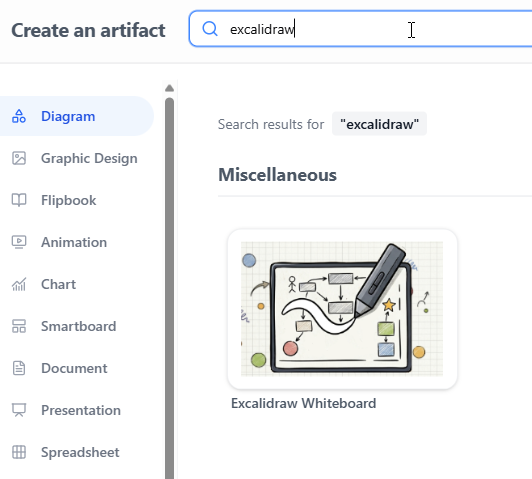
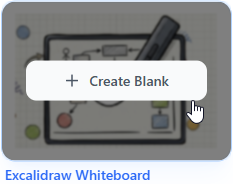
Step 3: Click on Excalidraw Whiteboard to initialize a blank whiteboard drawing.
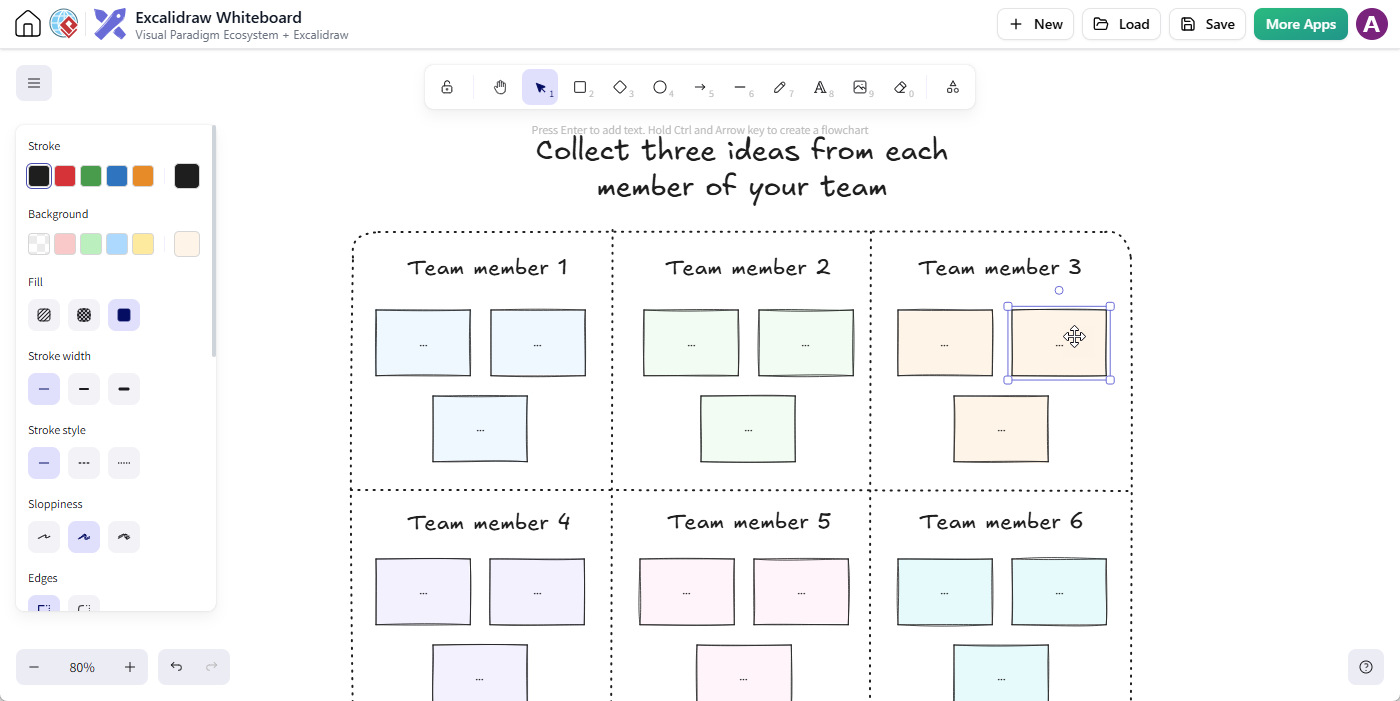
Step 4: The feature-rich Excalidraw editor will launch instantly, allowing you to start your drawing with shapes, text, arrows, and sticky notes.
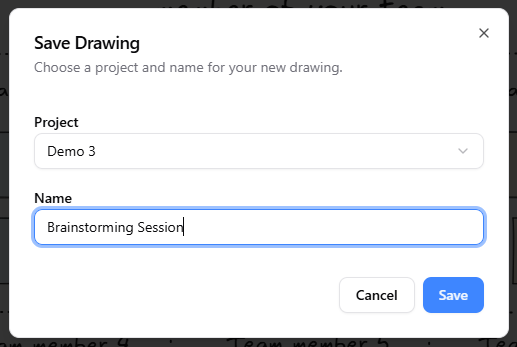
Step 5: When you are finished, click Save.

In the Save Drawing dialog, select your target project, give your drawing a meaningful filename, and click Save.
Step 6: Once saved, your diagram is safely stored in your workspace, ready to be reopened, iterated on, or embedded whenever needed.
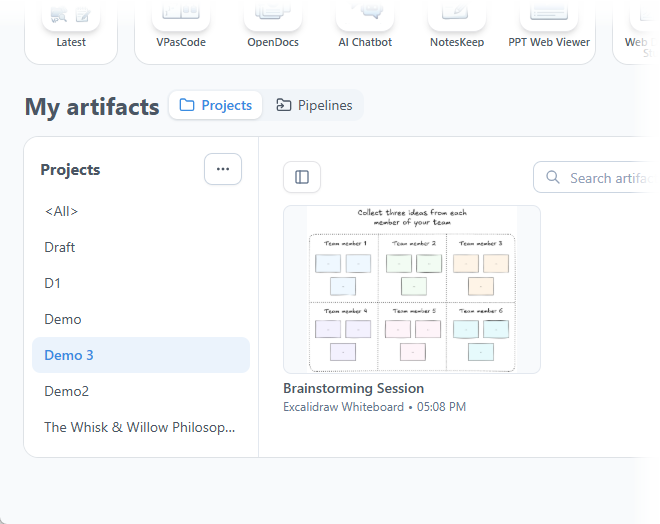
Method 2: Embedding Excalidraw Drawings Directly Inside Visual Paradigm OpenDocs
To bring visual clarity straight into your project requirements, user manuals, or architectural decision records (ADRs), you can embed drawings directly on any page:
Step 1: Access Visual Paradigm OpenDocs.
Step 2: Create a new page or open an existing one according to your project requirements.
Step 3: Click on Edit at the top right corner of the page.

Step 4: Place your text cursor precisely where you want the diagram to appear.
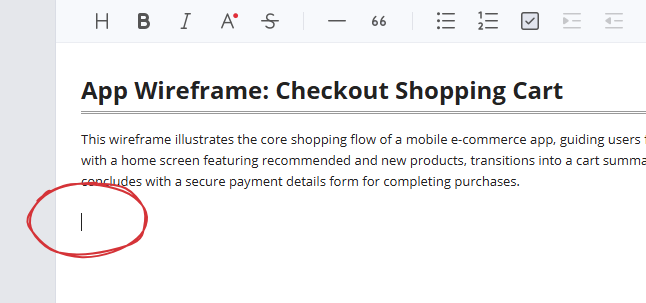
Step 5: Click on the + button on the toolbar to open the “Create an Artifact” window.

Step 6: On the left-hand menu, select the Miscellaneous category. You will see Excalidraw Whiteboard listed on the right.
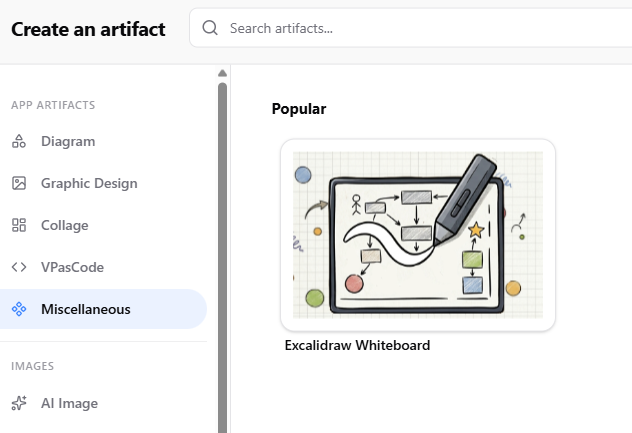
Step 7: Click on it to launch the Excalidraw editor pop-up and sketch your diagram.
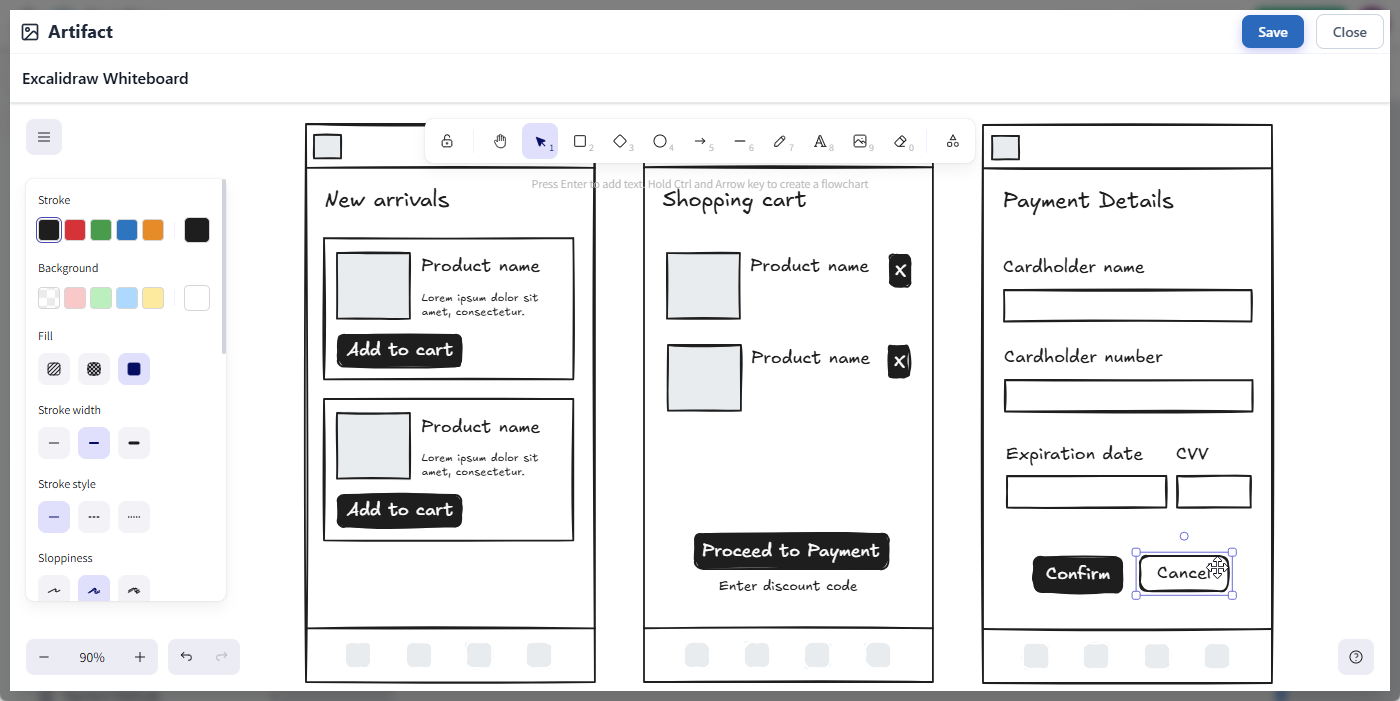
Step 8: When finished editing, click on the Save button at the top right to close the editor and return to your OpenDocs page.
Step 9: Your diagram is instantly inserted right at your cursor position!
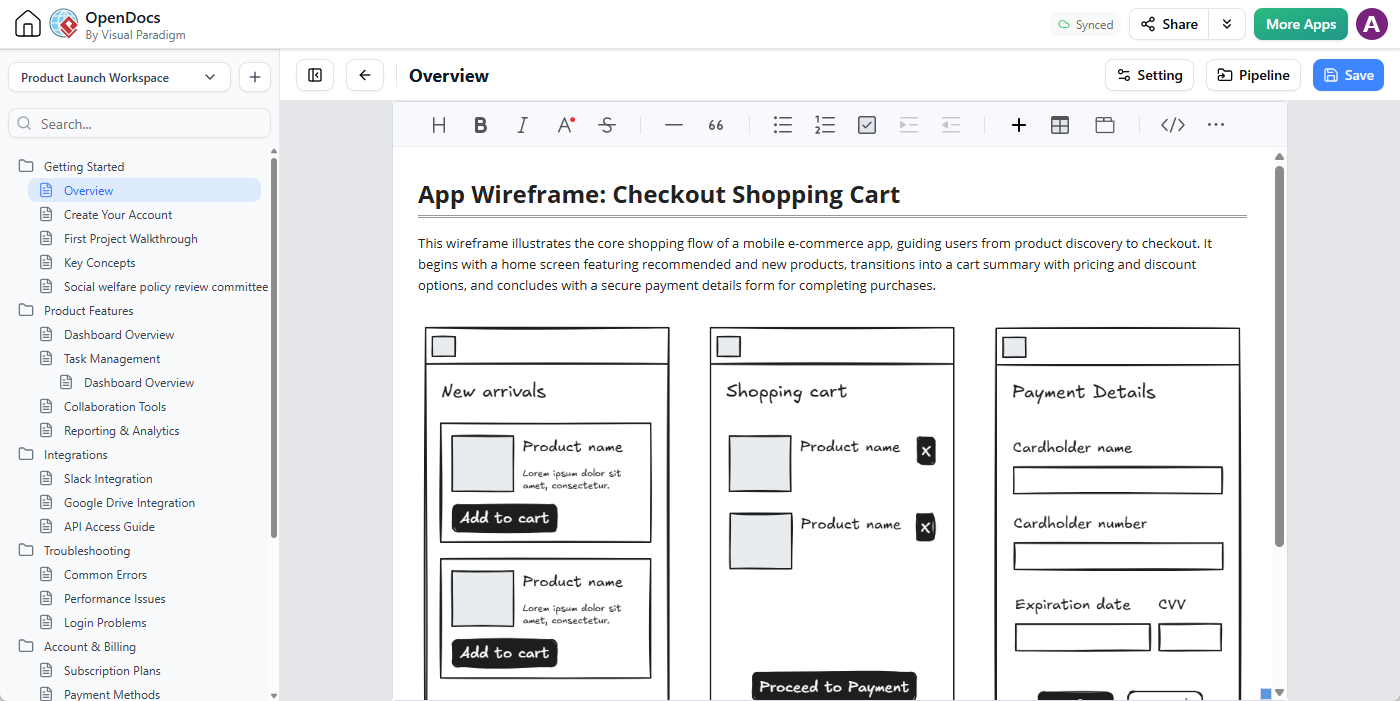
Pro Tip: Need to make changes later? No problem. Simply click on the pencil icon at the top right of the embedded diagram image to reopen the editor, make your adjustments, and click Save to refresh the visual instantly across your page.
Practical Examples and Use Cases
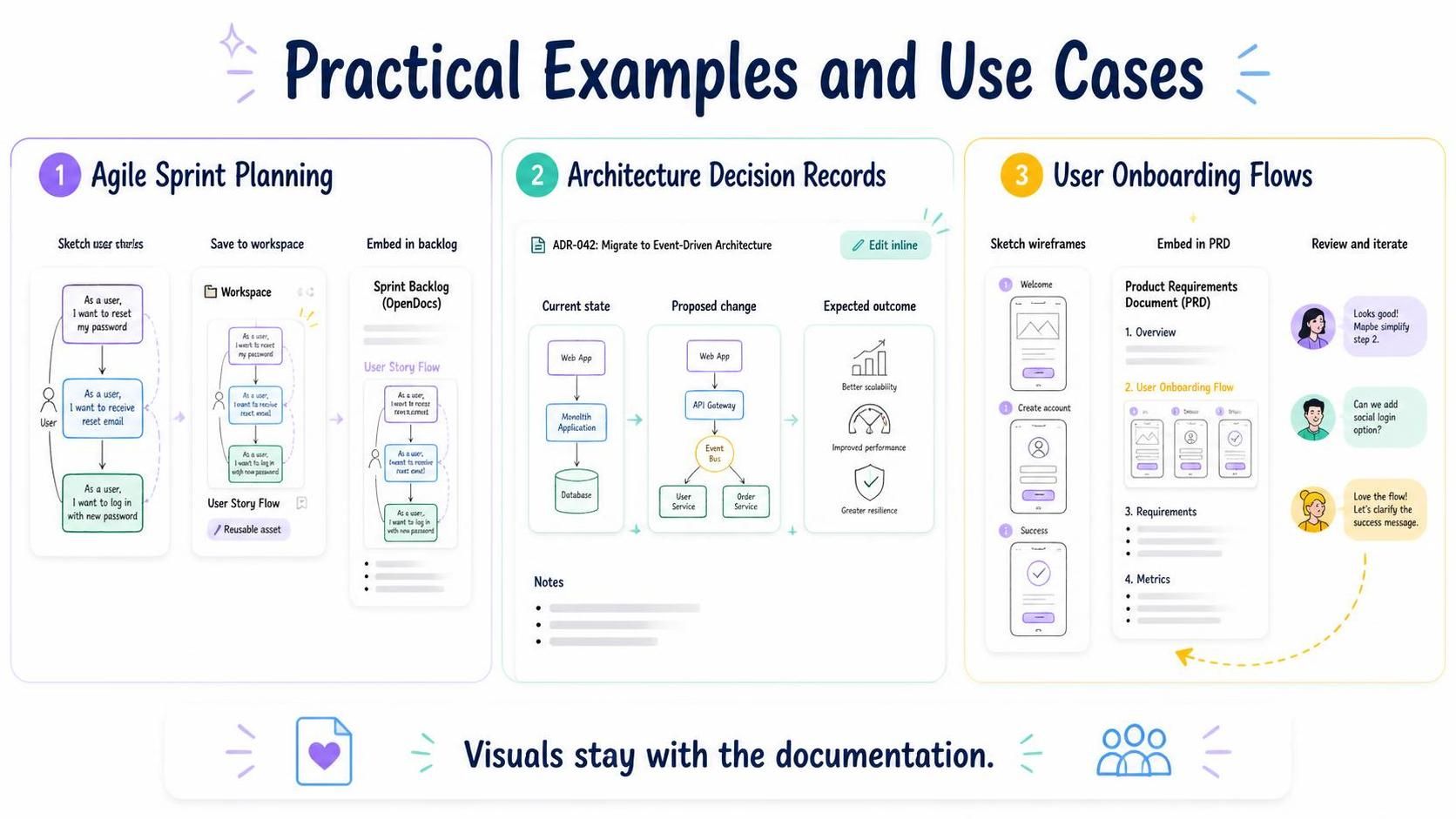
To help you get started, here are three common scenarios where this integration shines:
Example 1: Agile Sprint Planning
During sprint planning, use the Unified Platform to quickly sketch user story flows. Save these as reusable assets in your workspace, then embed them directly into your sprint backlog documentation in OpenDocs. This ensures everyone has a visual reference for what needs to be built.
Example 2: Architecture Decision Records (ADRs)
When documenting technical decisions, embed Excalidraw diagrams directly into your ADRs in OpenDocs. Show the current state, the proposed change, and the expected outcome—all within the same document. As the architecture evolves, update the diagrams inline to keep your records accurate.
Example 3: User Onboarding Flows
Design user onboarding experiences by sketching wireframes in Excalidraw. Embed these directly into your product requirements document (PRD) in OpenDocs. Share with stakeholders for feedback, iterate quickly, and ensure the final design matches the documented specifications.
Conclusion
By uniting robust documentation with flexible visual sketching, Visual Paradigm empowers your team to move from abstract ideas to executed plans faster than ever before. The native Excalidraw integration eliminates the friction between brainstorming and documentation, ensuring that your visual assets are always up-to-date, easily accessible, and seamlessly integrated into your workflow.
Experience the seamless blend of workspace management and diagramming firsthand. Ready to try it out? Launch Visual Paradigm OpenDocs now and create your first integrated Excalidraw whiteboard! Or open the Excalidraw Whiteboard editor and start your first drawing.
Transform how your team collaborates, documents, and builds—starting today.
