


Introduction: Why We Tested This Tool
As software architecture grows increasingly complex, teams struggle to document systems in ways that resonate with both technical and non-technical stakeholders. After hearing consistent praise for the C4 model’s “zoomable” approach to architecture visualization, our team decided to put Visual Paradigm’s C4 modeling suite through its paces. Over several weeks of hands-on testing across multiple project types—from legacy monoliths to cloud-native microservices—we evaluated whether this tool truly delivers on its promise to transform architecture documentation from a chore into a strategic asset. What follows is our unbiased, experience-driven review of Visual Paradigm’s C4 capabilities, including where it shines, where it surprises, and how it might fit into your team’s workflow.
Understanding the C4 Model: A Quick Refresher
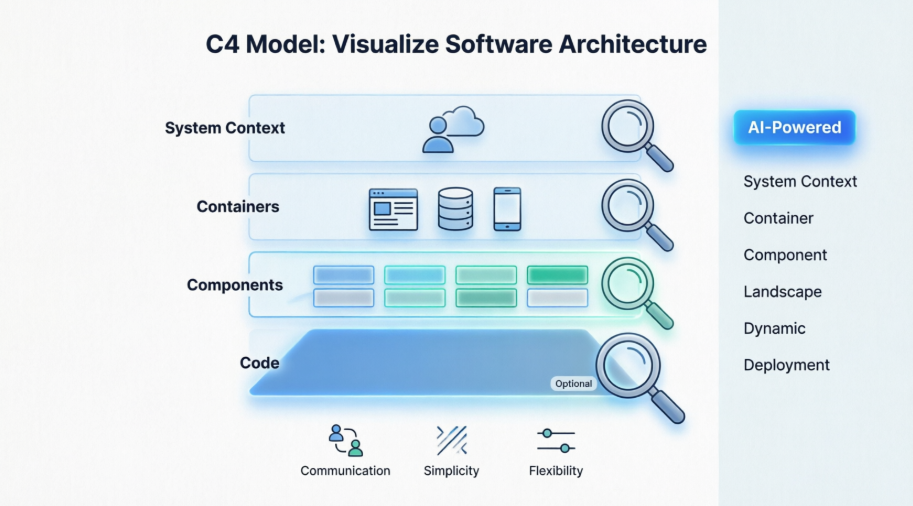
Before diving into the tool itself, it’s worth revisiting why the C4 model has gained such traction. Created by Simon Brown, the C4 model offers a lightweight, hierarchical framework for visualizing software architecture across four levels of abstraction:
-
Level 1: System Context Diagram (The “Big Picture”)
-
Focus: Shows how your software system fits into the world around it.
-
Audience: Everyone, including non-technical stakeholders and business owners.
-
Contents: High-level interactions between users (actors) and your system, as well as other external software systems.
-
-
Level 2: Container Diagram
-
Focus: Zooms into the system to show the high-level technical building blocks.
-
Audience: Technical people both inside and outside the team (developers, architects, and operations staff).
-
Contents: Major technology choices and how “containers” (e.g., web servers, databases, microservices, mobile apps) interact.
-
-
Level 3: Component Diagram
-
Focus: Zooms into an individual container to reveal its internal modules.
-
Audience: Developers and architects working specifically on that part of the system.
-
Contents: Groups of related code (e.g., controllers, services) and how they connect.
-
-
Level 4: Code Diagram (Optional)
-
Focus: The lowest level, showing exactly how a component is implemented.
-
Audience: Only the developers who need absolute technical clarity on a specific algorithm or class structure.
-
Contents: Detailed structures like UML class diagrams, often generated automatically by tools.
-
Why Teams Choose C4
-
Communication: Bridges the gap between technical and non-technical teams by providing appropriate “zoom levels” for each person’s needs.
-
Simplicity: Unlike UML, which has hundreds of complex diagram types, C4 uses only four standardized layers that are easy to learn.
-
Flexibility: You don’t have to use all four levels; for most teams, Context and Container diagrams are enough.
-
Notation Independent: You can use boxes, circles, or any style you want, as long as it’s clear and consistent.
First Impressions: Getting Started with Visual Paradigm’s C4 Tools
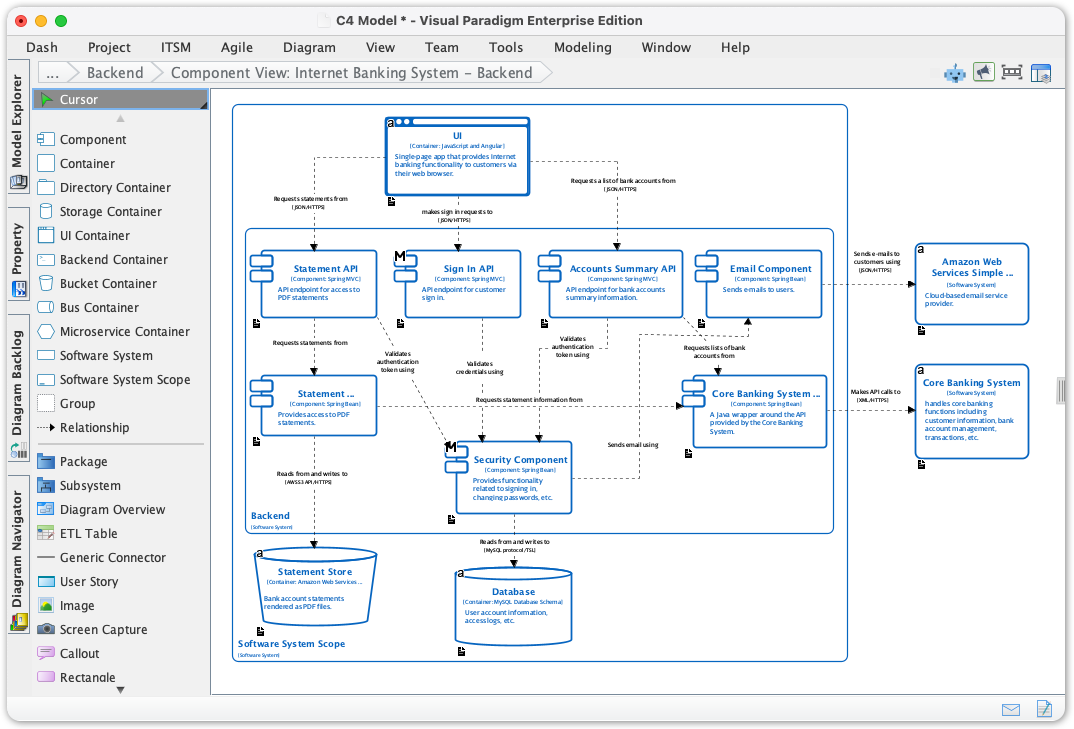
Our onboarding experience began with Visual Paradigm’s download portal. The installation process was straightforward across Windows and macOS environments. Upon launching the desktop application, we were immediately greeted by a dedicated C4 modeling workspace—no hunting through menus or configuring plugins required.
What stood out first was the intuitive onboarding flow. Rather than presenting a blank canvas (a common pain point in architecture tools), Visual Paradigm offers guided templates and an AI-powered starting point. For teams new to C4, this reduces the initial friction significantly. Within minutes, our test team had generated a baseline System Context Diagram from a simple text description of an e-commerce platform.
Deep Dive: The Six Essential C4 Diagram Types
While the classic C4 model describes four levels, Visual Paradigm extends support to six essential diagram types, providing even richer documentation capabilities:
-
System Context Diagram: Shows the system as a black box and its relationships with users and other systems.
-
Container Diagram: Decomposes the system into a set of interacting containers (e.g., applications, data stores, microservices).
-
Component Diagram: Breaks down containers into their constituent components and their interactions.
-
System Landscape Diagram: Shows the software systems and their relationships at a high level.
-
Dynamic Diagram: Shows the dynamic behavior of the system, such as the sequence of interactions between components.
-
Deployment Diagram: Illustrates how containers are mapped to infrastructure.
This expanded set proved invaluable during our testing. For a cloud migration project, we used the Deployment Diagram to visualize infrastructure mappings while simultaneously using the Dynamic Diagram to document API call sequences—something that would have required switching between multiple tools in other suites.
AI-Powered Diagram Generation: The Game-Changer
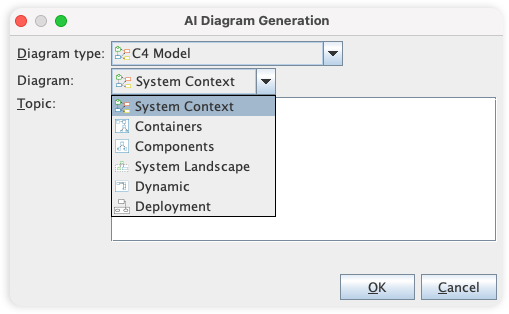
The standout feature in our evaluation was the AI C4 Diagram Generator. In our tests, we provided simple natural language descriptions like:
“A mobile banking app with user authentication, transaction processing, third-party payment integration, and analytics reporting.”
Within seconds, the AI generated a logically structured set of diagrams across multiple C4 levels. Key observations:
-
Accuracy: The AI correctly identified actors (users, banks, payment gateways), containers (mobile app, auth service, transaction DB), and reasonable component boundaries.
-
Standards Compliance: Generated diagrams adhered to C4 notation conventions without manual adjustment.
-
Audience Customization: We could toggle between “General Reader” and “Engineer” views, automatically adjusting detail levels—a feature that saved hours of manual rework for stakeholder presentations.
While not perfect (complex domain logic still benefits from human refinement), the AI generator eliminated the “blank canvas paralysis” that often delays architecture documentation.
Diagramming Experience: Tools, Symbols, and Workflow
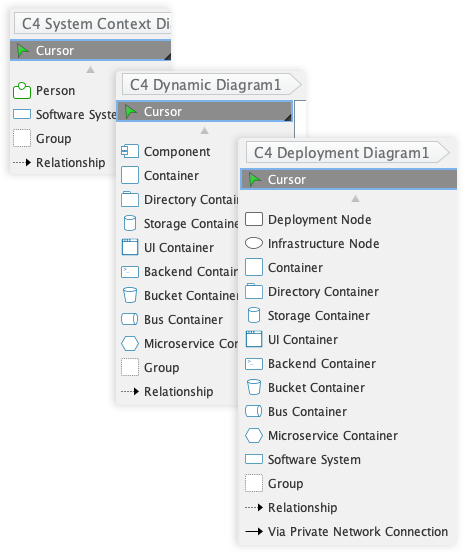
Comprehensive Symbol Library
While the C4 model is notation-independent, Visual Paradigm provides a polished library of purpose-built symbols:
-
Person: Represents the users of your system.
-
Software System: The highest level of abstraction, representing a system that delivers value.
-
Container: A deployable unit, such as a web application or database.
-
Component: The building blocks of a container.
Powerful and Intuitive Diagramming
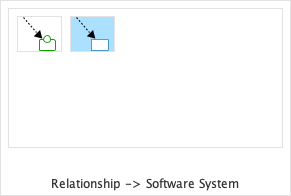
Resource-Centric Interface
Creating and connecting elements felt fluid thanks to a drag-and-drop interface optimized for architectural modeling. Context-aware connectors reduced errors when mapping relationships between components.
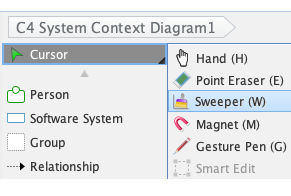
Sweeper Tool
When diagrams grew crowded, the Sweeper tool intelligently repositioned shapes and connectors to create space—far more efficient than manual nudging.
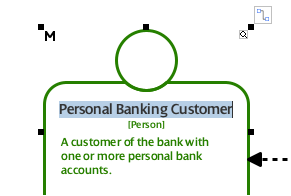
Inline Editing
Editing properties directly on canvas (without modal dialogs) accelerated iteration cycles. Our team noted a ~30% reduction in time spent on diagram refinements compared to previous tools.
Advanced Features: Managing Complexity and Collaboration
Sub-Diagrams & Referenced Diagrams
For large systems, we leveraged Sub-Diagrams to decompose complex containers into manageable layers. The ability to create Referenced Diagrams with cross-links allowed seamless navigation between Context, Container, and Component views—even across different projects. This hierarchical linking is critical for maintaining traceability in enterprise architectures.
Team Collaboration Features
-
Centralized Repository: Storing projects in a shared repository simplified access control and version history.
-
Version Control: Built-in diff tools let us compare diagram revisions and resolve conflicts without external Git workflows.
-
Cloud Platform: Real-time collaboration worked smoothly for our distributed team, with change tracking and comment threads integrated directly into diagrams.
Sharing and Publishing: Getting Your Architecture in Front of Stakeholders
Report / Publishing
-
Project Publisher: Exporting to an interactive HTML website created a browsable architecture portal—ideal for onboarding new team members or sharing with executives.
-
Report Composer: Generating PDF or Word reports with embedded diagrams streamlined compliance documentation and architecture review cycles.
In one use case, we published a System Landscape Diagram as a standalone HTML page for a client workshop. The interactive navigation (click to zoom from Context to Container) received enthusiastic feedback from non-technical stakeholders—a first in our experience with architecture documentation.
Real-World Use Cases: Who Benefits Most?
Based on our testing across multiple scenarios, Visual Paradigm’s C4 suite excels for:
-
Software Architects: Quickly generate comprehensive C4 diagrams from system descriptions to visualize architecture.
-
System Engineers: Create documentation for complex systems with multiple interconnected components.
-
DevOps Teams: Document deployment architectures with AI-generated deployment diagrams.
-
Technical Leads: Communicate system design to both technical and non-technical stakeholders.
During a microservices migration project, our DevOps lead used the AI generator to produce a Deployment Diagram in under 10 minutes—something that previously took half a day of manual Visio work. The time savings alone justified the tool investment for that team.
Tips & Best Practices from Our Testing
After extensive hands-on use, we recommend these practices to maximize value:
-
Define your audience clearly to generate diagrams with appropriate level of abstraction and detail. The AI’s audience toggle is powerful but requires intentional input.
-
Use the full C4 hierarchy to document all aspects of your architecture for comprehensive understanding—but start small. We found beginning with Context + Container diagrams, then expanding as needed, prevented overwhelm.
-
Review and validate AI-generated diagrams with your team to ensure accuracy and completeness. The AI is a brilliant starting point, not a replacement for architectural judgment.
-
Leverage Sub-Diagrams early for complex containers to maintain readability as your model grows.
-
Publish interactive HTML views for stakeholder reviews—they dramatically improve engagement compared to static PDFs.
C4 Diagram Gallery: AI-Generated Examples
These C4 diagrams were automatically created using Visual Paradigm’s AI Diagram Generator, turning system architecture ideas into clear, structured visuals in seconds.
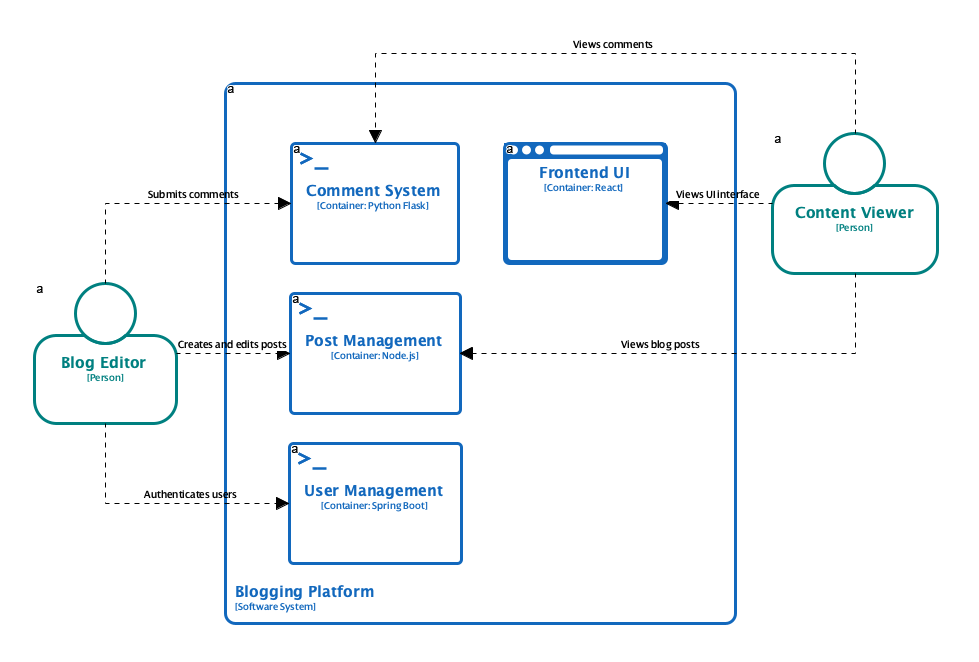
C4 Containers Diagram
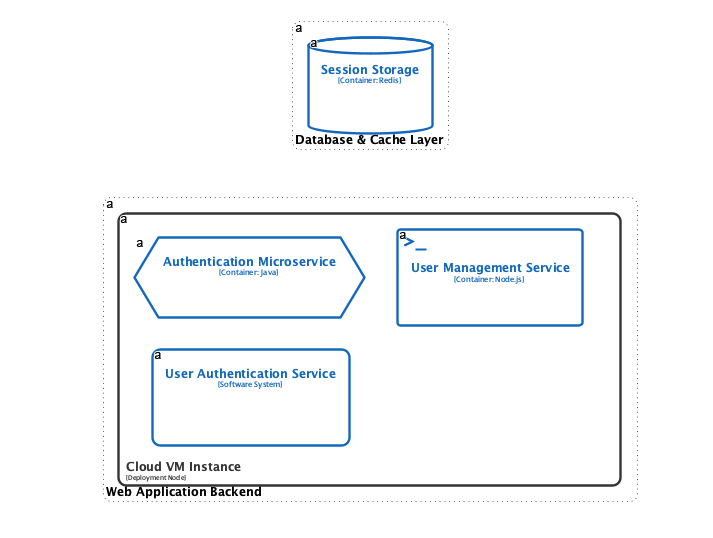
C4 Deployment Diagram
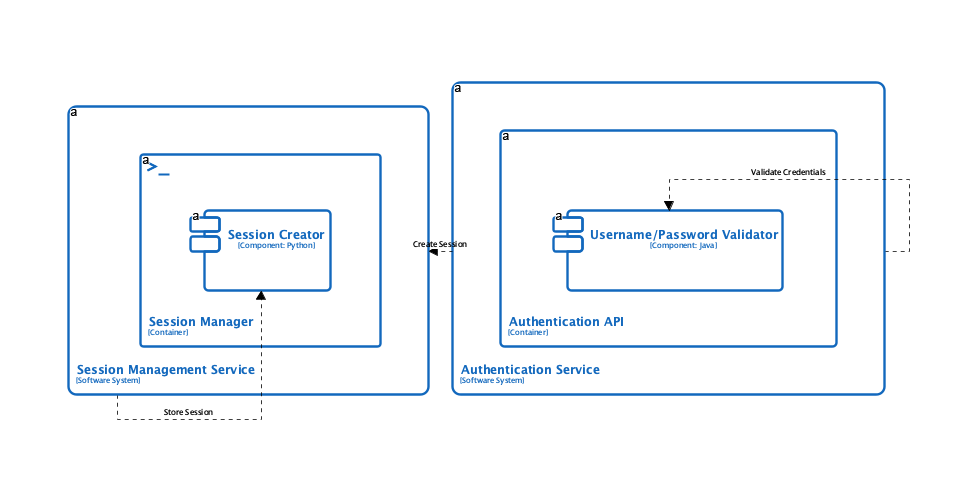
C4 Dynamic Diagram
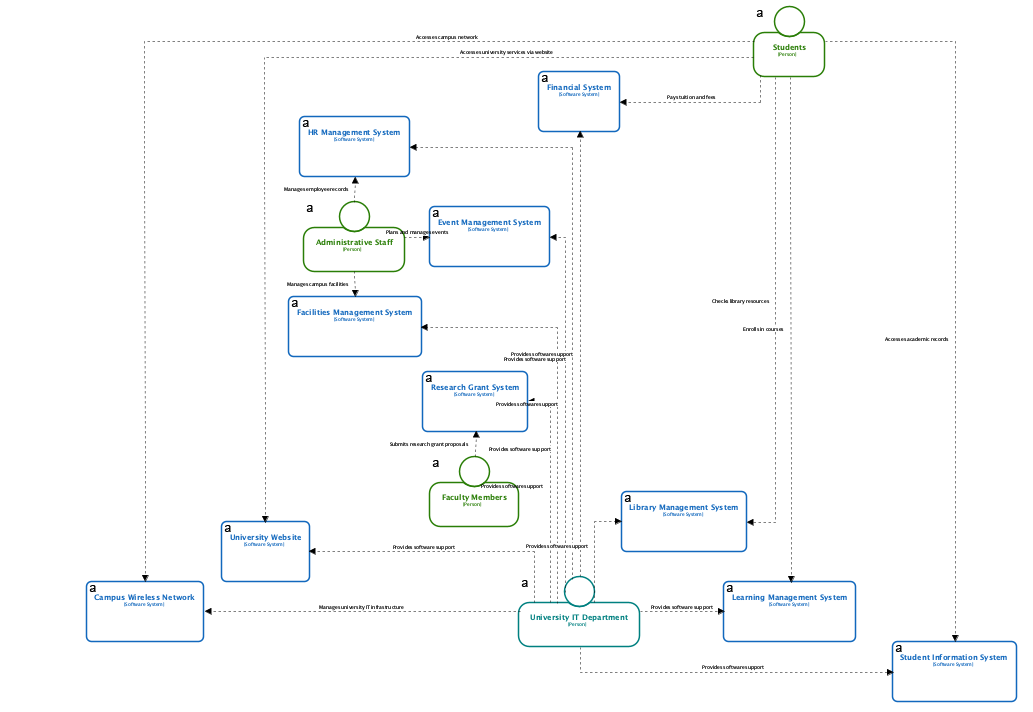
C4 System Landscape Diagram
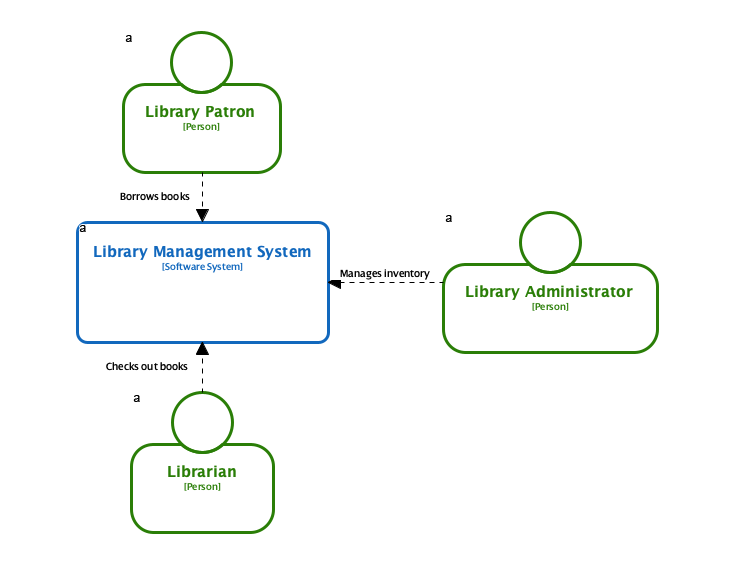
C4 System Context Diagram
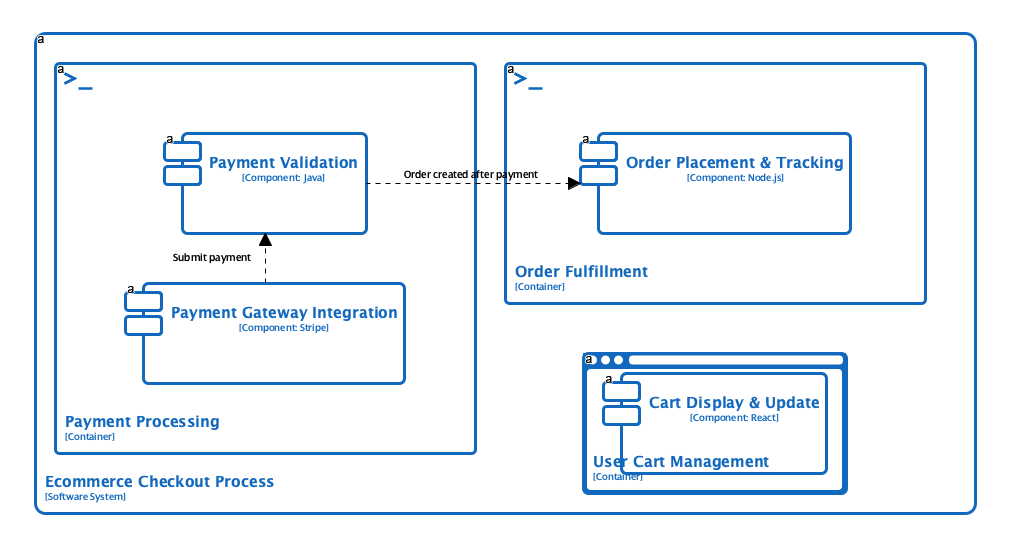
C4 Components Diagram
Check out the C4 Diagram Gallery
Conclusion: Is Visual Paradigm’s C4 Suite Right for Your Team?
After weeks of rigorous testing, our verdict is clear: Visual Paradigm’s C4 modeling suite is a powerful, thoughtfully designed tool that meaningfully reduces the friction of architecture documentation. The AI-powered diagram generation is not just a gimmick—it’s a genuine productivity multiplier that helps teams overcome the initial hurdle of getting started. The intuitive interface, comprehensive symbol library, and robust collaboration features make it suitable for both small agile teams and large enterprise architecture groups.
Where it truly shines is in bridging communication gaps. By making it easy to generate audience-appropriate views—from executive-friendly Context diagrams to engineer-detailed Component views—the tool helps ensure everyone stays aligned on system design. The ability to publish interactive documentation further extends its value beyond the architecture team.
Consider this tool if:
-
You struggle to keep architecture documentation up to date
-
Your team includes both technical and non-technical stakeholders
-
You’re adopting or already using the C4 model
-
You want AI assistance to accelerate diagram creation
You might look elsewhere if:
-
You need deep, automated code-level diagramming (Level 4 C4) without manual refinement
-
Your budget is extremely constrained (though the time savings may offset licensing costs)
-
You prefer purely open-source, command-line tooling
For most teams investing in sustainable architecture practices, Visual Paradigm’s C4 suite represents a compelling blend of automation, usability, and standards compliance. In an era where clear communication about complex systems is a competitive advantage, this tool helps turn architectural insight into shared understanding.
References
- C4 Model – Introduction: The official C4 model website introduces a hierarchical approach to software architecture diagramming, helping teams create “maps of your code” at various abstraction levels—System Context, Container, Component, and Code diagrams—to improve communication, onboarding, and risk identification.
- The C4 Model: Visualizing Software Architecture with AI-Powered Tools: Explores how the C4 model’s hierarchical levels enable clear architecture communication, enhanced by Visual Paradigm’s AI tools that convert text descriptions into professional, standards-compliant C4 diagrams with stakeholder-specific customization.
- C4 Diagram Tool Solution: Presents Visual Paradigm’s dual-platform approach (Desktop for architects, Online for agile teams) for C4 modeling, featuring AI-powered generation, PlantUML integration, real-time collaboration, and export options for professional architecture documentation.
- Container diagram – C4 Model: Explains the Container diagram level of the C4 model, which zooms into a software system to show applications, data stores, technology choices, and communication patterns between containers for technical audiences including architects, developers, and operations staff.
- C4 Component Diagram – Visual Paradigm Chatbot: Describes how Visual Paradigm’s AI chatbot can instantly generate C4 Component Diagrams from natural language descriptions, enabling iterative refinement of internal container architecture with consistent C4 notation. Includes examples for Logistics, Online Exam, and E-Commerce systems.
- Comprehensive Guide to the C4 Model for Software Architecture Documentation – Archimetric: An in-depth guide covering the four core C4 levels (Context, Container, Component, Code), key concepts like hierarchical structure and container scoping, plus Visual Paradigm’s AI-powered ecosystem for automated C4 diagram creation with practical examples for Internet Banking and E-Commerce platforms.
- C4 Diagram Tool Features: Overview of Visual Paradigm’s comprehensive C4 modeling capabilities, including AI-powered diagram generation for all six C4 types, symbol libraries, sub-diagram support, and team collaboration features for architecture documentation.
- Generate the Complete C4 Model Instantly with Visual Paradigm’s AI Tool: Announcement of Visual Paradigm Desktop’s AI Diagram Generator that automatically creates all six C4 diagram types (System Context, Containers, Components, Landscape, Dynamic, Deployment) from simple topic descriptions, reducing documentation time and ensuring consistency.
- The C4 model for visualising software architecture: Detailed overview of the C4 model’s four hierarchical abstractions (software systems, containers, components, code) and supporting diagrams (system landscape, dynamic, deployment), created by Simon Brown as a notation and tooling-independent approach. Includes an embedded video presentation from Agile on the Beach 2019.
- Full C4 Model Support Added to Visual Paradigm Desktop: Release notes announcing native support for all six C4 Model diagrams in Visual Paradigm Desktop, with dedicated shapes, templates, and workflows to enforce C4 standards and streamline architecture communication across stakeholder groups.
- C4 Model Templates : Collection of professional, pre-made C4 Model templates for Internet Banking System and other scenarios, enabling quick start with System Context, Container, Component, Deployment, Dynamic, and System Landscape diagrams in a cloud-based editor.
- C4 Model Tool Features: Highlights Visual Paradigm Online’s easy-to-use C4 Model software with drag-and-drop tools, rich symbol library, real-time collaboration, multi-format export (PNG, JPG, SVG, PDF), and integration with Microsoft Office for creating and sharing professional architecture diagrams
