


Introduction
As someone who regularly creates visual content for presentations, social media, and educational materials, I’m always on the lookout for tools that can streamline my workflow without sacrificing quality. When I heard about the recent updates to Visual Paradigm’s AI Infographic Generator, I decided to put it through its paces to see if these enhancements truly deliver on their promises. After spending several hours testing the revamped platform, I’m excited to share my honest experience with this AI-powered infographic tool and whether it lives up to the hype.
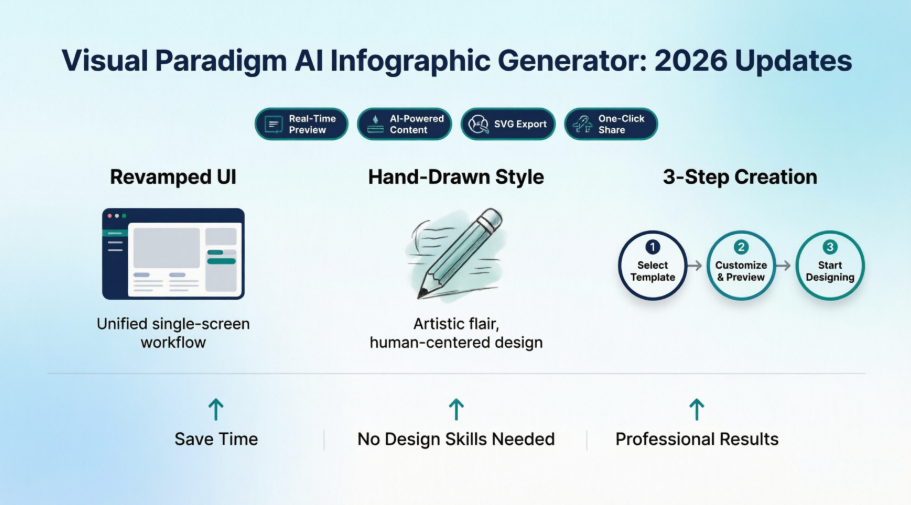
First Impressions: A Unified Interface That Actually Makes Sense
One of the most immediate improvements I noticed is the completely redesigned user interface. If you’ve used older versions of infographic generators, you know the frustration of jumping between multiple windows or losing your place while tweaking settings. Visual Paradigm has solved this by consolidating everything into a single, intuitive screen.
The creation process now follows a logical three-step workflow that feels natural and efficient:
Step 1: Select Infographic Template
The template selection screen is clean and well-organized. You’re presented with professionally designed options that cover various use cases—from statistical reports to timelines and process flows.
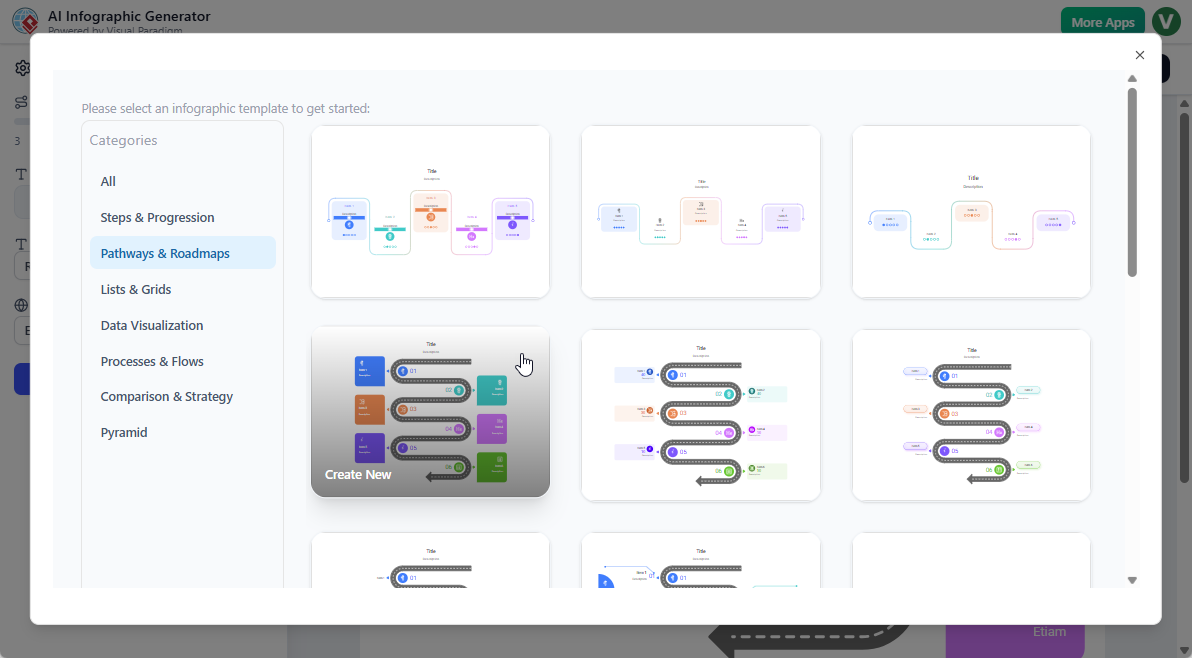
What I appreciated: The templates aren’t just pretty—they’re strategically designed for different content types, making it easy to choose the right foundation for your project.
Step 2: Customize & Preview Instantly
This is where the magic happens. The side pane gives you control over:
- Number of items
- Font size
- Font family
- Language preferences
But here’s the game-changer: changes appear in real-time on the preview panel. No more guesswork or constant back-and-forth.
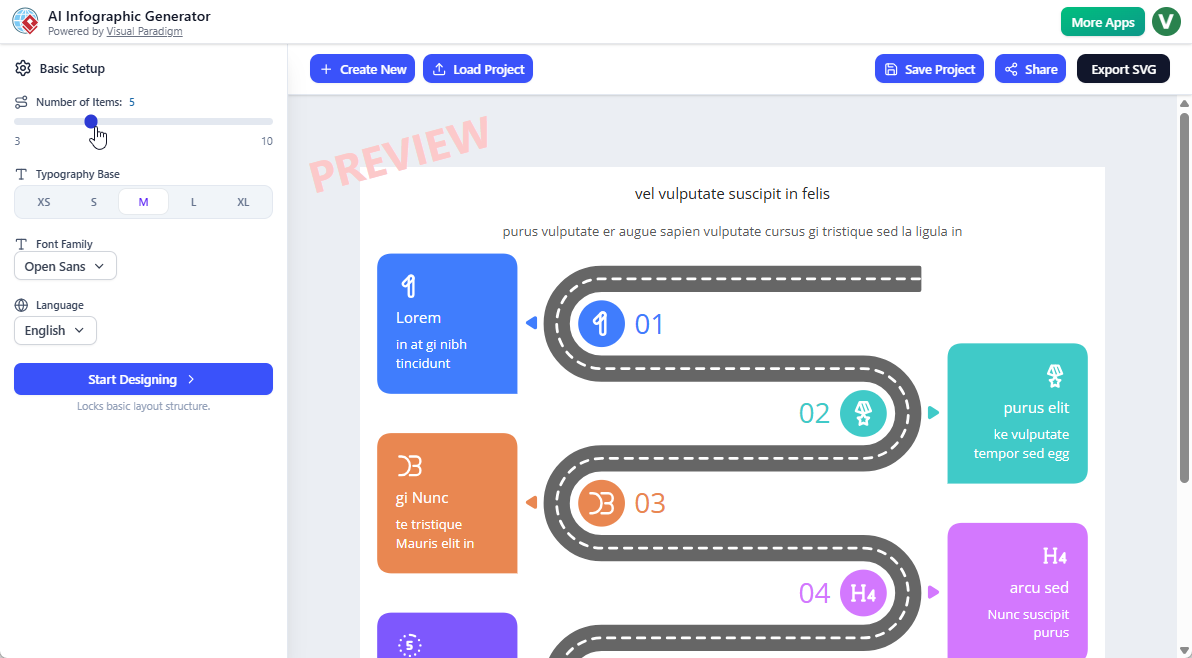
My experience: I was able to fine-tune the design in minutes, seeing exactly how each adjustment affected the overall look. This real-time feedback loop significantly sped up my workflow.
Step 3: Start Designing
Once your settings are dialed in, clicking Start Designing opens up two paths:
- Manual editing for complete creative control
- AI-powered generation where you simply enter your topic and let the AI create structured, intelligent content
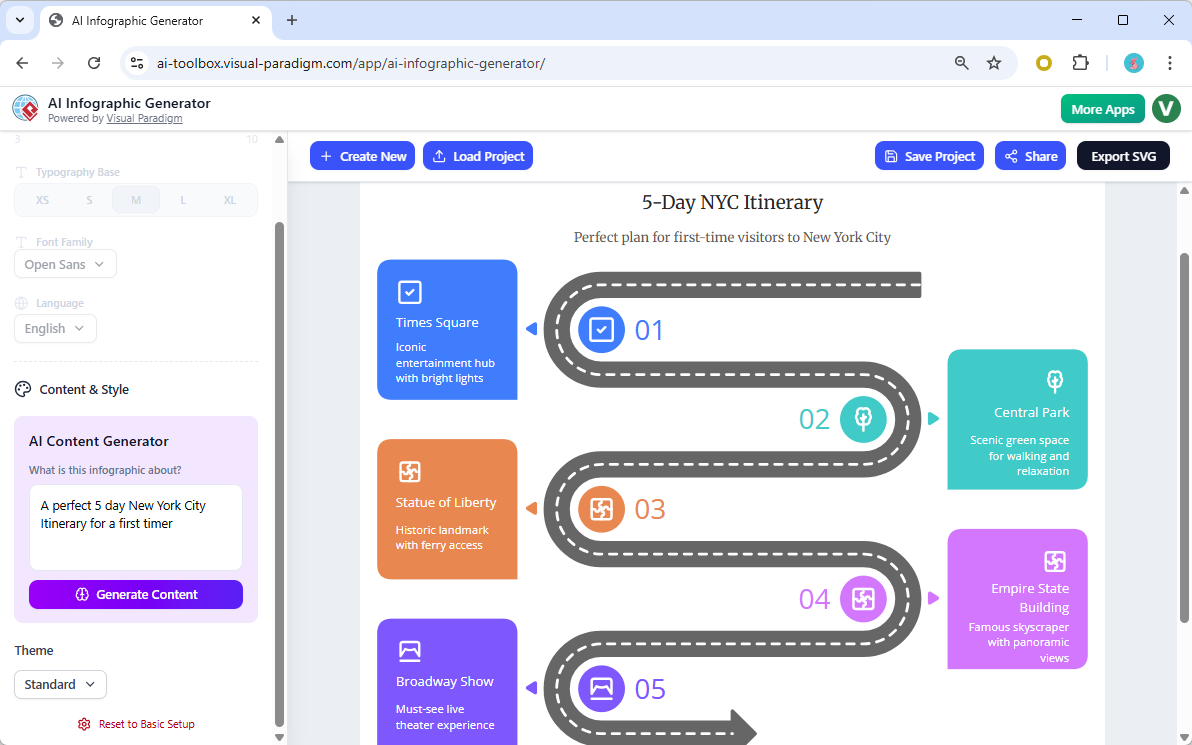
I tested both approaches and found the AI generation surprisingly accurate—it created relevant titles, descriptions, and even suggested appropriate data visualizations based on my simple text prompt.
The Standout Feature: Hand-Drawn Style Support
This is the update that genuinely excited me. The new hand-drawn style option adds a completely different aesthetic dimension to the tool.
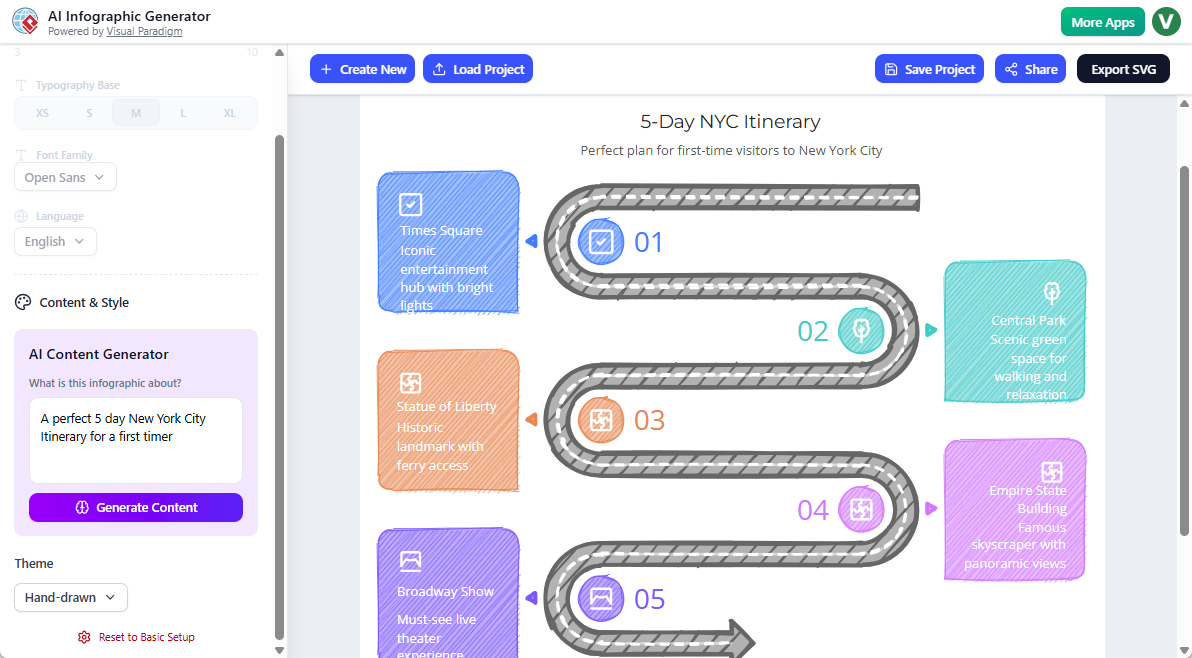
Why this matters:
- Perfect for educational content that needs to feel approachable
- Great for informal presentations or blog posts
- Adds personality and warmth that polished corporate designs sometimes lack
- No artistic skills required—the AI handles all the “hand-drawn” rendering
In my testing, I created the same infographic in both traditional and hand-drawn styles. The difference was striking—the hand-drawn version felt more engaging and less intimidating, which is ideal for certain audiences.
What Makes This AI Infographic Tool Worth Your Time
After extensive testing, here are the features that stood out:
Speed & Efficiency
- From idea to finished infographic in minutes, not hours
- AI generates titles, descriptions, data points, charts, and layouts from simple text prompts
- Real-time previews eliminate revision guesswork
Flexibility
- Start with professional templates or customize freely
- Switch between formal and hand-drawn aesthetics
- Adjust fonts, colors, and layouts on the fly
Professional Output
- Export as high-quality SVG for any use case
- One-click sharing via unique links
- Clean, publication-ready designs
Accessibility
- No design experience needed
- Intuitive three-step process
- Responsive interface that doesn’t require a learning curve
Who Should Use This Tool?
Based on my experience, this AI-powered infographic maker is ideal for:
✓ Marketers creating social media content and campaign visuals
✓ Business professionals building reports and presentations
✓ Educators developing engaging learning materials
✓ Content creators enhancing blog posts and articles
✓ Small business owners who need professional visuals without hiring designers
✓ Students working on projects and presentations
✓ Business professionals building reports and presentations
✓ Educators developing engaging learning materials
✓ Content creators enhancing blog posts and articles
✓ Small business owners who need professional visuals without hiring designers
✓ Students working on projects and presentations
Areas for Consideration
While I was impressed overall, here are some honest observations:
- The tool requires a Visual Paradigm Online Combo license or higher, so it’s not free
- Advanced users might want even more granular control over certain design elements
- The AI generation is impressive but may still require minor manual adjustments for highly specialized content
That said, these are minor considerations compared to the time savings and quality of output.
Conclusion: Does It Deliver?
After putting Visual Paradigm’s updated AI Infographic Generator through comprehensive testing, I can confidently say it delivers on its promises. The unified interface eliminates the friction that plagues many design tools, the three-step workflow is genuinely intuitive, and the new hand-drawn style option adds creative versatility that sets it apart from competitors.
What impressed me most was how the tool balances automation with control. The AI can handle the heavy lifting of content generation and layout, but you’re never locked out of making manual adjustments. This flexibility, combined with real-time previews and professional export options, makes it a practical solution for anyone who needs to create compelling visuals regularly.
The hand-drawn style feature alone is worth exploring—it opens up new creative possibilities for content that needs to feel more personal and less corporate. Whether you’re a design novice or an experienced professional looking to speed up your workflow, this AI infographic tool deserves a spot in your creative toolkit.
Final verdict: The enhancements are substantive, not just cosmetic. Visual Paradigm has created a genuinely user-friendly AI-powered infographic maker that saves time without compromising quality. If you’re in the market for an efficient, versatile infographic solution, this updated version is definitely worth trying.
References
- AI Powered Infographic Generator – Visual Paradigm: Learn more about features and benefits of Visual Paradigm’s AI infographic generator tool
- Try AI Infographic Generator Now: Access the AI infographic generator application to start creating professional infographics with AI assistance
Related posts:
 Complete Guide: Sending Visual Paradigm Online Creations to OpenDocs
 The Complete Guide to Visual Paradigm’s OpenDocs Pipeline
 Complete Guide: Send Diagrams from Visual Paradigm AI Chatbot Directly to OpenDocs
 A Practitioner’s Guide to Visual Paradigm OpenDocs: Mastering Static vs. Live Sharing and the Pipeline Ecosystem

